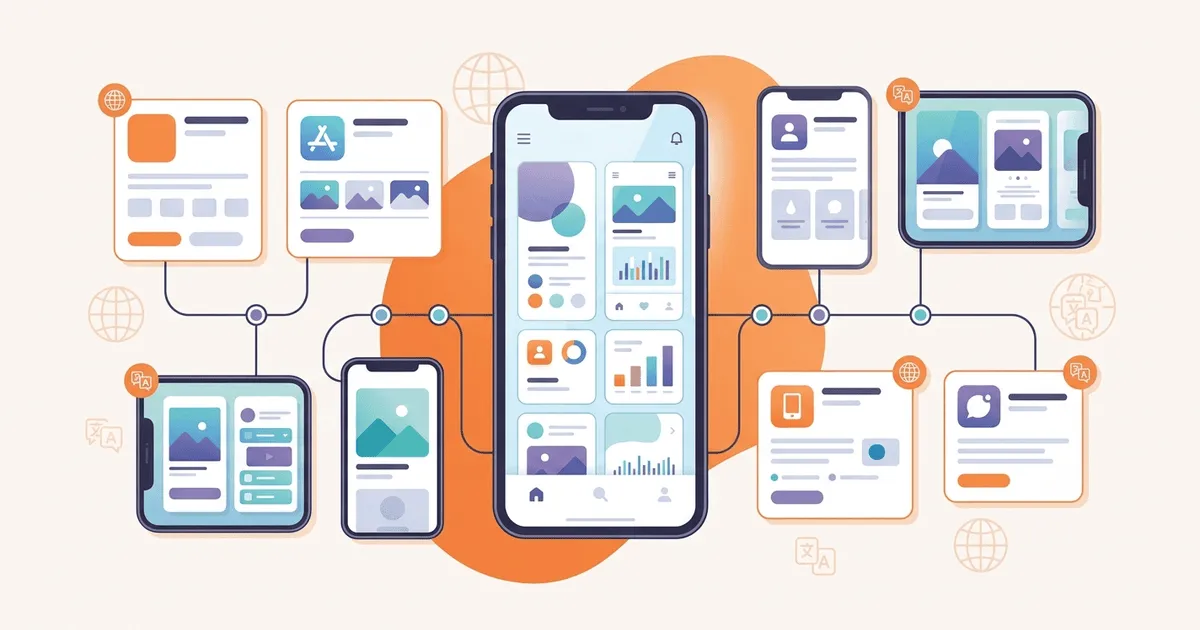
A translated interface is not a localized release. An app can ship flawless French menus while its App Store page remains English, its screenshots show last quarter's design, and its release notes describe a feature that is unavailable in France. Each artifact may be correct on its own. The release still feels broken because the pieces reached users at different times.
This gap appears in real team discussions. One developer asking whether to invest in localization was advised to treat product UI and store-listing work as separate decisions with separate evidence. That distinction belongs in the operating process, not just the strategy deck.
A reliable app localization workflow treats every locale as a small release train. Product strings, store metadata, visual assets, linguistic review, technical QA, and rollback readiness all need a visible state. The goal is not to force every locale to launch simultaneously. The goal is to know exactly what is ready, what is blocked, and what users will see.
Why app localization fails near release
Most teams organize localization around files. Engineering owns JSON, ARB, Android XML, or String Catalog entries. Marketing owns store descriptions. Design or QA captures screenshots. A translator receives whatever source text happens to be available. Release management checks the binary, then discovers the missing locale assets when the submission deadline is already close.
File ownership is useful, but it hides the actual dependency chain. A screenshot depends on approved UI copy and a deterministic app state. Store copy depends on a stable feature list and market-specific terminology. Linguistic review depends on context, not just strings. A launch decision depends on all three.
The practical fix is to track a locale by deliverable and gate. A simple record can include:
- Product resources translated and structurally valid
- In-app copy reviewed in context
- Store title, subtitle, description, and release notes approved
- Required screenshots captured from the approved build
- Locale-specific smoke test complete
- Product, localization, and release owners signed off
- Fallback or rollback action documented
A percentage such as "German is 96% translated" cannot answer those questions. The missing four percent could be an internal settings label or the purchase button. Readiness needs named gates.
Define the locale as the release unit
Start with a locale manifest. Give each target locale a stable language tag, owner, scope, deadlines, and current gate status. Follow a recognized tag rather than inventing internal abbreviations; the W3C guide to choosing language tags explains how language, script, and region subtags fit together.
Keep language and market separate when the product requires it. fr may identify French product resources, while France, Canada, and Belgium can need different store claims, prices, legal copy, or screenshots. Do not duplicate the whole UI catalog merely because storefront content differs. Model the distinction directly.
The manifest should also name the source version. That might be a Git commit, mobile build number, or release candidate identifier. Without it, reviewers cannot tell whether a screenshot, translation export, and store description refer to the same product state.
A minimal per-locale record might contain:
- Locale tag and target storefronts
- Source build or commit
- Product-resource status
- Store-metadata status
- Screenshot status by device class
- Linguistic-review status
- Technical-QA status
- Accountable approver
- Exception and rollback notes
The record can live in a database, issue tracker, or versioned file. The important part is that every team reads and writes the same state.
Gate 1: freeze source text and context
Localization should not start from strings that are still changing hourly. Establish a source freeze for the release candidate. Late copy changes are allowed, but they must reopen affected target strings instead of quietly replacing English after translation finished.
On Apple platforms, String Catalogs keep localization state and variations alongside source text. Android's localization resource model uses default resources plus locale-qualified alternatives. The file formats differ, but the workflow question is the same: which source version did this translation review?
Attach context before sending work out. For each message, preserve:
- Stable key or unit identifier
- Screen and component location
- Whether the text is a button, heading, error, label, or notification
- Meaning of every variable
- Character or layout constraints
- Screenshot or design reference when ambiguity remains
- Approved terminology and text that must not be translated
Treat structured messages as code-bearing content. The ICU MessageFormat guide shows how arguments, plural branches, and selectors carry behavior as well as words. A translator may change the sentences inside those branches. Renaming an argument can break the app.
Gate 2: validate product resources before review
Run structural validation before asking a linguist to judge tone. A reviewer should not spend time finding a missing key or broken {count} variable that a deterministic check could catch immediately.
At minimum, compare each target against the source for:
- Missing and unexpected keys
- Empty values
- Placeholder names and counts
- Plural and select structure
- Parse errors
- Unsupported locale or file names
- Text accidentally identical to the source where that is suspicious
The open-source i18n-validate project is one example of a validator designed for these checks across common localization formats. Whatever tool you choose, make its output reproducible and run it in the same environment used by CI.
Structural success is not linguistic approval. It means the artifact is safe enough to review. Keep those statuses separate so a green parser does not become a false claim that the locale is launch-ready.
After file validation, render the app in the target locale. Exercise navigation, authentication, purchasing, empty states, notifications, offline behavior, and error paths. Bugs often hide outside the main happy path because those strings are less visible during translation and design review.
Gate 3: approve store metadata as its own artifact
Storefront localization has different limits and business goals from in-app copy. It includes product names, subtitles, descriptions, promotional text, keywords where supported, and release notes. It may also require market-specific claims or legal review.
Apple provides a separate workflow to localize App Store information. Google Play likewise documents how to translate and localize store content. That separation in the platform tools should be reflected in your tracking model.
Do not automatically copy UI terminology into marketing text. Consistency matters, but a concise button label is not always a useful store keyword. Give storefront reviewers the approved product terminology, feature facts, length limits, and intended market. Require them to flag claims that are true only in selected countries or builds.
Release notes need a deadline too. Write the source notes from the final shipped change list, not from an early roadmap. If a feature misses the build, remove its localized note before submission. Tie every note set to the release version so old copy cannot be uploaded by accident.
Gate 4: capture localized screenshots from deterministic state
Screenshots are part of the release, not decoration added after translation. They can contain UI text, captions, notifications, prices, dates, names, and account data. Each of those can vary by locale or market.
Apple's guidance for uploading app previews and screenshots defines required media slots and device considerations. Meet the platform specification, then automate the content inside the frame.
Create a deterministic screenshot mode in the app or test suite. It should:
- Load a known account and fixture data.
- Set the target locale explicitly.
- Freeze dates, balances, notifications, and network responses.
- Navigate to named screens in a fixed order.
- Capture the required device sizes.
- Store images under the release and locale manifest.
Do not rely on a tester changing the phone language and tapping through by memory. Manual capture produces mismatched states and makes later corrections expensive. Automation lets you regenerate one locale after a copy fix without retaking every market by hand.
Review screenshots both linguistically and visually. Check truncation, wrapping, text over images, right-to-left direction, localized numbers, and whether captions still match the visible feature. A correct translation can still be a bad screenshot.
Gate 5: run pseudo and real-locale QA
Pseudo-localization catches layout and hard-coded text before reviewers spend time on every target. Android includes built-in pseudolocales that expose text expansion and right-to-left problems. Other stacks can generate accented, expanded, or mirrored test catalogs.
Use pseudo tests early, then test representative real locales. Pick them by risk rather than popularity alone:
- A long-text locale for expansion
- A right-to-left locale for directionality
- A CJK locale for font and line-breaking behavior
- A locale with complex plural categories
- A regional variant that exercises fallback
A full device matrix for every locale may be unrealistic. Define a base smoke suite for all locales and a deeper risk-based matrix. Document the choice so reduced coverage is a deliberate decision rather than an accident.
Store screenshots and test evidence with the release manifest. When an approver signs off, they should see the build, source version, target artifacts, known exceptions, and test result in one place.
Run the release as a visible queue
A weekly localization train works better than a pile of private messages. New source units enter the queue at freeze. Automated checks run first. Translators receive context-rich work. Reviewers handle language and market fit. QA verifies the built product and screenshots. Release management approves or defers each locale.
If your team already practices continuous localization, connect these storefront and visual gates to that process rather than creating a second invisible workflow. The i18nAgent continuous localization guide covers the source-to-CI portion. Extend the same state through store submission and release evidence.
Use explicit states such as:
source-readytranslatingintegrity-passedlinguistic-reviewstore-readyscreenshots-readyqa-passedapprovedreleasedblocked
Avoid one generic done field. It conceals the exact handoff that is late.
Handle exceptions and rollback before launch
Not every locale will meet every deadline. Decide in advance whether the product can ship with one locale deferred, whether the store listing can remain on a previous version, and how runtime fallback behaves.
A locale exception should record:
- The missing or failed gate
- User impact
- Owner and resolution date
- Whether the locale is hidden, deferred, or allowed with fallback
- Who accepted the risk
Rollback must be specific to the artifact. A malformed Android resource may require a new binary. A bad remote string may be reversible through content delivery. Incorrect store copy can often be corrected without an app update. A misleading screenshot may need immediate replacement even when the build remains healthy.
Version translations and store assets so the previous approved set is recoverable. Test fallback using the same locale tags defined in the manifest. A rollback plan that says only "use English" is incomplete if the routing logic cannot resolve the affected regional locale predictably.
Measure the workflow after release
Measure whether the system produces coherent releases, not just how many words it processes. Useful signals include:
- Time from source freeze to locale approval
- Percentage passing structural validation on the first attempt
- Number of strings reopened after source changes
- Linguistic rework per locale
- Screenshot recapture count
- Store assets delivered after the submission deadline
- Locale-specific defects found after release
- Deferred locales and recurring blockers
Pair operational data with acquisition and product behavior. Store impressions, listing conversion, activation, retention, and support volume answer different questions. A locale with weak acquisition may have a visibility problem. Strong installs with low activation may point to product or onboarding quality. Translation quality is only one possible cause.
Use this launch checklist
Before marking a locale ready, confirm:
- The locale tag, storefront scope, and source build are recorded.
- Source text is frozen or every later change reopens affected translations.
- Messages include context, variables, constraints, and terminology.
- Locale files pass key, placeholder, plural, and parse validation.
- Critical in-app paths were rendered in the target locale.
- Store metadata matches the shipped feature set and market.
- Localized screenshots come from the approved build and deterministic data.
- Pseudo-localization and risk-based real-locale tests passed.
- Linguistic and release approvers are named.
- Exceptions include owner, impact, deadline, and accepted risk.
- Previous approved artifacts are recoverable.
- Release evidence is linked from one locale manifest.
This is the difference between translating an app and operating localization. The first creates target text. The second makes sure users receive a consistent product, listing, and release in their language.
References
- Apple: Localizing and varying text with a string catalog
- Apple: Localize App Store information
- Apple: Upload app previews and screenshots
- Android: Localize your app
- Android: Test with pseudolocales
- Google Play: Translate and localize your app
- W3C: Choosing a language tag
- Unicode ICU: MessageFormat
- GitHub: i18n-validate
- i18nAgent: Continuous localization guide
- Reddit: App localization versus store localization