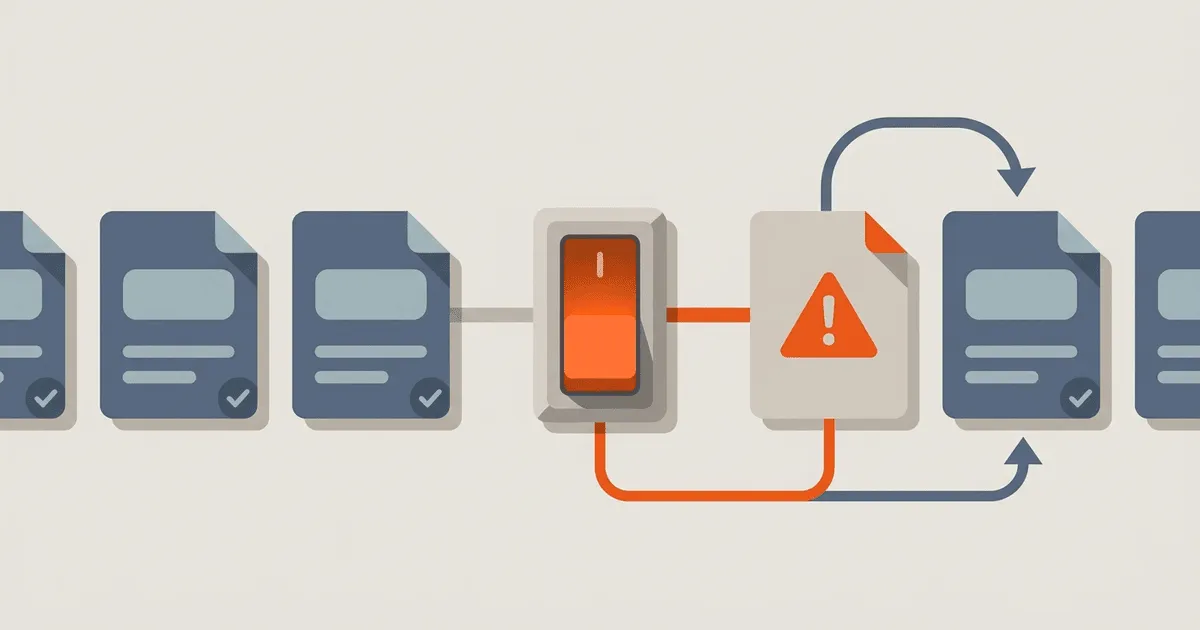
Engineering teams are well-versed in rolling back faulty code deployments, yet they often lack a clear localization rollback strategy. When a bad target string, culturally inappropriate translation, or malformed resource bundle reaches production, the immediate instinct might be to revert the entire release. However, withdrawing an entire application version just to fix a single broken locale causes unnecessary disruption for all other users.
Instead, teams need a dedicated localization rollback plan. By versioning locale artifacts, defining kill switches, and establishing predictable fallback behaviors, you can isolate localization incidents and recover quickly without impacting the global user base.
Why localization requires a specific rollback strategy
Localization failures differ from traditional code bugs. A missing placeholder or an unescaped character in a translated string can crash an application just as easily as a null pointer exception. Culturally insensitive or inaccurate translations can cause severe reputational damage. When these issues occur, a localization rollback provides a targeted response.
Rolling back an entire application deployment is a heavy-handed approach. It disrupts feature delivery, invalidates QA efforts for unrelated changes, and forces users to download a new version. A localization-specific rollback allows you to withdraw only the faulty locale or resource bundle, falling back to a safe default while the issue is resolved.
This capability is especially critical for mobile applications, where app store review processes can delay the distribution of a hotfix. A server-side kill switch for a specific locale can mitigate the issue instantly.
Building the architecture for localization rollbacks
Establishing a resilient architecture for localization rollbacks requires a fundamental shift in how teams manage translation assets. In many legacy systems, translations are tightly coupled with the application's source code, meaning that an update to a single string necessitates a complete rebuild and redeployment of the entire application. This monolithic approach severely limits agility and makes targeted rollbacks impossible.
To enable granular control and rapid recovery, the architecture must support the independent versioning, distribution, and loading of localization resources. This decoupled approach treats translations as distinct artifacts that can be updated or rolled back without affecting the underlying application logic. The goal is to ensure that a failure in one locale remains isolated and does not compromise the stability of the entire system.
Decoupling translations from application code
The first step in building a resilient architecture is to separate the localization data from the application codebase. Instead of hardcoding translations or bundling them directly into the compiled executable, the application should fetch translation resources dynamically from an external source, such as a content delivery network (CDN) or a dedicated localization service.
This decoupling allows localization teams to publish updates independently of the engineering release cycle. If a critical translation error is discovered in production, a corrected resource bundle can be deployed immediately, and the application will fetch the updated translations on its next initialization. This separation of concerns not only enables rapid rollbacks but also streamlines the overall localization workflow.
Managing resource bundle dependencies
When decoupling translations, it is important to manage the dependencies between the application code and the localization resources. The application must know which version of the resource bundle it requires to function correctly. This can be achieved by including a manifest file or configuration endpoint that specifies the required version for each locale.
If an application update introduces new UI elements that require new translations, the application must be configured to request the corresponding version of the resource bundle. Conversely, if a localization rollback is initiated, the configuration must be updated to point the application to the previous, known-good version of the resources.
Handling client-side caching
Dynamically fetching translations introduces the challenge of client-side caching. To optimize performance and reduce network bandwidth, applications typically cache localization resources locally. However, aggressive caching can prevent the application from receiving an updated or rolled-back resource bundle in a timely manner.
To balance performance with rapid recovery, implement a robust cache invalidation strategy. This can involve using versioned URLs for resource bundles, implementing cache-control headers, or providing a mechanism for the application to poll for updates and invalidate its local cache when a new version is available. A well-designed caching strategy ensures that rollbacks propagate quickly to all active users.
Implementing localization kill switches
Kill switches, or feature flags, provide granular control over the availability of specific locales. By wrapping the initialization of a locale within a feature flag, you can disable it instantly if critical issues are discovered in production. Feature flags are a well-understood pattern for managing release risk, as discussed in Martin Fowler's guide to feature toggles.
When a locale is disabled via a kill switch, the application must gracefully degrade. This typically means falling back to the default language, ensuring that users can still navigate and use the application, even if the content is not in their preferred language.
Establishing predictable fallback behavior
A important component of any localization rollback strategy is a deterministic fallback chain. When a specific locale is disabled via a kill switch, or if a particular translation string is missing from a dynamically loaded resource bundle, the application must know exactly how to recover. Without a defined fallback mechanism, the application may display raw localization keys, render blank spaces, or even crash.
The fallback chain must be designed to gracefully degrade the user experience, ensuring that the application remains functional and comprehensible, even if it is not presented in the user's preferred language. This degradation should follow a logical progression based on linguistic and regional relationships.
Hierarchical language fallback
The most common approach to fallback behavior relies on hierarchical language tags. As defined by the IETF BCP 47 standard, language tags are composed of primary language subtags and optional region, script, or variant subtags. The W3C explains how to choose and structure language tags, which are critical to predictable fallback and targeting.
When an application attempts to resolve a localized string, it should first search for the most specific language tag matching the user's preference. If the string is not found, or if the locale has been rolled back, the application strips the most specific subtag and searches again.
For example, if a user's device is set to es-AR (Argentine Spanish) and a specific translation is missing or the es-AR locale has been disabled due to an incident, the application should automatically fall back to the generic es (Spanish) resource bundle. If the string is still not found in the generic es bundle, the application will ultimately fall back to the defined default language, typically en (English).
Platform-specific fallback mechanisms
Modern operating systems and application frameworks often provide built-in support for hierarchical language fallback. Leveraging these native mechanisms simplifies the implementation of a rollback strategy and ensures consistent behavior across the platform.
For instance, the Android operating system implements a sophisticated resource resolution algorithm that automatically handles locale fallback. Android documents locale-specific resources and fallback in its localization guide, detailing how the system searches through alternative resource directories when the requested locale is unavailable.
Similarly, Apple's iOS ecosystem utilizes a language fallback mechanism based on the user's preferred language list. If the application does not support the user's top preferred language, the system iterates through the list until it finds a supported localization. Understanding and utilizing these platform-specific features is required for building a robust and predictable fallback experience.
Handling missing placeholders and formatters
Fallback behavior must also account for structural issues within localized strings, such as missing or malformed placeholders. In many localization systems, strings contain variables that are replaced with dynamic data at runtime.
If a translation error results in a missing or incorrectly formatted placeholder, the application may crash when attempting to render the string. To prevent this, the localization framework should be configured to handle formatting errors gracefully. A robust approach is to catch formatting exceptions and automatically fall back to the source string (the default language), which is presumed to have the correct placeholder structure. This ensures that the dynamic data is displayed, even if the surrounding text is in the wrong language.
Testing and verifying the rollback process
A rollback plan is only effective if it has been tested and verified. Localization rollbacks should be incorporated into your standard incident response drills.
Simulating localization incidents
Create staging environments where localization incidents can be simulated safely. Introduce malformed resource bundles or missing translations and verify that the application behaves as expected. Test the activation of kill switches and confirm that the fallback language is displayed correctly without causing crashes or layout issues.
Monitoring and alerting
Implement monitoring and alerting to detect localization issues in production. Track metrics such as the number of translation-related errors, missing string fallbacks, and user reports of broken UI elements. Set up alerts to notify the localization and engineering teams when these metrics exceed predefined thresholds.
By proactively monitoring localization health, you can identify and mitigate issues before they impact a large portion of your user base.
Handling the aftermath of a rollback
A successful rollback is only the first step in resolving a localization incident. Once the immediate impact has been mitigated, a thorough post-mortem analysis is required to identify the root cause and prevent recurrence.
Investigating the root cause
Determine how the faulty translation or malformed resource bundle reached production. Was it a failure in the translation vendor's QA process? Did the CI/CD pipeline fail to detect syntax errors in the resource files? Was there a lack of context provided to the translators?
Identifying the root cause is important for improving the localization workflow and preventing similar incidents in the future.
Updating the translation memory
If the incident was caused by an inaccurate or culturally insensitive translation, ensure that the translation memory is updated with the corrected text. This prevents the faulty translation from being reused in future updates.
Communicate the correction to the translation vendor and provide additional context or guidelines to clarify the intended meaning of the source string.
Next steps for implementing a localization rollback plan
Building a localization rollback plan requires collaboration between engineering, localization, and release management teams. Start by assessing your current localization architecture and identifying areas where decoupling and versioning can be introduced.
- Audit your localization workflow: Determine how translations are currently integrated into the application and identify potential bottlenecks or points of failure.
- Implement feature flags for locales: Introduce kill switches to allow granular control over the availability of specific languages.
- Define a logical fallback chain: Ensure that your application gracefully degrades to a broader language variant or the default language when a specific locale is unavailable.
- Test your rollback procedures: Conduct regular drills to verify that your localization rollback plan is effective and well-understood by all relevant teams.
By treating localization failures as distinct incidents with targeted recovery paths, you can protect your application's reputation and ensure a consistent, high-quality experience for users across all locales.
References
- Martin Fowler's guide to feature toggles - Explains feature flags and kill switches which can be used to disable broken locales.
- W3C language tags - Discusses the structure of BCP 47 language tags necessary for hierarchical fallback.
- Android localization guide - Documents how Android resolves fallback resources.