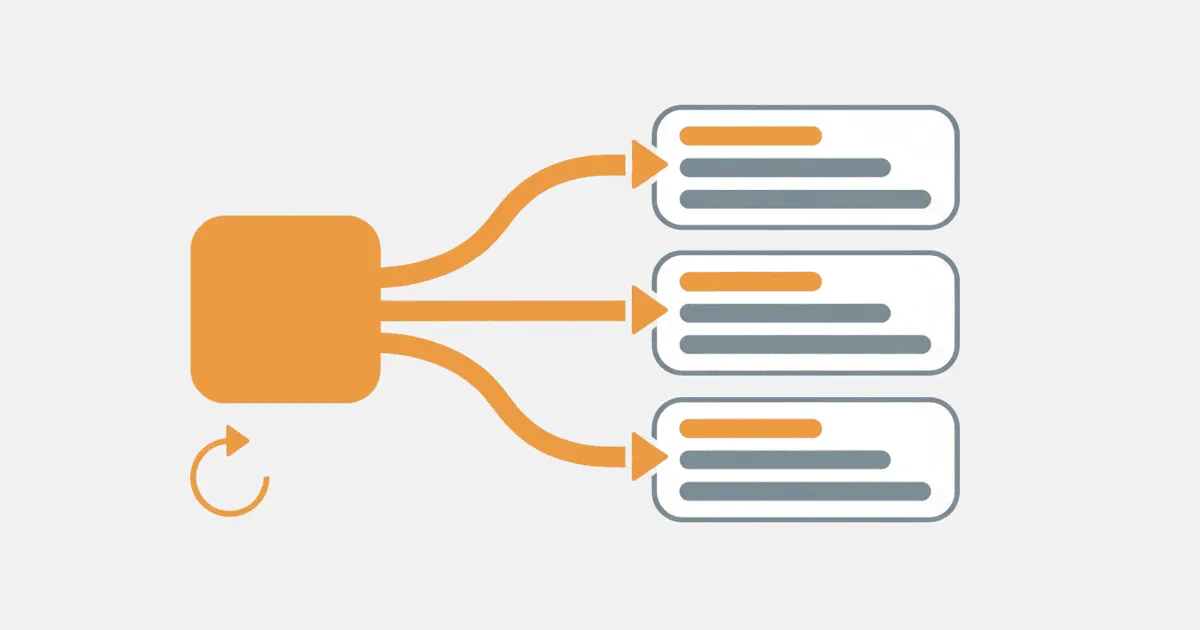
App widget localization can fail even when the main app looks correct. A user selects French, returns to the home screen, and still sees an English widget title or yesterday's English timeline. Removing and adding the widget may make the copy change, but that only proves the cache was refreshed. It does not fix the language lifecycle.
Treat the widget as a separate rendering surface with its own resources, locale resolution, cached output, and refresh trigger. Define one effective app locale, render every widget with it, and invalidate old output when the locale changes. The same workflow must cover picker metadata, runtime text, failures, and release testing on WidgetKit and Android App Widgets.
Why widget language drifts from the app
A widget does not share the main app's screen lifecycle. Apple's WidgetKit extension guidance describes a separate extension and a timeline-based rendering surface. Android defines app widgets as home-screen surfaces that present an at-a-glance view outside the normal activity screen.
That separation creates four places for language state to diverge:
- The main app stores a user-selected locale, but the widget resolves the device locale.
- The widget owns a different string catalog or resource set and lacks one or more translations.
- Picker metadata is localized differently from runtime widget content.
- The locale changes, but an existing timeline entry or remote view remains cached.
The first defect is a policy mismatch. The next two are resource ownership defects. The last is a lifecycle defect. Copying more strings into a widget target only addresses one part of the problem.
Two practitioner reports describe this mismatch directly. An Android developer said that activities followed an in-app locale while the widget continued to use the device locale. A WidgetKit developer asked why widget configuration metadata did not follow the app language. These are author reports, not platform guarantees. Both point to a missing locale contract between the app and widget.
Define one effective locale contract
Before changing widget code, write down how the app chooses its language. Do not let each surface infer a locale independently.
Use a fixed precedence rule:
- A supported language explicitly selected for this app.
- A supported system per-app language, where the platform exposes it.
- The best supported device language.
- The app's required default language.
The contract should return a canonical language tag and a source label. The source label makes diagnostics useful because it tells you whether a widget used a saved preference, a platform setting, or fallback.
resolveEffectiveLocale():
  selected = readAppLanguagePreference()
  if selected is supported:
    return LocaleDecision(selected, "app-preference")

  platform = readPlatformAppLocale()
  if platform is supported:
    return LocaleDecision(platform, "platform-app-locale")

  device = bestSupportedDeviceLocale()
  if device exists:
    return LocaleDecision(device, "device-match")

  return LocaleDecision(defaultLocale, "default")
Store the canonical value in data shared with the widget process or provider. Store only a validated tag from the app's supported locale registry. A raw user string, display name, or storefront locale code should not become a runtime resource selector.
Version the language decision too. A small integer or timestamp such as localeRevision lets a widget identify output rendered under an older choice without comparing translated text. Increment the revision only after the new locale is persisted successfully.
Build the WidgetKit path around the selected locale
On iOS, keep widget resources with the target that renders them. Apple's String Catalog documentation describes catalogs as the place to manage localizable strings, languages, plurals, and device variations. In practice, that means a widget-only message needs to be present in a catalog available to the widget extension, not merely in the main app target.
Separate three types of copy during inventory:
- Picker copy, including a widget name and description.
- Runtime chrome, such as labels, buttons, empty states, and accessibility text.
- Dynamic data, such as a localized status or formatted date supplied in a timeline entry.
Picker copy may be resolved before the widget renders a timeline, so a test that checks only the widget body can miss untranslated configuration metadata.
The widget should read the shared effective locale when it constructs timeline content. Use that same decision for string lookup and locale-sensitive formatting. Do not store a fully formatted date or number in shared data. Store the typed value, then format it when the timeline entry is built for the selected locale.
When the app changes language, use this order:
- Validate and persist the new canonical locale.
- Increment
localeRevisionin the shared store. - Rebuild any app UI that depends on the locale.
- Request a reload for the affected widget kinds.
- Confirm that a new timeline entry carries the new revision.
The reload request is not a substitute for correct resource ownership. If the widget target does not contain the selected localization, a fresh timeline can still render source text or fallback. Conversely, complete resources do not help if WidgetKit continues to show an entry created under the previous locale.
Include the locale tag and revision in development logs, but do not put user content or translated messages in those logs. A useful entry states the widget kind, timeline generation time, effective locale, locale source, and revision.
Rebuild Android widgets with a locale-aware context
Android's per-app language preferences guide defines the system and in-app selection surfaces for app languages. Your widget workflow still needs an explicit decision about how that setting reaches the widget provider and its rendered output.
Use normal Android locale resources for widget copy. Keep a complete default resource set because it is the final fallback when a locale-specific value is missing. During a widget update, obtain the current effective app locale and create or select the context used for resource lookup before constructing the widget view. Do not translate labels manually in provider code.
For each installed widget instance, rebuild the entire visible state after a language change. Updating one text field while retaining other cached values can create a mixed-language widget. The update should cover:
- Visible labels and action text.
- Content descriptions and other accessibility copy.
- Locale-sensitive dates, times, numbers, and units.
- Empty, error, loading, and signed-out states.
- Any configuration summary displayed on the home screen.
If the app owns a custom language picker, persist the choice first and then request widget updates. If the platform setting is the source of truth, make the provider resolve that setting instead of reading a retired custom preference. Running both stores indefinitely creates the same two-source problem that causes the widget mismatch, which is why migrating an Android language picker to per-app language preferences has to retire the legacy store rather than leave it alongside.
Do not assume that opening the main activity will refresh every widget. A widget must become correct even when the user changes the app language in system settings and returns directly to the home screen. Add an explicit locale-change path to the update coordinator, and make it idempotent so repeated signals produce the same rendered result.
Treat language changes as data invalidation
A language change does not alter the underlying account balance, delivery time, or task count. It does invalidate the presentation derived from those values. Model that invalidation directly.
A compact widget cache key can include:
widgetCacheKey = {
  widgetKind,
  widgetInstanceId,
  dataVersion,
  effectiveLocale,
  localeRevision
}
If the locale or revision changes, previously rendered output is stale even when dataVersion stays the same. This rule prevents a cache layer from returning English text for unchanged business data after the user selects Japanese.
Keep fallback deterministic. If the selected locale is supported but one widget string is missing, use the documented default resource rather than another region chosen by accident. Record the missing key in diagnostics and fail the localization check in CI. Do not silently mutate the user's saved language because one widget resource is incomplete.
Define offline behavior explicitly. The widget should be able to reformat cached typed data under the new locale without fetching the network. If the cache stores only finished source-language sentences, the language switch cannot finish offline. Store stable values and message identifiers where feasible, then localize at the widget boundary.
Verify the full widget lifecycle
A preview proves layout code can render. It does not prove resource packaging, picker metadata, app-language precedence, cache invalidation, or installed-widget refresh. Test the built app and widget together.
Use this minimum matrix for each supported platform:
- Clean install with the device in the default language.
- Clean install with the device in a supported non-default language.
- Add the widget before choosing an in-app language.
- Add the widget after choosing an in-app language.
- Change the app language while the widget is visible.
- Change the system per-app language without opening the main app afterward.
- Restart the device or simulator after the language change.
- Exercise empty, loading, error, and populated widget states.
- Remove one non-default test translation and confirm the intended fallback.
- Switch back to the default language and confirm stale translated output disappears.
Capture both the widget picker and the installed widget. On iOS, test every supported widget family because compact copy may use different keys or variations. On Android, test every supported size and configured instance. A pass requires one consistent effective locale across picker copy, runtime text, accessibility labels, and formatted values.
Automate assertions that do not need visual judgment. A release check can verify that widget resource keys exist in the default locale and every launch locale. It can also compare placeholder structures and confirm that the widget target or resource package contains the expected files. Runtime tests can assert the effective locale and revision recorded for a newly generated entry or view.
Diagnose failures without reinstalling the widget
Reinstalling destroys useful evidence. Diagnose the existing instance in this order:
- Log the effective locale, source, and revision seen by the widget.
- Confirm the selected localization is packaged with the widget target or app resources.
- Confirm the picker string and runtime string come from the expected resource owner.
- Confirm a language change triggered timeline or widget-view regeneration.
- Confirm the generated output uses the new locale revision.
- Confirm the home screen is not displaying an older cached entry.
- Test fallback with the network disabled.
If the widget sees the wrong locale, fix the shared contract. If it sees the right locale but renders source text, fix resource ownership or lookup. If a newly generated entry is correct but the screen remains stale, investigate the update and caching boundary. This sequence keeps three different defects from being treated as one vague localization problem.
Common mistakes to avoid
Do not read the device locale in widget code when the product promises an app-specific language. That breaks the promise by design.
Do not share preformatted strings between the app and widget. Shared typed data is reusable; a shared English sentence is not.
Do not localize only the visible timeline body. Widget names, descriptions, accessibility labels, and configuration choices are separate user-facing copy.
Do not trigger a refresh before persisting the new locale. The widget can wake up, read the old value, and cache another stale result.
Do not call missing widget translations harmless because the main app is complete. The widget is a shipped product surface and needs its own release evidence.
Make the next language switch observable
Start with one widget kind and add effectiveLocale plus localeRevision to its generation diagnostics. Change the app language on an installed build without removing the widget. Verify that the saved locale changes first, a new widget output is generated second, and every visible and accessibility string uses the same locale afterward.
Once that path works, apply the same contract to every widget family and Android instance. A forced refresh is only one link in the chain. Language selection, resource lookup, cache invalidation, and the visible home-screen result must all agree.