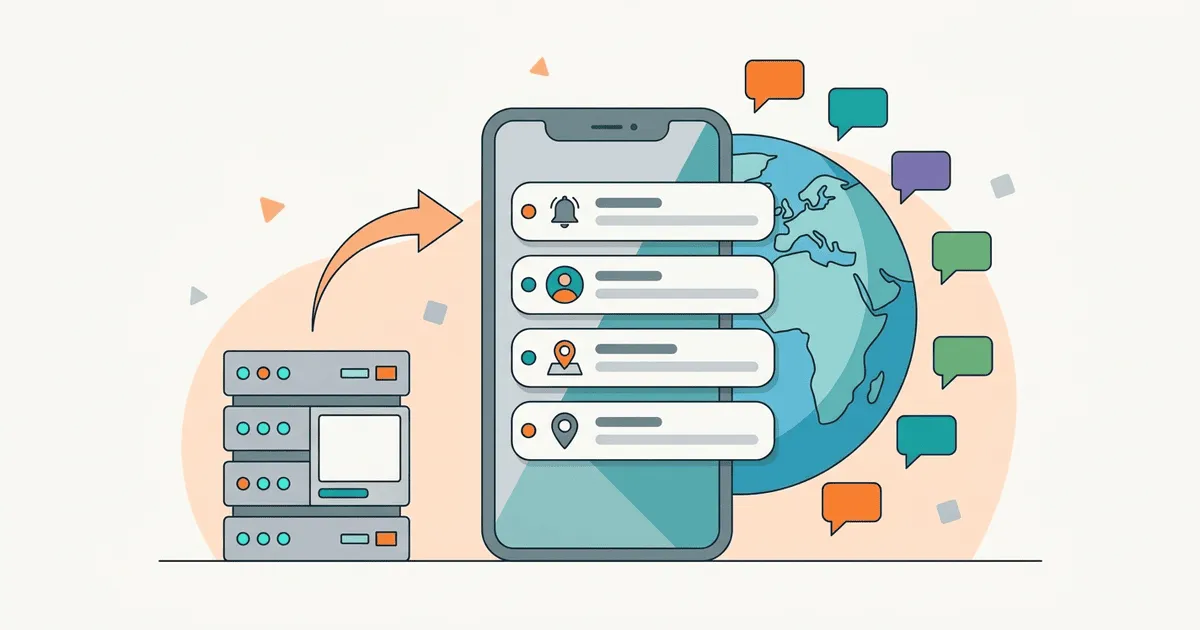
Push notifications are often sent from external marketing systems, bypassing the main app translation repository and causing users to receive English notifications. When teams focus solely on translating the in-app user interface, they frequently overlook the external communication layer. A customer in France receives a promotional alert in English, taps it, and lands on a localized French page. Or they receive a localized message but follow a deep link that drops them on an English-only fallback screen.
The fix is to connect your marketing systems to the central string repository, standardize deep link routing for locales, and send CRM push payloads through your main localization pipeline.
Understand the core architecture of notification delivery
Mobile platforms provide native mechanisms to deliver notifications, but the payload generation happens on your servers. When you send a message, the server must determine the correct language before dispatching it to the platform gateway.
Apple documents push notification payload structures in UserNotifications. The documentation explains that iOS devices can localize messages locally if the payload includes specific localization keys. Relying on device-side localization requires the app bundle to contain all possible translated strings at the time of delivery. If a marketing team wants to send a brand-new promotional message, the client app will not have the corresponding string unless it is updated through an app store release.
Google provides messaging overviews in Firebase Cloud Messaging. Similar to the Apple ecosystem, Android devices can resolve string resources locally. The same limitation applies: you cannot easily send dynamic, timely marketing copy if you depend on bundled application resources.
A community developer thread asks about localizing push notifications from server side. Resolving translations before the payload leaves your backend lets you use dynamic content without pushing a new binary to the app stores.
Implement server-side localization for messaging payloads
For marketing notifications, translate the content on your server and send a plain text payload to the device. This decouples your marketing timeline from your engineering release cycle.
Your backend needs to know the preferred language of each user. When the mobile app registers for push notifications, it should also transmit the current device language code to your user database.
{
  "user_id": "987654321",
  "device_token": "abc123def456",
  "locale": "fr-CA"
}
When the marketing automation system triggers a campaign, the delivery service fetches the user profile, extracts the locale, and retrieves the corresponding translated string from the central translation management system.
def generate_push_payload(user, campaign_message_key):
    locale = user.get_locale()
    translated_text = translation_service.fetch(campaign_message_key, locale)

    if not translated_text:
        translated_text = translation_service.fetch(campaign_message_key, config.fallback_locale)

    return {
        "title": translated_text.title,
        "body": translated_text.body,
        "deep_link": f"myapp://promo/{locale}/summer-sale"
    }
This code explicitly falls back to the configured fallback locale (English in this example) if the specific French Canadian translation is missing. Without the explicit fallback, the user would get an empty string or a raw localization key.
Standardize localized deep link routing
Push notifications lose their value if the destination screen is broken. Deep links must carry the locale context so the app knows which localized content to display upon opening.
If your marketing link looks like myapp://store/shoes, the app will render the store page in the default system language. If the system language does not match the notification language, the user experiences a jarring language switch.
Instead, structure your deep links to include the explicit locale parameter. A link like myapp://fr/store/shoes forces the application to load the French catalog. This matters most for web-to-app routing patterns where a universal link first opens a browser and then redirects into the native application.
When the application launches from a notification, intercept the routing payload in your main application delegate or intent receiver. Parse the locale segment, override the internal application locale state temporarily if necessary, and render the target screen.
Handle missing translations and fallback scenarios
Marketing campaigns often move quickly, and translators might not finish every language before the scheduled send time.
If you dispatch a notification before the translation is complete, the system should degrade to a widely understood language, usually English, and emit a metric when it does. The metric lets the localization team identify bottlenecks in the translation pipeline.
async function resolveNotificationText(campaignId, targetLocale) {
  try {
    const text = await db.getTranslation(campaignId, targetLocale);
    if (text) {
      return text;
    }
  } catch (error) {
    logger.error("Database error during translation lookup", error);
  }

  metrics.increment("notification.fallback", { targetLocale });
  return await db.getTranslation(campaignId, config.fallbackLocale);
}
This function attempts to load the requested language. If the record is missing, it increments a metric and returns the translation for the configured fallback locale. If the lookup throws a database error, it logs the error first and then does the same. The notification is still sent, which preserves the marketing opportunity, and the metric gives visibility into the translation gap.
Verify the solution through testing
Testing localized push notifications covers both the backend generation and the client-side routing. Confirm that the backend sent the right string, that the native platform handled the notification correctly, and that the user landed on the right view.
Use network proxy tools to inspect the exact payload leaving your server. The payload must contain the translated text in the title and body fields. The custom data dictionary must contain the localized deep link.
On the device side, create test accounts for each supported language. Trigger the campaign from the backend and observe the incoming notification. Tap the notification and verify that the application opens the specified deep link and renders the interface in the expected language.
Automated integration tests can simulate this process. A server-side test can trigger a message and assert that the generated payload contains the correct localized strings. A client-side UI test can mock an incoming notification event and assert that the application navigates to the localized view.
Common mistakes in notification localization
Many teams cache translations too aggressively on the notification server. If a translator corrects a typo in the main repository, the notification server might continue using the stale, cached version for several hours. Make your cache invalidation strategy account for rapid marketing corrections.
Another common error is failing to synchronize the device language with the backend. If a user changes their phone language from Spanish to English, but the app does not send an update to the backend, the user will continue receiving Spanish notifications. Always update the backend user profile whenever the device language changes or the application launches.
Finally, avoid hardcoding the fallback language deep within the notification generation logic. Store the fallback hierarchy in a configuration file so product managers can adjust the default language based on regional strategies. For example, the fallback for a missing Catalan translation should probably be Spanish rather than English.
Establish a cross-team workflow
When the marketing team creates a new campaign, they should author the source copy in the central translation system, and the CRM should only reference the key of the message. Copy typed into a CRM composer never reaches translators, so it ships in whatever language it was written in.
Translators then receive the new keys alongside the regular application strings. They translate the marketing copy and approve it using the same quality assurance checks.
Once the translations are approved, the backend notification service can access them immediately.
Detailed payload examples for Apple platforms
When targeting Apple devices, the payload structure must conform to strict JSON requirements. The alert dictionary can contain a body and a title. When performing server-side localization, you populate these fields directly with the translated strings.
{
  "aps": {
    "alert": {
      "title": "Vente d'été",
      "body": "Profitez de nos offres exclusives dès aujourd'hui."
    },
    "sound": "default",
    "badge": 1
  },
  "custom_link": "myapp://fr/store/summer"
}
This payload is ready for display, so the device does not need to perform any lookup. The backend has already determined that the user prefers French and has injected the correct French strings into the alert object. The custom link is included outside the aps dictionary, following Apple guidelines for custom data.
With client-side localization, the payload would use the loc-key and loc-args fields instead.
{
  "aps": {
    "alert": {
      "loc-key": "SUMMER_SALE_BODY",
      "loc-args": [],
      "title-loc-key": "SUMMER_SALE_TITLE",
      "title-loc-args": []
    }
  }
}
While client-side localization reduces the payload size, it requires the application binary to contain the SUMMER_SALE_BODY string. Marketing teams cannot launch spontaneous campaigns using client-side localization because they would have to wait for an application update to pass through the App Store review process.
Detailed payload examples for Android platforms
Android devices receiving messages via Firebase Cloud Messaging follow a similar pattern but use a different JSON schema. Firebase supports both notification messages and data messages. For localized marketing campaigns, data messages often provide more control because they allow the client application to intercept the payload and build the notification natively.
A server-side localized notification message looks like this:
{
  "message": {
    "token": "device_token_here",
    "notification": {
      "title": "Vente d'été",
      "body": "Profitez de nos offres exclusives dès aujourd'hui."
    },
    "data": {
      "route": "myapp://fr/store/summer"
    }
  }
}
The Android system will automatically display this message in the system tray if the application is in the background. The title and body are already translated. When the user taps the notification, the application can extract the route from the data dictionary and navigate to the correct localized view.
If you choose to use data messages to handle everything manually, the payload omits the notification object entirely:
{
  "message": {
    "token": "device_token_here",
    "data": {
      "title": "Vente d'été",
      "body": "Profitez de nos offres exclusives dès aujourd'hui.",
      "route": "myapp://fr/store/summer"
    }
  }
}
In this scenario, your Android application must include a custom messaging service that receives the data, constructs a notification object, and posts it to the notification manager. This approach provides maximum flexibility but requires more client-side code. Regardless of whether you use notification messages or data messages, the backend retains the responsibility for translating the text before transmission.
Monitor and analyze localized campaign performance
Track delivery rates, open rates, and conversion rates across different languages. If the open rate for Spanish notifications is significantly lower than the open rate for English notifications, investigate the quality of the Spanish translations. Poorly translated marketing copy can alienate users and cause them to disable notifications entirely.
Include the locale of the notification in your analytics events. When the user taps the message, log an event that records the campaign identifier and the language.
function onNotificationOpened(notification) {
  const campaignId = notification.data.campaign_id;
  const locale = notification.data.locale;

  analytics.logEvent("notification_opened", {
    campaign: campaignId,
    language: locale
  });

  router.navigate(notification.data.route);
}
Correlating engagement metrics with specific languages shows the marketing team which regions respond best to certain types of campaigns and helps prioritize future localization efforts.
Address edge cases in language preferences
Users occasionally configure their devices in complex ways that complicate language selection. A user might set their device language to English but reside in a region where French is the primary language, such as Quebec. Or they might select a regional variant like Swiss German but fall back to Standard German if the specific dialect is unavailable.
Your backend user profile should distinguish between the device language and the user account preference. The device language is detected automatically, while the user account preference is explicitly chosen by the user within the application settings.
Always prioritize the explicit account preference over the automatically detected device language. If the user has taken the time to select a specific language in your application, they expect all communications to respect that choice.
Support dialect mapping in your translation backend. If a user requests Mexican Spanish but you only have translations for European Spanish, your system should automatically map the request to the closest available variant before falling back to English. This gives a better experience than a hard fallback to an unrelated language.
Secure your translation endpoints
Marketing copy often contains details about upcoming promotions that should remain confidential until the official launch. Authenticate all requests between the notification delivery service and the translation management system, use secure tokens, and encrypt the traffic to prevent internal unauthorized access.
Apply rate limiting to the translation fetching mechanism. If a campaign targets millions of users simultaneously, the delivery service could overwhelm the translation database with lookup requests. Implement a caching layer within the delivery service to store the translated strings for the duration of the campaign dispatch.
class TranslationCache:
    def __init__(self, db_client):
        self.cache = {}
        self.db = db_client

    def get(self, key, locale):
        cache_key = f"{key}:{locale}"
        if cache_key in self.cache:
            return self.cache[cache_key]

        text = self.db.fetch(key, locale)
        self.cache[cache_key] = text
        return text
Within a single process that looks up strings one at a time, this simple caching pattern means the database receives only one query per message key and language, even when dispatching millions of messages. The cache has no locking, so concurrent first lookups can each query the database, and every worker process keeps its own cache. Clear the cache once the campaign finishes sending so that future campaigns fetch fresh strings from the repository.
Validate payload sizes before dispatch
Both Apple and Google impose strict limits on the maximum size of a push notification payload. For Apple, the limit is generally four kilobytes. For Firebase, the limit is also four kilobytes for most message types.
Translated text can sometimes expand significantly compared to the original English copy. A short English phrase might require twice as many characters in German or Russian. If you include long localized strings in the payload, you risk exceeding the platform limits, which will cause the notification to be rejected.
Implement a size validation check in your backend delivery service before transmitting the message to the platform gateways. If the payload exceeds the limit, the service should truncate the body text and append an ellipsis so the message can still be delivered.
function enforceSizeLimit(payload) {
  const jsonString = JSON.stringify(payload);
  const byteSize = Buffer.byteLength(jsonString, 'utf8');

  if (byteSize > 4000) {
    logger.warn("Payload exceeds limit, truncating body text");
    payload.message.notification.body = truncateString(payload.message.notification.body, 100);
  }

  return payload;
}
With this check in place, unexpectedly long translations do not break the delivery pipeline. The user still receives the notification, and the deep link remains intact, so they can open the application and read the full message.
Connect the workflow to your continuous integration system
Your continuous localization pipeline should validate localized notifications. Just as you test the application code, test the integration between the translation system and the notification service.
Add a validation step to your pipeline that checks for missing translations in upcoming marketing campaigns. If a campaign is scheduled for release but the Spanish translation is still pending, the pipeline should flag the issue and alert the localization team.
This automated check prevents last-minute scrambles, so every campaign goes out with complete language coverage.
Next steps for your team
To fix broken notification localization, audit your marketing campaigns. Identify which campaigns are sent directly from the CRM without going through the translation repository. Migrate these messages to your central localization system.
Update your mobile application to send the current device locale to your user database on every launch. Modify your backend notification service to look up translations dynamically before dispatching the payload. Implement explicit locale parameters in all your marketing deep links.