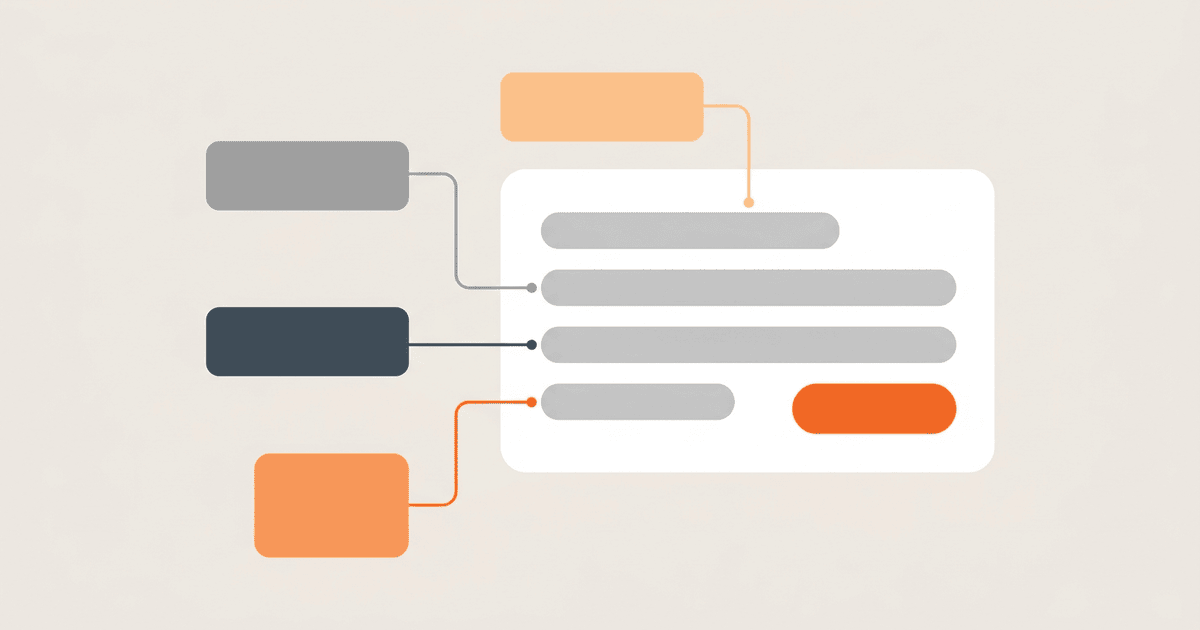
In-app purchase localization often breaks on the last screen before checkout. Navigation and paywall copy may be translated while the product name falls back to English. Some apps make the problem worse by rebuilding a price with the wrong currency format. The system purchase sheet can add text that the app team does not control. Another translation file will not fix these problems. The workflow must separate app copy, store product metadata, runtime billing data, and operating-system text. This guide explains those boundaries and shows how to test them on iOS and Android before release.
Why a translated paywall can still break
A paywall usually combines text from several systems. Your app owns the headline, feature list, legal explanation, and button context. App Store Connect or Google Play owns the product title and description attached to a product identifier. StoreKit or Play Billing returns product data for the active storefront. The operating system owns the final confirmation sheet and other protected purchase UI.
Problems start when a team treats all of that text as one localization surface. A developer copies a monthly price into an app resource, and it stays there after the store changes the currency or tax treatment. The localization manager finishes every app string, but the store still has only one product description. A tester switches the app language without switching storefront accounts, so the returned product data does not represent the market under test.
Apple has a separate process to localize in-app purchase information, including the customer-facing name and description. Subscriptions have their own configuration surface, covered in Apple's instructions to offer auto-renewable subscriptions. Finishing the strings bundled with the app does not finish either store record.
Decide ownership before anyone starts translating. For each visible element, record which system produces it and which team can change it.
| Paywall element | Source of truth | Release owner |
|---|---|---|
| Paywall headline and feature list | App localization resources | Product localization team |
| Product name and product description | Store product configuration | Commerce or release owner |
| Current price and currency presentation | Runtime store response | Mobile engineering |
| Purchase confirmation sheet | Operating system and storefront | Platform provider |
| Terms and eligibility explanation | App copy plus current commerce rules | Product and legal review |
This split stops two teams from translating the same value in different places. Missing owners become obvious before final QA.
Build a locale and product inventory
Start with an inventory, not a tour through every store form. Give each sellable product one row per store. Record its stable identifier, product type, app locales, required store locales, localization state, and approver.
A practical record can look like this:
product_id: premium_monthly
product_type: auto_renewable_subscription
platforms:
  ios: com.example.premium.monthly
  android: premium_monthly
required_locales:
  - en
  - de
  - ja
app_copy_owner: product_localization
store_metadata_owner: commerce_release
runtime_value_owner: mobile_engineering
qa_state: pending
Never use the translated product name as an identifier. Names change during review and can differ by market. Application code and analytics still need a stable key, so keep the internal identifier outside the translation workflow and attach localized fields to it.
Language support and storefront coverage need separate fields. An app may support German in several countries while its products are unavailable in some German-language storefronts. The reverse can happen too: the storefront returns a valid product before the surrounding paywall copy is complete. Mark both conditions so the release gate can catch the mismatch.
Implement in-app purchase localization in sequence
Configure store-owned text first
For Apple products, add localizations to the in-app purchase record and to each relevant subscription configuration. Use the inventory to check that every launch locale has a customer-facing display name and description. Keep product positioning consistent with the paywall, but do not force the store description to repeat the entire app-owned feature list.
On Android, plan the runtime around Play Billing product data. Google's Play Billing integration guide directs applications to query ProductDetails before presenting products. The ProductDetails API reference exposes store-provided names, titles, and descriptions. That returned object, not a copied resource string, should supply store-owned product fields displayed beside an offer.
Finish the store configuration before the mobile build reaches localization QA. If you do not, testers cannot tell a code defect from an incomplete store record or a storefront availability problem.
Render store values instead of rebuilding them
The billing response is part of the presentation model. Do not concatenate a currency symbol with a number or maintain a second price table in translation files. The same rule that governs localized dates, times, and numbers applies here: keep the value typed and let the system that owns it produce the display string. The store response reflects the active product, offer, and storefront. Choose the product by its stable ID and render the formatted values returned for that selection.
The exact SDK types differ, but the application boundary can stay consistent:
function buildPaywallModel(appLocale, storeProducts, selectedProductId):
    product = storeProducts.findByStableId(selectedProductId)

    if product is missing:
        return PaywallState.unavailable(
            localizedMessage("purchase_temporarily_unavailable", appLocale)
        )

    return PaywallState.ready(
        headline = localizedMessage("premium_headline", appLocale),
        featureList = localizedMessageList("premium_features", appLocale),
        productName = product.storeProvidedName,
        productDescription = product.storeProvidedDescription,
        formattedPrice = product.storeProvidedFormattedPrice
    )
The code now shows who owns each value. App resources provide the marketing frame, while the billing response provides product text and price presentation. If the product is unavailable, the paywall enters an explicit state instead of showing an old hardcoded amount.
Keep system-owned purchase text out of scope
The operating system may present confirmation and authentication UI after the user starts a purchase. Do not promise that changing an app resource will rewrite this interface. A practitioner asking about localization of an in-app purchase confirmation dialog observed that the product name and price were localized while the rest of the dialog followed a different platform-controlled path.
One report does not define platform behavior, but it makes the ownership problem easy to see. A useful bug report must include the system language, app language, storefront account, and build environment. Without them, engineering cannot reproduce the purchase sheet or identify the layer that owns its text.
Define fallback rules before launch
Decide what happens when product localization is missing. Silent fallback keeps checkout working, but it can put an English product name inside a Japanese paywall. Blocking the purchase avoids mixed-language terms, though it may remove a valid upgrade path. Base the rule on the severity and log every fallback.
Use these decision rules:
- If the billing API does not return the selected product, disable the purchase action and show an app-localized availability message.
- If the product is returned with storefront text in a fallback language, log the locale mismatch and apply the release policy for that market.
- If the formatted price is missing, do not construct one from a raw amount. Treat the offer as unavailable until valid store data arrives.
- If app-owned legal or eligibility copy is missing, block the locale from launch until the required review is complete.
- If only optional descriptive copy is missing, decide whether a shorter store-provided title still gives the customer enough information to consent.
Name the person who can approve an exception. Mobile engineering can diagnose a missing product response. Legal and product owners must decide whether fallback-language commerce copy is acceptable.
Test language, storefront, and product state separately
Changing the app language tests only one input. The matrix also needs to vary the settings that control the storefront and protected purchase UI.
At minimum, cover:
- App language and regional locale
- Device or system language
- Test account storefront or country
- Product type, including one-time purchase and subscription where used
- Introductory, trial, or base offer state where relevant
- New customer, existing subscriber, and ineligible customer states
- Online response, slow response, and unavailable product response
- Light and dark layouts if the paywall design changes between them
For each case, capture the product identifier, returned title, returned description, formatted price, app locale, storefront, and a screenshot. Compare them with the inventory. "Looks translated" is not a useful pass condition.
Verification should answer specific questions. Did the app select the product by stable ID? Did its product text come from the store response? Did the price retain the returned formatting? Was the purchase sheet opened with the expected account and device settings? Could the user recover after product loading failed?
Automate the deterministic parts. Unit tests can prove that app resources never replace a returned formatted price and that an absent product produces an unavailable state. A controlled product fixture can test the mapping between SDK objects and the paywall model. The platform-owned purchase flow and store configuration still require manual storefront testing.
Handle releases without creating metadata drift
Product metadata and application code change on different schedules. Put them on the same release checklist even when separate systems deploy them. Record the app build, product identifiers, required locales, store metadata revision, reviewer, and test evidence.
When a product name changes, update the store record first, review every required locale, then verify the runtime response before changing surrounding paywall copy. When a locale is added, create its store metadata task at the same time as its app resource task. When a product is retired, remove it from selection logic before assuming a translated label will disappear from every cached or store-managed surface.
A simple gate can require all of the following:
- Every active product ID exists in the expected store environment.
- Required display names and descriptions have passed linguistic review.
- The app renders store-provided product fields and formatted prices.
- App-owned paywall and legal copy is complete for the same locales.
- Failure states are translated and do not expose raw product IDs.
- The test matrix has evidence for each launch storefront.
- One owner can pause the locale or product if final verification fails.
The locale is complete only when its translation and commerce checks both pass.
Common mistakes to remove
Duplicating store data in app resources causes the most drift. It is convenient because translators already work there, but the copy becomes stale as soon as a product, offer, or price changes.
One successful sandbox purchase does not prove every locale. It proves only the account, storefront, product configuration, device settings, and build used in that test.
Teams also confuse a localized product name with a localized purchase flow. Product metadata, app copy, and protected system UI have different owners. File bugs against the correct layer and include the environment values needed to reproduce them.
An unavailable billing response is not permission to display a cached price indefinitely. Show a translated unavailable state rather than purchase terms that may no longer match the store transaction.
Next action
Create the inventory for one paid item. Trace every string and price from the paywall through the confirmation sheet. Assign each value to app resources, store metadata, runtime billing data, or system UI, and block release for any field without an owner. Test that product with two contrasting locales and two storefront accounts before expanding the matrix.
References
- Apple: Localize in-app purchase information supports the App Store Connect workflow for customer-facing in-app purchase names and descriptions.
- Apple: Offer auto-renewable subscriptions supports the separate configuration and localization surface for subscription products.
- Android Developers: Integrate Play Billing supports querying product information through Play Billing before displaying purchasable items.
- Android Developers: ProductDetails API reference supports the store-provided product name, title, and description fields used by the paywall model.
- Stack Overflow: Localization of an in-app purchase confirmation dialog provides a practitioner report that separates localized product values from platform-controlled confirmation text.