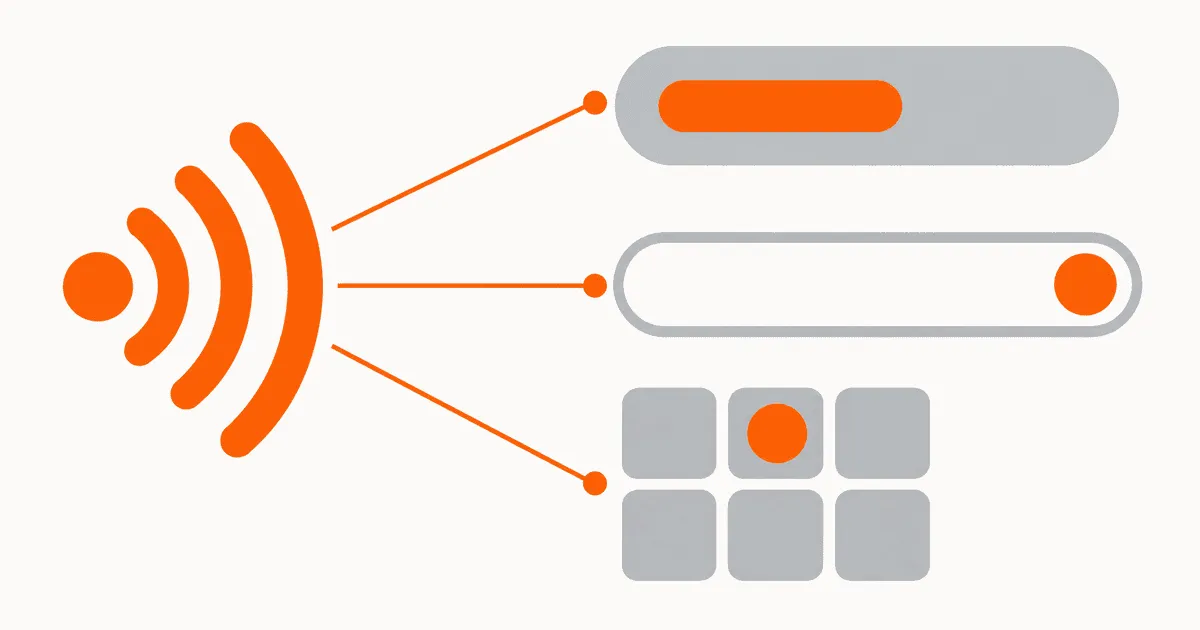
You can localize every screen in an iOS app and still leave English in Siri, Spotlight, or the Shortcuts app. App Intents expose titles, descriptions, phrases, parameters, dialogs, and results outside the normal UI. If those strings live in the wrong bundle, skip extraction, or lack voice context, the system surface falls back even though the app looks complete. To localize app shortcuts reliably, treat them as a separate release surface with explicit resource ownership, translator context, and device-level verification.
The workflow starts with a string inventory and ends with release testing. Translating the intent title alone is not enough. Discovery, invocation, parameter prompts, confirmations, failures, and results all need to behave as one localized interaction.
Why shortcuts escape the normal localization workflow
App Intents are code, but people experience them as copy. Apple describes App Shortcuts as a way to expose app actions through Siri, Spotlight, and the Shortcuts app in its App Shortcuts overview. Those surfaces can show text before the main app launches. A screenshot review of ordinary screens will never see it.
The strings also enter the product through several APIs. An intent has a title and may have a description. A preconfigured shortcut has invocation phrases and a short title. Parameters have names, request prompts, choices, and disambiguation text. The intent may return a success dialog or throw a user-facing failure. Apple's App Intents sample workflow demonstrates localized metadata that appears throughout system experiences, rather than only inside an app view.
In practice, failures usually come from inventory gaps, bundle resolution, or surface-specific registration:
- The localization inventory includes screen catalogs but omits intent metadata.
- The strings are translated, but App Intents resolves a different resource bundle.
- The shortcut looks correct in one system surface while another surface retains stale or source-language text.
The third failure is easy to dismiss as a cache problem. Sometimes it is. It can also be a packaging, registration, or target-membership defect. A developer reported intent localization working in Settings but not in Shortcuts. Treat each surface as an independent test target until the release build proves otherwise.
Inventory every system-visible string
Start with an inventory, not a search for title. Walk each AppIntent, its parameters, and every AppShortcut that exposes it. Record the source, resource owner, translator note, and test surface for each item.
A useful inventory includes:
- Intent title and description.
- Shortcut short title and invocation phrases.
- Parameter titles, request dialogs, summaries, and choice labels.
- Entity names, type display representations, and query results.
- Confirmation, completion, and failure dialogs.
- Any text returned when the app cannot satisfy the request.
- The application name token and brand wording used inside spoken phrases.
The AppShortcut reference defines a preconfigured shortcut around an app intent and uses localized string resources for user-visible metadata. That is the correct boundary for the inventory: if the operating system can display or speak it, it belongs in the localization plan even when no UIKit or SwiftUI view contains it.
Do not collapse several fields into one translation merely because their English text matches. A short title in a list, a spoken invocation phrase, and a confirmation dialog have different grammatical roles. Reusing one target string can produce an unnatural command or a clipped label. Give each field a stable key and a note that identifies where it appears.
Assign catalog and bundle ownership before translation
Every system-visible string needs one declared owner. For a simple app, that may be the main application target and one String Catalog. For a modular app, the owner may be an App Intents package or framework. Extraction, compiled resources, and runtime lookup must point at that same owner.
Resource generators expose this mismatch quickly. One multiplatform developer found that a generated resource library could not supply the LocalizedStringResource expected by App Intents because the system did not look in the non-main bundle. The open moko-resources issue about App Intent localization documents the split between generated resources and runtime bundle ownership.
Use this decision rule:
- If App Intent metadata is declared in the app target, keep its source strings in an app-owned catalog included in that target.
- If a package owns both the intent and its resources, verify that every localized lookup explicitly resolves the package bundle where the API permits it.
- If a generator places translations in another bundle, add a deliberate adapter or copy step during the build. Do not assume App Intents will discover that bundle.
- Never duplicate the same key manually across app and package catalogs. Choose one owner and test the lookup from the release artifact.
The same bundle-resolution question governs any iOS app split across targets, extensions, and packages, covered in sharing iOS localization across app targets and Swift packages.
Record ownership in the repository beside the intent source. A short manifest can capture the decision:
shortcut: log_water
intent_type: LogWaterIntent
resource_owner: main_app
catalog: AppIntents.xcstrings
surfaces:
  - siri
  - spotlight
  - shortcuts
required_locales:
  - en
  - de
  - ja
Apple does not read this manifest. Your CI and release checks can use it to determine what must exist, where each resource should compile, and which surfaces need testing.
Build metadata for extraction and review
Keep user-visible values as localizable resources at their declaration point. Apple's sample uses LocalizedStringResource for intent titles and localized descriptions for Shortcuts. A minimal structure looks like this:
import AppIntents

struct LogWaterIntent: AppIntent {
    static let title: LocalizedStringResource = "Log Water"
    static let description = IntentDescription(
        "Records a water intake entry."
    )

    @Parameter(title: "Amount")
    var amount: Measurement<UnitVolume>

    func perform() async throws -> some IntentResult & ProvidesDialog {
        .result(dialog: "Water intake recorded.")
    }
}
Treat this as an extraction pattern, not a complete production intent. The production implementation still needs validation, domain behavior, and failure handling. The localization point is that titles, parameter labels, and dialogs remain visible to extraction rather than being assembled from runtime fragments.
After extraction, inspect the catalog diff. Confirm that new intent fields appeared, old fields were not silently removed, and the intended target owns the catalog. Fail CI when a manifest entry has no matching catalog item or when a required locale has an empty target value.
Translator notes should answer questions that code cannot:
- Is the string spoken, displayed, or both?
- Is it a command, noun, parameter label, question, or result?
- Which placeholders are fixed framework tokens?
- What is the maximum practical display length?
- Should the app name be inflected or left unchanged?
- Can a synonym be added for natural speech without changing the action?
A translator needs the complete interaction, not an alphabetical export. Review one shortcut as a sequence: discovery title, phrase, parameter request, confirmation, and result. This catches inconsistent verbs and noun choices that look acceptable in isolation.
Write phrases for intent, not literal symmetry
Invocation phrases are search and speech inputs. Their purpose is to help a person ask for an action naturally. Literal translation of an English phrase may preserve meaning while producing a command nobody would say.
Require every phrase to describe exactly what the intent does and retain the framework tokens and parameters. Then read it aloud with the localized app name. Ask for variants only when people would actually say them, not to fill an artificial synonym list.
Do not let phrase review change business behavior. If one locale needs a different parameter order, change the localized phrase structure while keeping the same typed intent contract. If a translation implies an action the intent does not perform, reject the wording rather than expanding the code path silently.
Test the whole system interaction
Unit tests can verify keys and bundle membership, but they cannot prove how Siri or Spotlight renders a release build. Add a device or simulator matrix that tests the operating-system surfaces directly.
For each launch locale, verify:
- The shortcut appears under the localized app name.
- The short title and suggested phrase use the expected language.
- Siri recognizes the phrase and selects the intended action.
- Every parameter prompt and choice label is localized.
- Confirmation and result dialogs use consistent terminology.
- A validation error and an operational failure use reviewed text.
- Spotlight and the Shortcuts app show the same current metadata.
- The intent still works after a clean install and after an app upgrade.
Test language changes explicitly. Start in the source language, install and open the release build, switch the app or device language, then revisit Siri, Spotlight, and Shortcuts. Repeat from a clean installation in the target language. This separates a stale registration from a missing resource because the clean path has no prior metadata to reuse.
Capture evidence for each surface. A release checklist should store the build number, operating-system version, locale, install state, exact phrase, result, and screenshot or screen recording. A green app UI screenshot is not evidence for Siri discovery.
Handle fallback and failures deliberately
A missing shortcut translation should not produce a half-translated interaction. Define the fallback policy before launch. If a locale lacks complete intent coverage, either exclude that shortcut from the locale release or accept a documented source-language fallback for the entire interaction. Mixing a translated title with English parameter prompts is the worst option because it advertises support the action does not deliver.
Keep developer diagnostics separate from user dialogs. Log the intent type, locale, parameter validation state, and underlying error for investigation. Return a short, localized message that tells the person what can be corrected or tried next. Do not expose raw server errors through an intent result.
When metadata is correct in the catalog but wrong on device, diagnose in this order:
- Confirm the localized value exists in the release configuration, not only Debug.
- Inspect target membership and the compiled bundle.
- Verify that the intent target resolves the catalog owner you documented.
- Reproduce on a clean installation in the target language.
- Compare Siri, Spotlight, and Shortcuts separately.
- Only then investigate stale system registration or caching.
This order prevents cache clearing from hiding a packaging defect that will return for users.
Add a shortcut release gate
Make App Intents part of locale readiness. The release gate should fail when an enabled shortcut lacks an inventory entry, a required field, a target translation, a valid resource owner, or current device evidence.
A practical decision table is simple:
| Check | Block release when |
|---|---|
| Inventory | A system-visible field has no tracked key |
| Ownership | The key compiles into a bundle the intent does not resolve |
| Translation | A required locale has an empty or stale target |
| Phrase review | The command is literal, misleading, or breaks required tokens |
| Surface test | Siri, Spotlight, and Shortcuts do not agree |
| Failure test | User-facing errors bypass localized resources |
A release gate connects the API declaration to the localized build that users receive. It checks source ownership, extraction, linguistic review, runtime resolution, system surfaces, and release evidence as one workflow.
Next action
Choose one production App Shortcut and build its inventory now. Identify every visible or spoken string, assign one catalog and bundle owner, add translator notes, then test the release build in one non-source locale across Siri, Spotlight, and Shortcuts. Do not expand to the rest of the shortcut catalog until that single path passes from discovery through failure handling.