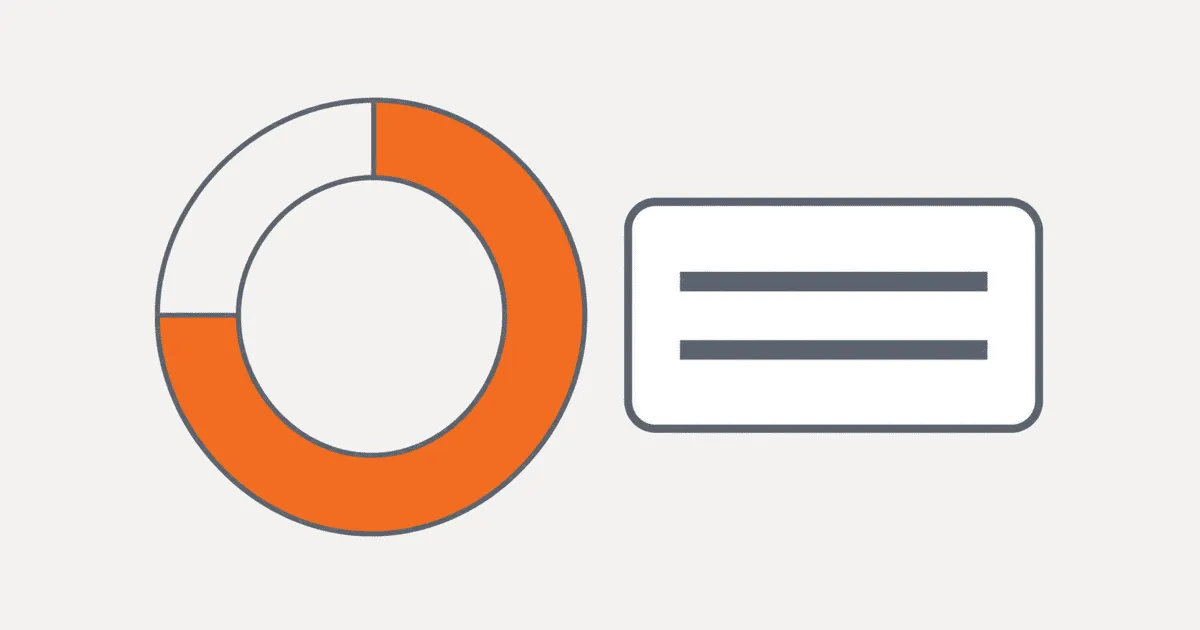
A progress ring hits three quarters and the label says 75%. In English that looks finished. In German the rest of the screen is already translated, but the label is still glued as 75% instead of 75 % with the required space. In a simplified Chinese build someone patches Latin % to fullwidth % in one screen and forgets the next. In a web app that switched to Intl.NumberFormat with style: "percent", an already-scaled 75 becomes 7,500% because the formatter multiplied by one hundred again.
That failure usually starts as a one-liner: format a number, append "%". This guide shows how to replace that helper with platform percent formatters, how to feed them the right scale, how to bind the app's selected language, and how to keep the whole percent inside a message translators can reorder.
The short answer
Do not build a percentage from a decimal string plus an English % suffix. Prefer a platform formatter bound to the app language: web Intl.NumberFormat with style: "percent", Apple NumberFormatter.Style.percent or FloatingPointFormatStyle.Percent / Decimal.FormatStyle.Percent, and Android or Java NumberFormat.getPercentInstance(locale). Pass a fraction in [0, 1] unless you have documented a different contract. Keep the formatted percent as one argument inside a translatable message. Test sign placement, fullwidth and Arabic percent symbols, fraction digits, RTL wrapping, and the 0 / 1 / 100 boundaries against the in-app language, not only the device region.
Why the hard-coded percent keeps shipping
The helper is short and looks correct in the default English build. Progress bars, battery indicators, discount badges, upload completion, and analytics tiles all need a human-readable percent. Teams localize every surrounding string while the percent stays English punctuation glued onto a number.
Practitioner reports keep hitting the same gap. The AlDente battery app's issue #1042 states that percent formatting looks hard-coded to 100%, notes that languages differ in percent-sign position and even the sign itself, and asks for NumberFormatter or SwiftUI .formatted(.percent). The issue is an author report, and it names the exact failure mode this article replaces.
General date, time, and number formatting covers decimals and grouping. Percentage UI still needs the percent pattern on top of that. A plain toLocaleString call plus "%" is the same class of mistake as concatenating a translated unit suffix onto a raw number.
What the platform percent formatters actually do
MDN's documentation for the Intl.NumberFormat constructor lists "percent" as a style value for percent formatting. The same page shows decimal and percent examples side by side, and documents options such as fraction digits and signDisplay (for example exceptZero producing +55% for 0.55 in en-US). That is the web contract: locale-aware digits, separators, and percent pattern without a per-language suffix table (Intl.NumberFormat).
Apple's DocC for NumberFormatter.Style.percent defines a percent style format and gives the scale example that keeps biting teams: in the en_US locale, the number 0.123 is represented as 12%. Modern Swift also exposes FloatingPointFormatStyle.Percent and Decimal.FormatStyle.Percent as format styles that convert between percentage values and their textual representations. Stack Overflow question 76540579 shows a progress Double in [0, 1] moving through .formatted(.percent) and then struggling to set fraction precision. Learn the FormatStyle precision API rather than falling back to string surgery.
On Android and Java, NumberFormat.getPercentInstance and getPercentInstance(Locale) return a formatter for the percent style. Pass the app's selected locale, not only Locale.getDefault(), when the in-app language can differ from the device region.
Unicode CLDR number and currency patterns mark a percent format explicitly and state that the position of the % symbol is locale specific: it may appear in front or back, with or without spacing. ICU's Formatting Numbers guide lists percentages alongside currencies, measurement units, and compact notation as first-class formatting modes. Those sources are why a hand-appended Latin % cannot be "good enough" once the product leaves English.
The scale trap: fractions versus already-scaled values
Percent formatters take a fraction in [0, 1] and scale it: 0.123 becomes 12% in en_US, so feeding an already-scaled 12 into style: "percent" silently ships 1200%. Apple's percent-style discussion states that contract for en_US. MDN's percent examples follow the same ECMA-402 model: style: "percent" formats a ratio, not a pre-multiplied display integer.
Tutorials often show only new Intl.NumberFormat('en', { style: 'percent' }).format(0.12). Real apps often keep progress as 0…100 in analytics payloads, animation code, or accessibility values. Stack Overflow question 43037834 shows a caller passing a large integer into Intl.NumberFormat('de-DE', { style: 'percent' }) and being confused by the output. Decide whether your domain value is a fraction or a display percent, convert once at the formatting boundary, and never append "%" afterward as a second scaling step.
Store or compute a canonical fraction for display formatting, or divide by 100 immediately before the percent formatter when the upstream API is already scaled. Name the helper formatRatioAsPercent rather than formatPercent if that makes the contract obvious in review. Add unit tests for 0, 0.5, 1, and a deliberately wrong 50 input so a scaled value cannot ship as five thousand percent.
Sign placement and fullwidth symbols are not cosmetic
CLDR percent patterns move the sign and spacing by locale (de-DE wants a space before %, zh often expects fullwidth %), so appending a Latin % after a localized number cannot follow those patterns. Stack Overflow question 60686630 shows a Swift NumberFormatter percent path that still emitted Latin % for simplified Chinese, with the author patching % to fullwidth % afterward. That patch is a symptom: the formatter and CLDR data should own the sign, and a one-off string replace will drift across screens.
Treat percent sign, spacing, and digit shapes as part of the same formatted atom. Do not localize the number with one API and the sign with another. If a specific locale still produces a sign your typography rejects, file that against the platform or ICU data and gate a narrow exception behind locale tests rather than a global .replace("%", "%").
Bind the formatter to the app language
Bind the percent formatter to the app-selected language, not only the device region; battery, progress, and discount UI still hard-code 100% after the rest of the screen is translated. AlDente #1042 is the concrete battery case. The same bug appears whenever an in-app language picker updates string tables but leaves NumberFormatter.locale, Intl.NumberFormat locales, or Android Context configuration on the device default.
Construct the percent formatter with the same locale object you already use for dates, currency, and file sizes. On Apple platforms, set formatter.locale or pass a locale-aware FormatStyle. On Android, use a Context whose configuration locales match the in-app language before calling getPercentInstance. On the web, pass the BCP 47 tag from the app language, not navigator.language, when those can diverge. After an in-app language change, recreate or update long-lived formatter instances used by progress headers, widgets, and notification text.
Physical measurement units need a product policy for metric versus imperial. Percentages need a different contract: a ratio, a locale percent pattern, and an app-language binding. Mixing the two leads people to put % in ordinary translation files, which translators cannot reorder safely next to the number.
Implementation sequence
- Find every
+ "%",+"%",String(format: "%.0f%%"), template{{value}}%, and similar concatenation in UI code for progress, battery, discounts, and analytics. - Classify each call site: is the upstream value a fraction in
[0, 1]or an already-scaled0…100display percent? - Introduce one shared helper per platform that accepts a fraction (or converts once) and returns a fully formatted percent string for the app locale.
- On the web, prefer
new Intl.NumberFormat(appLocale, { style: "percent", maximumFractionDigits: n, signDisplay }). - On Apple platforms, prefer
value.formatted(.percent.precision(.fractionLength(...)))or aNumberFormatterwith.percentand an explicitlocale. - On Android, prefer
NumberFormat.getPercentInstance(appLocale)with fraction digits set explicitly, using a context that matches the in-app language. - Replace concatenations inside messages with a single placeholder whose argument is the formatter output.
- Delete the suffix tables and post-hoc
%/%replaces once tests cover the locales you ship.
// Web: appLocale from the in-app language, ratio in [0, 1]
export function formatRatioAsPercent(ratio, appLocale, digits = 0) {
  return new Intl.NumberFormat(appLocale, {
    style: "percent",
    maximumFractionDigits: digits,
    signDisplay: "auto",
  }).format(ratio);
}

formatRatioAsPercent(0.75, "en-US"); // "75%"
formatRatioAsPercent(0.75, "de-DE"); // "75 %"
formatRatioAsPercent(12, "en-US");   // "1,200%": wrong input scale
// Apple: fraction in [0, 1], locale follows app language
func formatRatioAsPercent(_ ratio: Double, locale: Locale, digits: Int = 0) -> String {
  ratio.formatted(
    .percent
      .precision(.fractionLength(digits))
      .locale(locale)
  )
}
// Android/Java: pass the app-selected locale
NumberFormat format = NumberFormat.getPercentInstance(appLocale);
format.setMaximumFractionDigits(0);
String label = format.format(ratio); // ratio in [0, 1]
Keep the percent inside one message
Translators need to reorder "Upload 75% complete" as a whole sentence. If you concatenate a translated stem, a formatted number, and a hard-coded %, some locales cannot place the sign correctly, and RTL builds inherit extra bidi risk. Format the percent first, then pass that single string into the message:
- Good:
format(tr("uploadProgress"), formatRatioAsPercent(ratio, locale)) - Bad:
tr("uploadProgressPrefix") + String(scaled) + "%"
This matches the advice already used for currency amounts and other number atoms: the formatted value is one argument, not a pile of fragments.
Verification checklist
- English, German, French, Turkish, Arabic, and simplified Chinese screenshots for the same ratio (
0,0.01,0.5,0.75,1). - Confirm German (or another CLDR locale that inserts a space) does not show a glued
75%from leftover concatenation. - Confirm a deliberately scaled
75input fails a unit test when passed straight into the percent formatter. - Change the in-app language without changing the device region and confirm progress, battery, and discount labels update.
- Search the repo for
"%",'%',%%, and fullwidth%in non-test UI code after the migration. - Exercise RTL layout so the formatted percent does not split across lines away from its label.
- If you expose
signDisplayor always-signed deltas (+3%), verify zero, positive, and negative samples.
Common mistakes
- Appending
"%"aftertoLocaleStringorNumberFormatterdecimal style and calling it localized. - Feeding
0…100values intostyle: "percent"without dividing by one hundred. - Patching Latin
%to%in one language while leaving every other screen on concatenation. - Creating the formatter once at process start with the device locale, then ignoring later in-app language changes.
- Putting bare
%in string catalogs so translators own a sign the formatter should own. - Testing only
en-US, where glued%hides German spacing and Chinese sign issues.
What to do next
Pick one progress or battery label that still concatenates "%", replace it with a shared percent helper bound to the app language, and add two tests: one for a fraction input in de-DE, and one that asserts an already-scaled 50 is rejected or converted before formatting. Once that path is clean, sweep the remaining discount and analytics call sites with the same helper.