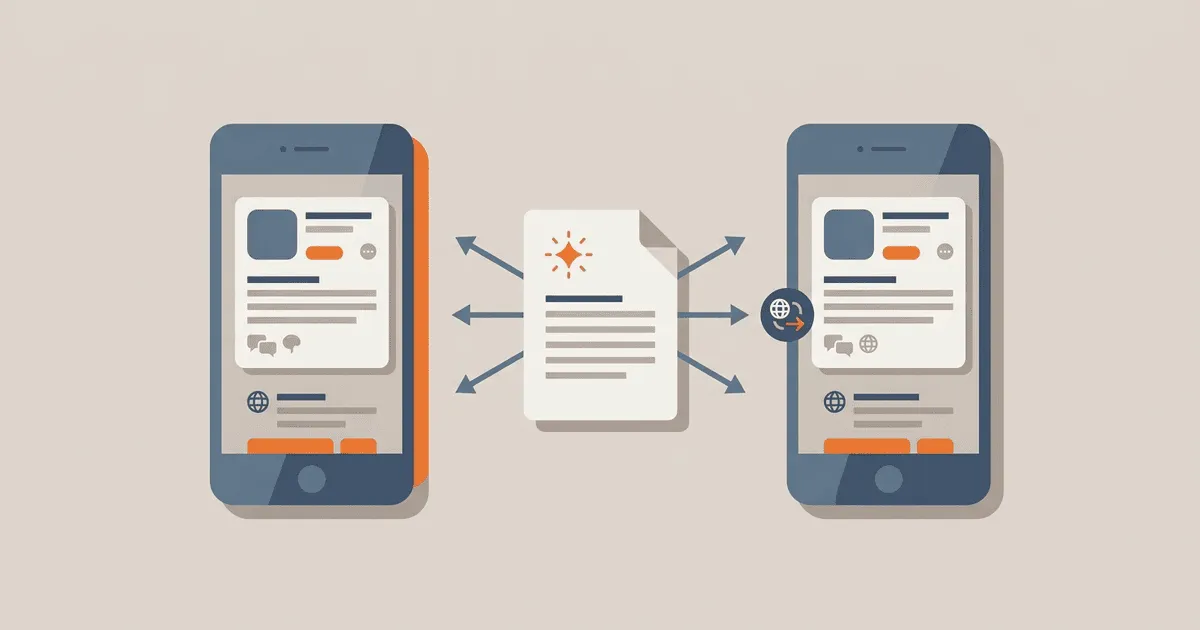
App release schedules are notoriously tight, and localized release notes frequently become the final bottleneck holding up a deployment. Teams successfully translate product user interface strings during the development cycle, but store metadata often moves on an entirely separate calendar. When product strings close before release notes are written, translators are left with no stable source text and no context for the forthcoming update. This delay results in what's new localization that arrives late, relies on rushed translations, and remains fundamentally disconnected from the primary product translation cycle.
Learning how to generate a release-note source from shipped changes, freeze it by a firm locale deadline, and reuse approved terminology resolves these problems. By connecting the app store listing updates to the continuous localization pipeline, organizations avoid manual copy-and-paste errors and keep release timelines predictable. This strategy applies to both iOS and Android applications, ensuring a consistent user experience regardless of the platform.
The disconnect between product and storefront
The core failure mode originates from misaligned timelines. Developers finalize code, the continuous integration system builds the application, and the localization team receives interface strings for translation. Meanwhile, product managers or marketing teams draft the release notes-often waiting until the final features are confirmed. By the time these notes reach translators, the main translation cycle has concluded. The subsequent rush forces translators to guess at terminology, resulting in inconsistent phrasing between the app store listing and the app itself.
Practitioner reports from localization teams consistently highlight this disconnect. In community discussions detailing localization workflow pain, specialists note that managing terminology consistency across the user interface and external store listings is a severe challenge when updates are decoupled. Without a shared terminology database and synchronized schedules, the store listing promises functionality using different words than the app actually displays. This creates immediate user confusion, as users search for a menu item named "Settings" when the localized release notes instructed them to look for "Preferences."
This timing problem also generates substantial operational overhead. When localization managers handle release notes as ad-hoc text fragments sent via email or shared documents, they lose the version control guarantees provided by their translation management systems. A disconnected process means there is no automated way to ensure that the French App Store text corresponds to the exact French translations bundled into the application binary. Consequently, releasing the application becomes a manual, error-prone chore requiring engineers to manually paste strings into store portals at the eleventh hour.
Establishing a unified localization workflow
To resolve the timing and consistency problems, organizations must treat release notes as another standard resource file subject to the same processes as application strings. This integration demands a shift from unstructured spreadsheets to automated metadata management. The goal is to bring the marketing text inside the software repository, subjecting it to peer review, automated validation, and continuous integration pipelines alongside the application's source code.
Generating source text from shipped changes
Rather than drafting release notes in isolation at the end of a sprint, teams should derive the initial source text from merged pull requests, feature flags, or issue tracker milestones. Integrating a release note generation script into the build pipeline ensures that the source copy accurately reflects the delivered features. This automated draft can then be refined by product managers into user-friendly copy.
Extracting release notes directly from version control eliminates the ambiguity of what actually shipped. When developers attach specific, user-facing descriptions to their commits, the continuous integration server can stitch these descriptions together to form a baseline document.
echo "Example script to aggregate merged feature titles for release note drafts
echo "This script extracts messages starting with "Feature:" and outputs them
git log --grep="Feature:" --pretty=format:"%s" $PREVIOUS_TAG..HEAD > draft_release_notes.txt
This draft serves as the canonical source. Once refined by a product manager, it must be committed to the repository as a structured file (such as JSON, YAML, or plain text in a designated directory) alongside the application's string catalogs. Storing the source text in version control guarantees that any changes are tracked and auditable.
Freezing the source and enforcing deadlines
Because app stores enforce specific character limits and formatting rules, the source text must be frozen and validated before translation begins. Apple explicitly defines the fields and limits for localized product pages in its App Store information localization documentation. The "What's New in This Version" text is capped at 4,000 characters and must accurately describe the changes in that specific version. Exceeding this limit causes the automated upload to fail, halting the entire deployment process.
Set a strict string freeze for release notes that aligns with the application string freeze. Any feature that requires a release note must have its copy finalized by this deadline. Features lacking approved source copy are excluded from the notes or postponed to the next release. Enforcing a hard deadline ensures that translators have sufficient time to process the strings, ask clarifying questions, and utilize the translation memory correctly.
Reusing approved terminology
When release notes are processed through the same translation management system as the product strings, translators can leverage the existing translation memory. This guarantees that new features are described using the exact localized terminology found within the application. Using a continuous localization workflow ensures that translators see the app strings and the release notes in the same context, reducing ambiguity and preventing terminology drift.
If an application introduces a "Smart Filter" feature, the term must be localized consistently. The translation memory flags the newly established equivalent for "Smart Filter" when the translator encounters it in the release notes. Without this shared memory, a translator working on the store listing might invent an entirely new translation, disconnecting the marketing promise from the user interface reality.
Automating storefront distribution
Once translations are complete, manual uploading to the app stores introduces unacceptable risk. Copying and pasting text for twenty different locales inevitably leads to misplaced strings or formatting errors. Automation tools like Fastlane mitigate this risk by uploading metadata programmatically. Establishing a rigid directory structure allows these tools to map localized text files directly to the corresponding fields in the storefront APIs.
Structuring data for the Google Play store
Google covers the requirements for translated store content in its Play localization guidance. The Play Console expects recent changes to be provided in specific locale directories. The standard approach requires developers to maintain a directory structure that mirrors the required storefront configuration, isolating each locale's metadata.
metadata/
  android/
    en-US/
      changelogs/
        10045.txt
    fr-FR/
      changelogs/
        10045.txt
In this architecture, each text file contains the localized release notes corresponding to a specific version code (e.g., 10045). During the deployment pipeline, a fastlane script reads these files and pushes them directly to the Google Play Console API, eliminating manual data entry. This guarantees that version 10045 receives exactly the notes drafted for it, and that the French listing is populated strictly from the verified French text file.
Structuring data for the Apple App store
The Apple App Store follows a similar pattern but uses a different directory structure and naming convention for its automation tools. Managing App Store Connect through automation demands a predictable layout where every file represents a specific text field in the App Store listing.
metadata/
  ios/
    en-US/
      release_notes.txt
    fr-FR/
      release_notes.txt
The continuous integration server executes a deployment lane that reads these localized files and synchronizes them with App Store Connect. This automated synchronization ensures that the uploaded text perfectly matches the reviewed and approved translations stored in the repository. Because the text never touches a human clipboard between the translation system and the Apple servers, copy-and-paste errors are completely eradicated.
Handling fallbacks and missing translations
If a specific locale's release notes are delayed, the deployment pipeline must handle the failure gracefully. Publishing an app update with a missing "What's New" section or displaying an error placeholder degrades the user experience. You must define an explicit failure handling strategy before automation encounters a missing file.
Configure the automation tools to fall back to a default language-typically English-if the target locale file is missing or incomplete. This decision rule prevents deployment failures while maintaining a coherent store listing. A user in Japan might see English release notes if the Japanese translation is delayed, which is vastly preferable to an empty field or a cryptic error code.
Additionally, implement automated checks in the continuous integration pipeline to verify that all intended locales have valid text files before initiating the upload sequence. Catching a missing file during the build phase provides engineers an opportunity to intervene before interacting with the storefront APIs.
echo "Example verification script checking for required localization files
echo "This validates that every supported locale has a release_notes.txt file
REQUIRED_LOCALES=("en-US" "fr-FR" "de-DE" "es-ES" "ja-JP")
MISSING_COUNT=0

for locale in "${REQUIRED_LOCALES[@]}"; do
  if [ ! -f "metadata/ios/$locale/release_notes.txt" ]; then
    echo "Warning: Missing release notes for $locale. Falling back to default."
    MISSING_COUNT=$((MISSING_COUNT + 1))
  fi
done

if [ "$MISSING_COUNT" -gt 0 ]; then
  echo "Proceeding with fallbacks for $MISSING_COUNT locales."
fi
This verification script highlights gaps in the localized release notes without necessarily failing the build. However, if strict compliance is required-for instance, if regional regulations mandate localized update descriptions-the script can easily be modified to exit with a non-zero status, blocking the deployment until the required translations are provided.
Establishing a cross-functional review loop
Automation and unified workflows solve the mechanical problems of localization, but ensuring linguistic quality requires a deliberate review loop involving product managers, localization specialists, and quality assurance testers. The localization pipeline must provide visibility into the pending release notes before they are committed to the public storefronts.
To facilitate this, generate a consolidated pre-release report during the continuous integration build. This report aggregates the English source text alongside all available translations for the upcoming version, presenting them in a single, readable document. Distributing this artifact to the stakeholders provides a final opportunity to audit the terminology, verify formatting, and confirm that the messaging aligns across all supported languages.
If a reviewer identifies an error, the correction must occur within the translation management system, not via a manual edit to the repository file or the app store portal. Updating the central translation memory ensures the correction cascades into the repository on the next synchronization, permanently fixing the issue. Bypassing the translation system to make a quick manual edit introduces source drift, meaning the error will likely reappear in the next release.
Measuring success and cycle time
Transitioning to an automated release note workflow provides measurable improvements in operational efficiency. Teams should establish baseline metrics before implementing the new architecture to accurately gauge the return on investment. The primary metric to track is cycle time: the duration between finalizing the English source text and successfully publishing the localized notes to the app stores.
A successful implementation drastically reduces this cycle time, converting a multi-day manual coordination effort into an automated process measured in minutes. Additionally, track the frequency of metadata-related deployment failures. When text limits are validated programmatically and files are synchronized directly, deployment failures caused by invalid character counts or missing fields should approach zero.
By analyzing these metrics, organizations can continuously refine their string freeze deadlines. If the translation team consistently completes the release notes well before the deployment pipeline executes, the string freeze can be safely pushed later in the sprint, allowing more features to be included in the localized update descriptions.
Verifying the solution
Verification involves auditing the continuous integration output and the resulting storefront displays. The deployment pipeline should output a log detailing which localized release notes were successfully uploaded and which fell back to the default language. Review this log after every deployment to ensure the automation behaved predictably.
Reviewers should periodically inspect the live App Store and Google Play listings across different region settings. Verify that the localized release notes match the corresponding application version and that the terminology used in the notes perfectly aligns with the translated application interface. Discrepancies indicate a failure in the translation memory configuration or a bypassed string freeze deadline.
A robust verification process also includes testing the failure handling mechanisms in a staging environment. Deliberately omit a localized text file and initiate the deployment pipeline to confirm that the fallback language is correctly substituted and that the warning logs are generated as expected.
Next steps
To implement this workflow, begin by adding a metadata directory to your repository structure. Migrate your current release notes into plain text files organized by platform and locale. Establish the rigid directory layout required by your chosen automation tools.
Next, configure your translation management system to ingest these text files alongside your standard application resource bundles, ensuring that translators have access to the full product context when working on storefront copy. Finally, integrate the storefront deployment scripts into your continuous integration pipeline, replacing manual uploads with programmatic synchronization. By executing these steps, your organization ensures that every localized app update is accompanied by accurate, timely, and consistent release notes.
References
- App Store information localization: Apple's documentation detailing the localized fields available for product pages, including character limits for release notes.
- Play localization guidance: Google's guidance on translating and localizing Android app store content.
- Localization workflow pain: A practitioner report outlining the challenges of maintaining terminology consistency without a unified translation workflow.
- Continuous localization: An implementation guide for keeping source strings and translations synchronized throughout the development lifecycle.