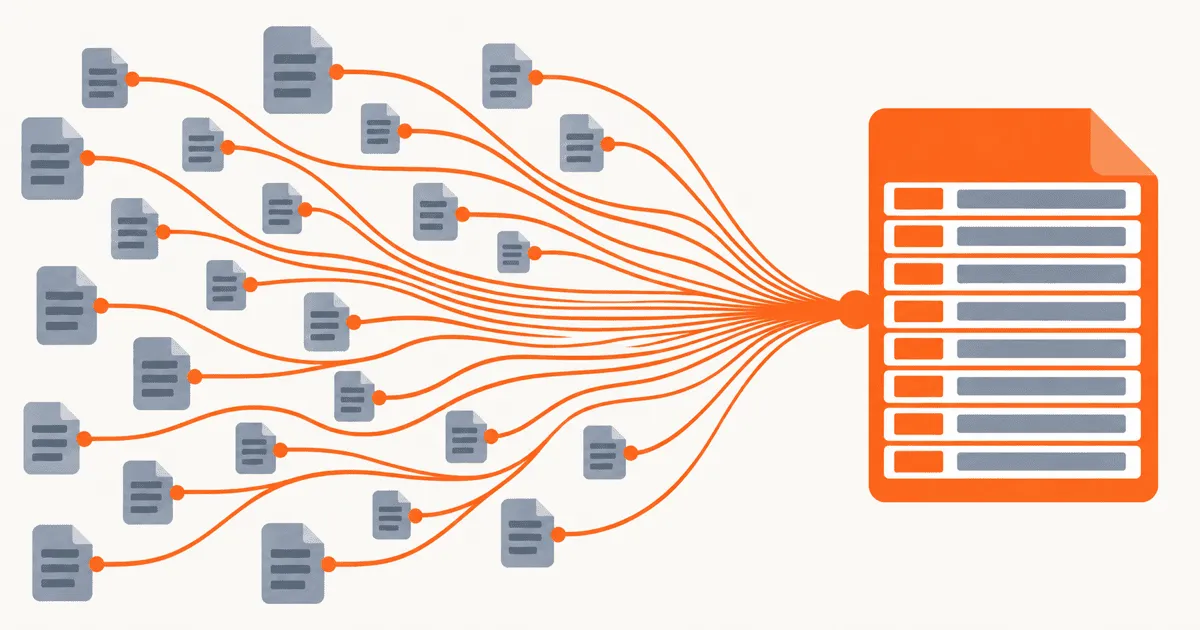
Xcode can convert Localizable.strings into a String Catalog, but the resulting project can still have missing plurals, duplicate resources, unexplained stale entries, or a broken build after the old files are removed. The conversion command covers the file format. A safe migration also has to preserve the old resources in version control, inventory each table and target, review catalog state, and test the installed app before the rollback path disappears. This guide separates those checks so a failed conversion does not cost existing translations.
Treat the migration as a resource change, not a file conversion
Apple introduced the migration command as part of the String Catalog workflow. In Discover String Catalogs, Apple shows Xcode migrating existing .strings and .stringsdict resources and explains the catalog states that Xcode maintains. The command saves manual data entry. It does not prove that every target, table, plural variation, and runtime lookup still behaves as intended.
Separate the work into five checkpoints:
- Record the current resource layout and app behavior.
- Create the String Catalog through Xcode on an isolated branch.
- Compare source strings, translations, comments, and variations.
- Build and test every product that consumes the table.
- Remove the old resource path only after the new path passes.
This order gives each review a narrow question. If the catalog contents are wrong, stop before runtime testing. If the app chooses the wrong translation, the catalog can remain intact while you repair target membership or lookup behavior.
Capture a baseline before opening the migration command
Start with a repository inventory. Find every .strings and .stringsdict file, then record its table, locale directory, target membership, and consuming product. Localizable may not be the only table. An app can also have separate resources for errors, settings, feature packages, extensions, and system-owned text.
A migration manifest can be simple:
resources:
  - table: Localizable
    source_files:
      - Base.lproj/Localizable.strings
      - Base.lproj/Localizable.stringsdict
    targets:
      - MainApp
      - ShareExtension
    locales:
      - en
      - de
      - ja
    checks:
      simple_key: account.signOut
      parameterized_key: greeting.user
      plural_key: cart.items

  - table: Errors
    source_files:
      - Base.lproj/Errors.strings
    targets:
      - MainApp
    locales:
      - en
      - de
    checks:
      simple_key: network.offline
Use actual project paths and keys. The manifest is not a new localization format. It is a temporary review document that makes omissions visible.
For each table, capture these facts before migration:
- The set of keys in the source language.
- The locales that contain a value for each key.
- Translator comments that reviewers still need.
- Plural, device, or other variations represented by
.stringsdict. - The targets that package the resource.
- One screen or automated test that exercises each representative key.
Run the current branch on at least one non-source language and save the test result. A screenshot can help with visual comparison, but record the table, key, selected app language, and expected value too. A screenshot alone cannot tell you whether a failure came from the catalog, the bundle, or the test device.
Commit or otherwise preserve a clean baseline before conversion. The migration should have one reversible repository diff. Avoid combining it with key renames, copy changes, target restructuring, or a Swift API rewrite. Those changes make a missing translation harder to trace and make rollback less useful.
Migrate Localizable.strings to a String Catalog in Xcode
Perform the migration in the version of Xcode used by the app's build pipeline. Apple's WWDC23 session demonstrates selecting the existing localization resource and using Xcode's migration action rather than hand-authoring the catalog JSON. Let Xcode update the project references and create the .xcstrings resource.
Migrate one table at a time if the project contains several tables or targets. This keeps the catalog diff small and makes build errors easier to assign to a resource. When Xcode finishes, inspect its changes before deleting, restoring, or moving anything in the project navigator.
Check the generated catalog against the manifest:
- Confirm that the expected table has one catalog.
- Compare the source-language key count with the baseline.
- Open representative simple and parameterized entries.
- Inspect every plural entry that previously lived in
.stringsdict. - Confirm that existing locale values appear under the right language.
- Check that useful translator comments survived.
- Review the catalog's target membership and project references.
String Catalogs track more than text values. Apple's WWDC23 explanation covers states such as new, needs review, translated, and stale. Treat those states as migration data. A translation that appears in the catalog but changes from reviewed work to an unresolved state needs investigation. Do not mark the whole catalog translated just to clear the editor.
Apple's WWDC25 String Catalog update describes the catalog as the localization source of truth that Xcode synchronizes with code during builds. That relationship is why the first post-migration build matters. It can update extracted entries and expose a difference between what the converted file contained and what current source code references.
Reconcile catalog state before editing translations
Value parity and entry state need separate reviews. Value parity checks whether the German or Japanese text survived. Entry state records whether Xcode considers that value current after extraction and any source-string changes.
Review changed states by category:
- A new entry may come from current code that the old resource inventory missed.
- A needs-review entry may reflect a source-string change that requires a translator decision.
- A translated entry should still be checked for placeholder and variation parity.
- A stale entry may no longer be found by extraction, but that does not by itself prove the app no longer uses it.
Do not bulk-delete stale entries during the migration commit. Search for the key in Swift, Objective-C, Interface Builder resources, generated code, and dynamic lookup paths. Extraction cannot prove the absence of a key assembled at runtime. If the app intentionally uses dynamic keys, record them in a keep-list or a test so later cleanup has evidence.
A practitioner report titled Xcode 15 migration to String Catalogs failed describes a real conversion that did not complete as expected. Treat that report as evidence that failures occur, not as a universal diagnosis. Your own Xcode build log, project diff, and catalog comparison should determine the cause in your project.
Another practitioner asked how to move a String Catalog between projects while retaining translations. That question points to a related risk: a catalog file can contain translations while the destination project's extraction and resource ownership produce a different result. Preserve the catalog data, but verify it in the build context that will ship it.
Prevent dual-source and target-coverage failures
Ambiguous ownership causes trouble during the intermediate build. When the old localized files and the new catalog both contribute the same table to one target, the built resource set may differ from what the team intended. When neither contributes it, the app can fall back to source text or expose raw keys.
Use the project diff to answer these questions for every target:
- Which resource now owns the table?
- Did Xcode remove or replace the old file references?
- Does the catalog belong to every target that previously consumed the table?
- Does an extension or package have a separate bundle boundary?
- Are any copied resources added by a custom build phase?
Do not solve a target-coverage issue by attaching every catalog to every target. Preserve the previous ownership unless the team is deliberately redesigning it. A widget or extension can have different copy, space limits, and release behavior from the main app. Deciding which resources a target should genuinely own is its own design question, covered in sharing iOS localization across app targets and Swift packages.
Also inspect table-qualified lookups. Code that requests Errors.strings should still resolve the Errors table after migration. Test both SwiftUI and Foundation lookup paths used by the project. The migration is incomplete if the editor looks correct but one runtime API selects another table or bundle.
Handle a failed migration without losing the baseline
Stop at the first failed checkpoint. Do not continue cleaning the catalog while a build or parity check is red.
If Xcode fails during conversion, keep the original resource files and capture the exact diagnostic. Retry on a fresh branch only after narrowing the problem to one table. Do not hand-edit a partially generated catalog until you understand whether Xcode completed its project-file changes.
If the catalog opens but entries are missing, compare the missing keys with the baseline by type. A missing simple string, plural, comment, or locale value points to different evidence. Restore the branch, reduce the input to the affected table, and run the migration again. Preserve the failed diff for diagnosis if it contains useful evidence.
If the build fails after conversion, inspect the first relevant localization or resource diagnostic rather than the final cascade of errors. Check duplicate table ownership, stale project references, target membership, malformed catalog content, and custom resource-copy phases. Revert the migration commit if the fix requires guesses across several parts of the project.
If the build passes but runtime text is wrong, keep the catalog and inspect bundle, table, locale, and key selection. Log those identifiers in a debug build. A wrong bundle is not repaired by changing the translation value.
Rollback should restore the complete pre-migration resource graph: source files, project references, target membership, and build phases. Restoring only the visible .strings file can leave the project in a mixed state.
Verify the installed app before removing old resources
A successful compile confirms that Xcode accepted the resource structure. It does not confirm runtime locale, table, or bundle selection. Install a build from a clean derived-data state and exercise every consuming product named in the manifest.
Use this release checklist:
- Every baseline table maps to one intended catalog.
- Source-language keys match the reviewed baseline or have explained changes.
- Existing translations remain under the correct locales.
- Placeholders and format specifiers retain compatible structure.
- Plural and device variations still select the expected branch.
- New, needs-review, translated, and stale states have been reviewed.
- Every app target, extension, and package that owns the table builds.
- A clean install displays representative simple, parameterized, and plural strings.
- A non-source app language works without relying on the source fallback.
- Dynamic keys and intentionally stale-looking entries have explicit coverage.
- The rollback commit restores the previous build without manual repair.
Run the app with a source language and at least one translated language. Include a locale with plural behavior if the table contains plurals. Test the main app and each extension separately because successful lookup in the main bundle does not verify another product's resources.
After all checks pass, remove any obsolete files or temporary compatibility path in a separate, reviewable change. Build again from a clean checkout. The final repository should have one clear owner for each table and no migration-only manifest unless the team wants to keep it as release documentation.
Common shortcuts that make the migration harder
Do not rename keys during conversion. A rename changes extraction and runtime lookup at the same time, so a missing value no longer points cleanly to the migration.
Do not compare only the source language. Teams lose work in target locales, comments, and plural variations even when every English key is present.
Do not treat every stale entry as dead code. Extraction is evidence, not a complete runtime trace for dynamically selected keys.
Do not edit .xcstrings as unstructured text to make a large diff smaller. Use Xcode for the migration and review the resulting structured change. Build-time behavior matters more than a cosmetically compact diff.
Do not mark unresolved entries translated in bulk. That hides the distinction between a preserved translation and one that still needs review after the source changed.
Do not delete the baseline branch as soon as Xcode opens the catalog. Keep the rollback path until an installed build passes all target and locale checks.
Start with one table
Pick the smallest localized table that still includes a parameterized string and a variation. Build its baseline manifest, migrate it on an isolated branch, then run the catalog-state and installed-app checks. If that table passes, use the same procedure for Localizable and the remaining targets. Repeating the checks is the plan; Xcode's conversion command is only the format-changing step.
References
- Apple WWDC23: Discover String Catalogs documents migration from existing localization resources, catalog extraction, variations, and translation states.
- Apple WWDC25: Code-along, Explore localization with Xcode explains current String Catalog editing, build synchronization, extraction, and review behavior.
- Stack Exchange API: Xcode 15 migration to String Catalogs failed preserves a practitioner report of a failed migration attempt.
- Stack Exchange API: Move a String Catalog while retaining translations preserves a practitioner question about transferring catalog translations across project contexts.