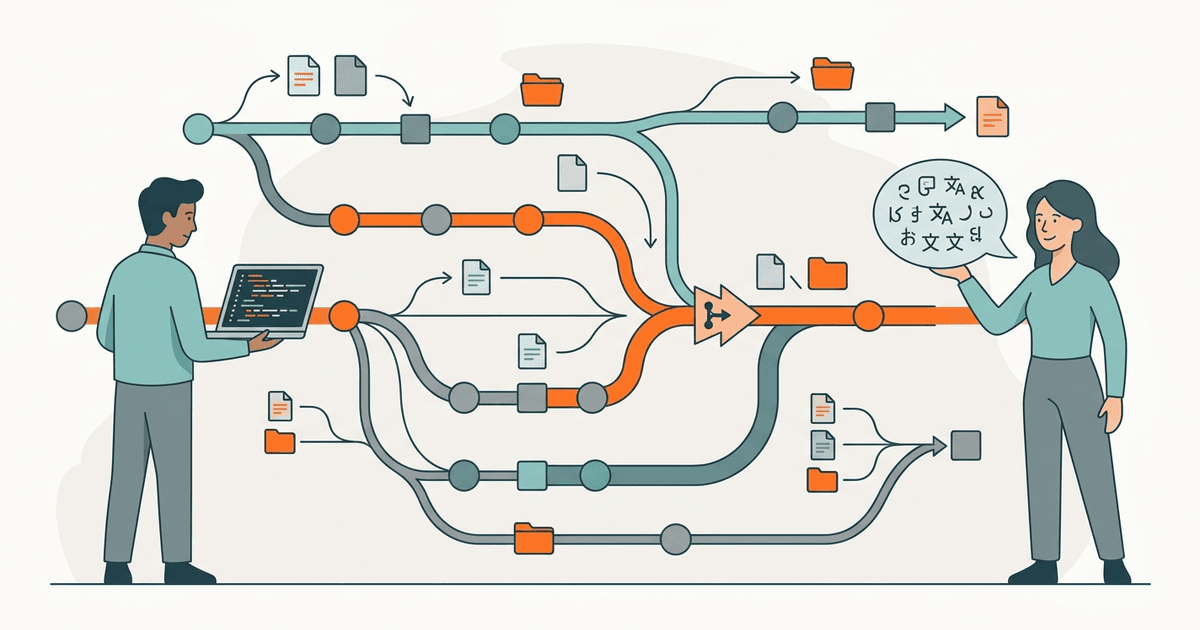
Modern software engineering relies heavily on version control, branching, and automated pipelines, yet localization often remains trapped in spreadsheets and manual file transfers. Developers use branches and pull requests to manage code changes safely. Meanwhile, translators are forced to use external spreadsheets or disconnected software as a service platforms. This disconnect leads to severe synchronization issues, stale translations, and delayed releases. By unifying developer and translator workflows through a Git-based localization approach, teams can eliminate file shuffling. Treating Git as the single source of truth allows both engineering and localization teams to collaborate within the same version control ecosystem. This guide explains how to implement a Git-based localization workflow that integrates translators directly into your repository.
Diagnose the localization synchronization gap
When developers and translators operate in isolated environments, synchronization failures become inevitable. Software engineers write code, extract strings, and commit them to a repository. They then export these strings and hand them off to localization managers. The translators work on the strings in a separate tool. During this time, developers continue building features, altering source strings, and merging new code. By the time the translated files return, the source codebase has drifted.
This synchronization gap forces teams to manually reconcile translation keys. As highlighted in the Inlang Show HN discussion, syncing states between multiple teams is a massive pain when they do not share the same version control backend. When translators are disconnected from the repository, they cannot see the context of the changes. Developers cannot easily verify if translations are complete before deploying to production. The result is a brittle process where localization blocks release cycles and introduces runtime errors.
The root cause is a fundamental mismatch in tools. Developers use a distributed version control system that tracks every change precisely. Translators use tools that treat translation as a static batch process. To solve this, organizations must bring localization into the version control workflow. By leveraging Git for both code and content, teams ensure that every translation corresponds exactly to a specific commit.
Understand the cost of context switching
Context switching between coding environments and translation management systems introduces hidden costs. Every time an engineer has to leave their terminal to check a localization dashboard, their focus breaks. Translators suffer similarly when they must ask developers for screenshot context because the translation tool strips away the application layout.
A unified workflow keeps everyone in their native environment. Developers review translation updates as standard code diffs. Translators, assisted by continuous integration checks, submit their work through automated pipelines that render the context directly in the pull request. This shared medium drastically reduces the communication overhead that usually plagues cross-functional teams.
The financial cost of these disjointed workflows is also non-trivial. Maintaining custom synchronization scripts, paying for external translation platforms, and dedicating engineering hours to manual conflict resolution add up. A Git-based approach leverages existing infrastructure, turning localization from a specialized operational burden into a standard software engineering practice.
Implement a Git-based localization pipeline
Transitioning to a Git-based localization workflow requires restructuring how translation files are managed and reviewed. The goal is to make localization updates look exactly like code contributions.
Treat translations as code contributions
In a Git-based workflow, translation files live directly in the repository alongside the application code. When a developer adds a new feature, they add the source strings to the localization files in their feature branch. Translators then access these files through specialized editors that commit changes directly back to the branch.
This approach ensures that translations are always bound to the code that uses them. When the feature branch is merged, the code and the translations deploy together. There is no need for external sync scripts or manual imports. You treat your language resources with the same rigor applied to your application logic.
Automate branching and pull requests
Pull requests provide a natural mechanism for review and collaboration. When translations are ready, they should be submitted as a pull request. As GitHub explains in their documentation on pull requests, this process allows teams to propose changes, discuss them, and run automated checks before merging.
You can automate this process using continuous integration tools. When the main branch receives new source strings, a GitHub Action can automatically create a localization branch. Translators commit their work to this branch. Once they finish, the action opens a pull request back to the main branch.
name: Localization Workflow
on:
  push:
    branches:
      - main
jobs:
  create_localization_branch:
    runs-on: ubuntu-latest
    steps:
      - uses: actions/checkout@v4
      - name: Create branch
        run: |
          git checkout -b l10n/update-strings
          git push origin l10n/update-strings
This automation removes the manual handoff. Developers no longer need to remember to send files to translators, and translators do not need to email files back.
Integrate continuous integration checks
Because translations are submitted via pull requests, you can run automated validation on every update. Continuous integration pipelines should verify that translation files are structurally sound.
Validation scripts can check for missing keys, malformed placeholders, and invalid syntax. For example, the i18n-validate project offers automated checks that fail the build if a translation contains a broken variable. Running these checks on every pull request prevents broken translations from reaching the main branch.
By strictly enforcing these checks in CI, you guarantee that bad data never corrupts the main branch. Translators receive immediate automated feedback if they accidentally delete a formatting tag, allowing them to fix the error without developer intervention.
Manage repository architecture and permissions
Inviting non-technical contributors into a Git repository requires careful architectural decisions. You cannot simply hand over full commit access to external localization vendors.
Isolate language assets
Store all localization files in a dedicated, isolated directory structure. This separation prevents translators from accidentally modifying application code. It also simplifies the configuration of continuous integration triggers, ensuring that translation workflows only run when files in the language directory change.
Component-based architectures often encourage placing translation files next to their respective code modules. While this works well for developers, it complicates the translator experience. A hybrid approach uses build scripts to aggregate decentralized strings into a single translation interface, and then scatters the translated results back to their correct locations during the commit phase.
Implement fine-grained access control
Use code owners and branch protection rules to secure your repository. Assign the engineering team as the owner of the application code, and designate the localization manager as the owner of the language directories.
When a pull request modifies localization files, the system should automatically request a review from the localization manager. Conversely, if a translator's automated pull request inadvertently touches a code file, the system must block the merge until an engineer approves it. This dual-key authorization model maintains security without slowing down the translation pipeline.
Scale the workflow for enterprise environments
Small teams can manage Git-based localization with basic scripts, but enterprise environments demand robust tooling. As the volume of strings and supported languages grows, manual branch management becomes a bottleneck.
Deploy specialized translation editors
Translators should not be forced to use command-line Git clients or basic text editors. Provide them with specialized web-based editors that connect directly to the Git backend. These editors read the current branch state, present a friendly interface for translating strings, and securely push commits back to the repository on behalf of the user.
This abstraction bridges the technical divide. Translators interact with a familiar dashboard, while the underlying infrastructure remains entirely Git-centric. The repository stays synchronized, and the translators avoid the steep learning curve associated with version control software.
Parallelize translation efforts
Large feature releases often require simultaneous translation into dozens of languages. A unified workflow allows you to create parallel localization branches. Each vendor or language team works on their specific branch, pushing changes independently.
Continuous integration pipelines merge these branches automatically as they pass validation. This parallelization eliminates the bottleneck of waiting for the slowest language to finish before merging the entire translation batch. The software can ship with the languages that are ready, and subsequent languages can be rolled out in minor patch releases using the exact same workflow.
Handle failures and manage translation drift
Even with a Git-based workflow, edge cases and failures will occur. Managing these failures smoothly is critical to maintaining a healthy pipeline.
Resolve merge conflicts gracefully
When multiple translators work on the same file, or when developers change a source string while a translation is in progress, merge conflicts can happen. In a Git-based system, these conflicts are visible immediately.
To handle merge conflicts, train your localization managers on basic Git conflict resolution, or provide them with visual tools that abstract the Git commands. Ensure that your continuous integration pipeline blocks merges if a conflict exists. This forces resolution before the broken file can affect production.
In many cases, automated conflict resolution strategies can resolve trivial discrepancies. For example, if a developer appends a new key at the bottom of the English file, and a translator simultaneously updates an existing key in the Spanish file, a standard Git merge handles the combination perfectly.
Prevent translation drift
Translation drift occurs when a developer updates an English source string but forgets to update the corresponding translations. The foreign language strings still reflect the old meaning.
To prevent drift, implement a hashing mechanism. The continuous localization guide details this hash-based freshness tracking inside a CI pipeline. Store a hash of the source string alongside the translation. During the continuous integration build, calculate the hash of the current source string and compare it to the stored hash. If they do not match, flag the translation as stale and require a review. This ensures that changes to the source meaning always trigger a localization update.
Advanced implementations can even automatically revert the stale translation to English, or visually flag it in the application UI during staging, ensuring that quality assurance testers immediately spot the regression.
Establish clear communication channels
Technology alone cannot solve cross-team collaboration issues. You must establish clear communication channels that complement the Git-based infrastructure.
Use pull requests as discussion forums
Encourage translators and developers to communicate directly within the pull request comments. If a translator does not understand the context of a string, they should leave a comment on the specific line of code in the localization file.
Developers can respond directly in the thread, attaching screenshots or explaining the intended behavior. This contextual communication is infinitely more valuable than generic emails. It preserves the decision-making history alongside the code, providing a permanent reference for future translators.
Standardize localization notes
Developers must adopt the habit of providing localization notes when they create new source strings. These notes should describe the context, explain any variables, and specify character limits.
Store these notes in the same repository, ideally directly alongside the source strings in the code comments or the resource files. When the automated pipeline generates the translation branches, it should extract these notes and present them to the translators. Proactive documentation drastically reduces the number of questions asked during the pull request review phase.
Optimize the review and approval process
Linguistic quality assurance is often the slowest phase of the localization lifecycle. A Git-based workflow provides unique opportunities to optimize this review process.
Automate staging environment deployments
When a localization pull request is opened, your continuous integration pipeline should automatically deploy a preview environment. This environment builds the application with the new translations, allowing reviewers to see the localized text in its final context.
In-context review catches layout issues, truncated text, and contextual errors that are impossible to spot in a spreadsheet. Reviewers can navigate the staging application, identify problems, and immediately request changes in the pull request. This tight feedback loop prevents visual bugs from ever reaching the main branch.
Implement phased rollouts
Do not treat localization as a binary state. Use feature flags and progressive delivery to roll out new languages gradually. Merge the localization pull requests into the main branch, but keep the new language hidden behind a feature flag in production.
Enable the language for internal employees first, then a small subset of beta users, and finally the general public. This phased approach allows you to gather real-world feedback and identify critical translation errors before they impact your entire global user base. It decouples the translation merge process from the high-stakes product launch schedule.
Verify the unified workflow
After implementing the new pipeline, you must verify that it actually improves synchronization and reduces friction.
Monitor cycle time
Track the time it takes for a new string to go from the developer's feature branch to the published application. In a successful Git-based workflow, this cycle time should decrease significantly because you have eliminated manual file handoffs.
Monitor the pull request lifecycle. Measure how long localization pull requests stay open and how often they fail continuous integration checks. Frequent failures indicate that the validation rules might be too strict or that translators need better context.
Audit repository hygiene
Periodically review the Git history of your translation files. You should see clear, atomic commits associated with specific features or localization updates. The commit history serves as an audit trail, showing exactly who changed a translation and when.
Ensure that developers and translators are communicating within the pull request comments. The pull request should become the central hub for discussing context, asking questions about specific strings, and approving final translations.
Address common objections
Skeptics often raise valid concerns when proposing a shift to Git-based localization. Addressing these objections proactively is crucial for gaining organizational buy-in.
The complexity argument
The most common objection is that Git is too complicated for non-technical translators. This is a valid concern if you expect translators to use the command line. However, modern workflows abstract the version control layer entirely.
By providing specialized, web-based translation editors that interact with the Git API behind the scenes, you shield translators from the complexity. They experience a streamlined interface focused purely on language, while the engineering team reaps the benefits of a version-controlled backend.
The scale argument
Some argue that storing large localization files in Git bloats the repository and slows down clone times. While true for massive binary assets, text-based translation files compress exceptionally well.
For truly gargantuan applications, consider using Git submodules to store the localization assets in a separate repository. This technique keeps the primary codebase lean while still maintaining the strict versioning and branch-based workflows that make the system so effective. The build pipeline simply pulls the correct commit from the submodule during compilation.
Plan your next steps for localization
Moving to a Git-based localization workflow transforms how your engineering and translation teams interact. It replaces fragile manual processes with robust version control and automation.
Your immediate next action is to select a small, non-critical project and migrate its translation files into the repository. Set up a simple automated branch creation script and configure a pull request validation check. Train one developer and one translator to use this new workflow. Once you prove the concept on a small scale, you can roll it out to your primary applications and completely eliminate localization spreadsheets.
References
- Hacker News: Inlang - Stripe for localization that abuses Git as back end - Highlights the pain of syncing states between teams and advocates for a Git-based backend.
- GitHub: About pull requests - Explains how pull requests allow teams to propose changes, discuss them, and run automated checks.
- GitHub: i18n-validate - Provides automated checks that fail the build if a translation contains broken variables or placeholders.
- i18nAgent: Continuous localization guide - Details hash-based freshness tracking and CI enforcement for keeping translations synchronized with source strings.