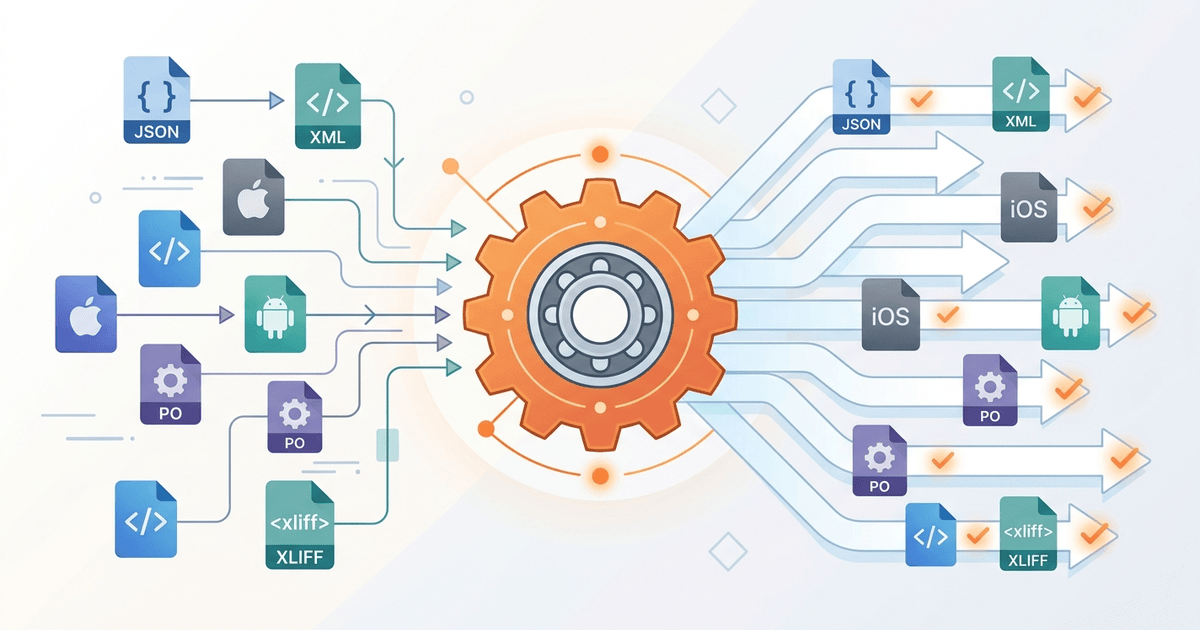
Every localization team eventually hits the same wall: their content lives in one format, but a tool they need wants another. JSON in, Android XML out. PO in, XLIFF out. iOS Strings in, xcstrings out. There is no shortage of converters on the internet; there is a shortage of converters that round-trip plurals, comments, and translator state without silently throwing data away.
We spent the last few months building i18n-convert, a single Rust binary that converts between 32 i18n file formats (Android XML, iOS Strings, iOS stringsdict, xcstrings, XLIFF 1.2, XLIFF 2.0, PO, ARB, RESX, TMX, SRT, Excel, Qt Linguist, Java properties, YAML Rails, JSON variants, TOML, JSON5, HJSON, NEON, INI, PHP/Laravel, Markdown, plain text, CSV, TypeScript, JavaScript, iSpring XLIFF, Adobe Captivate XML, and others) through a single intermediate representation that preserves what most tools drop.
This post is the launch announcement, but it's also a tour of the formats nobody writes blog posts about: ARB, xcstrings, NEON, iSpring XLIFF, and a handful of others. They're the long tail of localization, and they're where the interesting design decisions live.
Why we built another converter
The honest answer is that we kept being burned by the converters we already had. Over the last year, working on translation tooling that has to read and write almost any localization file a customer might send us, we tried, in roughly this order: pandoc (general-purpose, but only knows about a couple of i18n formats and treats the rest as plain text); the format-specific Python scripts that ship with gettext, with babel, with the Android SDK; a handful of browser-based "online converters"; and two commercial SaaS converters that promise "round-trip everything." Every one of them failed at least one of the four properties we care about.
The four properties are dull and unglamorous, but they're what separates a converter you can trust from one you can't.
Translator state must survive the round trip. A needs-review flag set by a translator in xcstrings, or a fuzzy flag in PO, or the state="needs-review-translation" attribute on a XLIFF <target>, is the only signal downstream tools have that a string is not ready to ship. Every converter that flattens to a key/value dictionary drops this. Two of the tools we tried even drop it silently, with no warning and no log line, so the first sign anything is wrong is a release that ships with machine-translated drafts displayed to users.
Plurals must not be mangled. This is the single hardest problem in i18n format conversion, and it is where most tools quietly fail. The trouble is that the formats disagree on the conceptual model, not just the syntax. PO uses a numeric Plural-Forms header (nplurals=3; plural=(n%10==1 && n%100!=11 ? 0 : ...)); Android XML uses CLDR categories (zero/one/two/few/many/other); ICU MessageFormat (used inside ARB and inside xcstrings substitutions) inlines plural logic into the string itself, and supports both =N exact matches and category fallbacks; some integer-indexed systems (notably older Qt) just number the variants [0], [1], [2]. Going from a category system to an integer-indexed system requires knowing the locale's plural rules to assign categories to indices; going the other way requires the inverse mapping. Most converters punt by emitting only the other form.
Nested keys must not silently collide. Convert a YAML or JSON tree with the keys user.name and user["name"] into Java properties, which is flat, and a naive converter will overwrite one with the other. Convert flat keys like nav_home and nav_about into Android XML and back to nested JSON, and you need a deterministic rule for whether the underscore is a delimiter or part of the key. We watched a tool concat keys with a dot, then try to read its own output back and crash on the dotted-key edge cases.
Data loss must be explicit. If a target format simply cannot represent something (CSV cannot express plurals, plain text cannot carry comments, Android XML cannot store translator-state), the converter must say so, by name, before it overwrites a file. "It worked, here is the output" is unacceptable when a quarter of the metadata is gone.
We are not the first people to want this. There is real prior art. translate-toolkit covers a wide format range, i18next-converter does decent JSON/PO conversion, and the formatjs extractor handles ICU well; we used all of them at one point. They each do part of the job well. None of them does all four properties across all the formats we needed. So we wrote one.
This is genuinely a hard problem, not a marketing one. The formats were designed in isolation, by different vendors, with different concepts of what a translatable string even is. iOS thinks in terms of stringsdict and now xcstrings variations; Android thinks in terms of resource arrays and quantity strings; gettext thinks in terms of msgid/msgstr pairs with header metadata; XLIFF thinks in terms of source/target segments with state machines; ICU MessageFormat thinks in terms of nested select/plural expressions inlined into a single string. Building one tool that does all of this losslessly means picking a conceptual model that is a superset of all of them, and that is exactly what most existing tools refuse to do: they ship with one format's model baked in and treat the others as second-class.
The intermediate representation: how 32 formats fit one model
The core of i18n-convert is a single Rust type, I18nResource, that every parser produces and every writer consumes. Every conversion is Source → Parser → I18nResource → Writer → Target. The IR has to be expressive enough to represent everything any one format supports, and tolerant enough that a writer for a less-expressive format can degrade gracefully.
┌──────────────────────────────────────────────────────────────┐
│                       I18nResource                           │
│                                                              │
│   metadata: ResourceMetadata                                 │
│     ├─ source_format, locale, source_locale                  │
│     ├─ headers, properties, encoding, direction              │
│     ├─ tool_name, tool_version, created_at, modified_at      │
│     └─ format_ext: Option<FormatExtension>  ◄─── per format  │
│                                                              │
│   entries: IndexMap<String, I18nEntry>                       │
│     │                                                        │
│     └── I18nEntry                                            │
│         ├─ key: String                                       │
│         ├─ value: EntryValue                                 │
│         │    ├─ Simple(String)                               │
│         │    ├─ Plural(PluralSet { zero, one, two,           │
│         │    │                     few, many, other,         │
│         │    │                     exact_matches,            │
│         │    │                     range_matches,            │
│         │    │                     ordinal })                │
│         │    ├─ Array(Vec<String>)                           │
│         │    ├─ Select(SelectSet { variable, cases })        │
│         │    └─ MultiVariablePlural(pattern, variables)      │
│         │                                                    │
│         ├─ comments: Vec<Comment>                            │
│         │    └─ role: Developer | Translator |               │
│         │            Extracted | General                     │
│         ├─ source, previous_source, previous_comment         │
│         ├─ placeholders: Vec<Placeholder>                    │
│         ├─ state: Option<TranslationState>                   │
│         ├─ approved, obsolete, translatable                  │
│         ├─ max_width, min_width, max_bytes, ...              │
│         ├─ device_variants: Option<Map<DeviceType, Value>>   │
│         ├─ alternatives: Vec<AlternativeTranslation>         │
│         ├─ source_references: Vec<SourceRef>                 │
│         └─ format_ext: Option<FormatExtension>  ◄─── per fmt │
└──────────────────────────────────────────────────────────────┘
A few design decisions are worth calling out.
The plural set is a CLDR-category superset, not a list. PluralSet has six optional named slots (zero, one, two, few, many, plus a required other), and on top of that it carries exact_matches: IndexMap<u64, String> for ICU-style =0 / =1 exact-count variants, plus range_matches: Vec<PluralRange> for the range syntax that XLIFF and a few others permit. The ordinal: bool flag distinguishes cardinal plurals (one apple, two apples) from ordinal plurals (1st, 2nd, 3rd); the categories are the same, but the rule that picks them is different. A PO parser fills other and uses CLDR rules for the target locale to assign the indexed forms to categories; a writer going to PO does the inverse, using the locale header to pick the right number of forms. A category that the target locale doesn't use is dropped quietly; a category the source had data for but the target locale shouldn't have triggers a warning.
Comments carry roles, not just text. PO distinguishes between # (translator), #. (extracted from source), and #: (source reference). Android XML uses generic XML comments but they're conventionally treated as developer notes for translators. XLIFF has <note from="developer"> and <note from="translator"> explicitly. xcstrings has a single comment field that is semantically "extracted from source." The IR has a CommentRole enum with Developer, Translator, Extracted, and General, and parsers fill the right one. Writers for formats that distinguish roles emit them properly; writers for formats that don't (Android XML, plain text) collapse roles into a single comment block.
Format-specific extensions sit on every level. ResourceMetadata and I18nEntry each carry an optional format_ext: Option<FormatExtension>. FormatExtension is an enum with one variant per format (AndroidXmlExt, XcstringsExt, ArbExt, ...) holding data that doesn't fit anywhere else in the IR but is needed for byte-equivalent round trips. The Android XML extension records the formatted="false" attribute and the product qualifier; the ARB extension keeps @@x-* custom fields verbatim; the iSpring XLIFF extension records which XLIFF version variant the source used. Writers for other formats simply ignore extensions they don't understand. This means: PO → IR → PO can be byte-equivalent because the PO writer reads the PoExt extension and reconstructs the header, comment ordering, and Plural-Forms line; PO → IR → JSON is lossy on PO-specific data but the JSON writer doesn't care; it just doesn't read the PoExt.
Capability matrices drive warnings, not transformations. Each format declares 14 capability flags via a FormatCapabilities struct: plurals, arrays, comments, context, source_string, translatable_flag, translation_state, max_width, device_variants, select_gender, nested_keys, inline_markup, alternatives, source_references, custom_properties. Before a write, the converter walks the IR and diffs what's present against what the target supports. Every mismatch becomes a DataLossWarning with a severity (Info, Warning, Error), a message, the affected keys, and the lost attribute. The CLI prints these and prompts for confirmation; --force skips the prompt; --dry-run shows the warnings without writing anything.
The round-trip property we aim for is: for any format F, F → IR → F should produce a byte-equivalent file. We get there for most formats. We don't get there for a couple. XML namespace declaration ordering is one example where strict byte-equivalence is impossible without preserving the original DOM verbatim, and for those the round trip is semantically equivalent: every translatable value, comment, state, and metadata field survives, even if the bytes differ by whitespace or attribute order.
The formats nobody talks about
Most of the writing on i18n format conversion is about JSON → some-other-thing or PO → XLIFF. The formats in this section get less attention, mostly because they're scoped to a single platform, framework, or vendor. They're also where the most interesting design decisions live.
xcstrings: Apple's String Catalog
Apple introduced xcstrings in Xcode 15 as a single replacement for .strings, .stringsdict, and ad-hoc per-locale folder hierarchies. It is JSON, schema-versioned ("version": "1.0"), and crucially it embeds both plural variations and device variations alongside translation state per locale. Most third-party tools haven't caught up: they still treat xcstrings as a glorified .strings file and either drop the variations or refuse the file outright.
The interesting structural choice is that variations nest under a single per-locale block. A string with both a plural and a device variation is not a Cartesian product; it's two separate variation trees living under the same key. In the IR, this lands as an entry whose value is either a Plural(PluralSet) or whose device_variants field is populated, but typically not both for the same key. (The IR can technically hold both; the writers for formats that lack one or the other will warn.)
A real example from the test fixtures: an Arabic plural for item_count carries all six CLDR categories (Arabic uses all six). When the IR holds this and the target is PO, the writer consults the German Plural-Forms header... wait, that's the wrong language. The writer for PO consults the target locale's plural rules to decide how many indexed forms to emit, and writes:
msgid "%lld item"
msgid_plural "%lld items"
msgstr[0] "لا عناصر"
msgstr[1] "عنصر واحد"
msgstr[2] "عنصران"
msgstr[3] "%lld عناصر"
msgstr[4] "%lld عنصرًا"
msgstr[5] "%lld عنصر"
The exact ordering of msgstr[N] forms is locale-dependent. Arabic's CLDR rule maps zero → 0, one → 1, two → 2, few → 3, many → 4, other → 5. Going the other way, a PO file with six indexed forms parses to a PluralSet with all six named slots filled. The XcstringsExt extension records version: "1.0" and any extraction_state so that an xcstrings → PO → xcstrings round trip restores the JSON's schema version exactly.
The state field is per-string-unit. The IR's TranslationState enum has variants for all five xcstrings states (new, translated, needs_review, stale, plus an internal Final) and writers map gracefully across formats: a xcstrings needs_review becomes a PO fuzzy flag, an XLIFF state="needs-review-translation", an Android XML comment (Android has no state field), and so on.
ARB: Flutter's Application Resource Bundle
ARB looks like JSON until you notice the metadata pattern. Every translatable key foo is paired with a sibling key @foo that holds a JSON object of metadata. File-level metadata sits under double-@ keys: @@locale, @@last_modified, @@author, and the convention-blessed @@x-* for custom fields.
{
  "@@locale": "en",
  "itemCount": "{count, plural, =0{No items} one{1 item} other{{count} items}}",
  "@itemCount": {
    "description": "Number of items in the cart",
    "placeholders": {
      "count": { "type": "int", "example": "3" }
    }
  }
}
The visual noise is the easy part. The hard part is that the plural is encoded inside the value string itself as ICU MessageFormat. A generic JSON parser sees itemCount as a Simple(String) value and moves on. The ARB parser detects the leading {count, plural, pattern, parses the ICU expression, and produces an EntryValue::Plural(PluralSet) with exact_matches[0] = "No items", one = Some("1 item"), and other = "{count} items". The @itemCount sibling becomes comments with role Developer and placeholders populated from the metadata.
ARB also supports select expressions in the same inline-ICU style, {gender, select, male{Mr. ...} female{Ms. ...} other{Dear ...}}, which the IR captures as EntryValue::Select(SelectSet { variable: "gender", cases: { ... } }). A naive converter that doesn't parse the value string loses the structure entirely; converting back to a target that supports select (xcstrings, ICU JSON) reproduces the original; converting to a flat format issues a warning.
The @@x-* custom fields are project-specific: Flutter tooling, Google's internal localization pipelines, and third-party tools all add their own. The ArbExt extension holds them as an IndexMap<String, serde_json::Value> so an ARB → IR → ARB round trip preserves them verbatim, even if no other format in the chain understands what @@x-myCompany-reviewerEmail means.
NEON: the Czech YAML-but-not
NEON is the configuration language for the Nette framework, used heavily in Czech and Slovak PHP shops and a few Drupal-adjacent projects. It looks like YAML at first glance (indent-sensitive blocks, key-value pairs, comments starting with #, list syntax with leading dashes), but the scalar parsing rules differ in ways that bite. yes and no are booleans in YAML 1.1 but plain strings in NEON. NEON allows tab indentation and has its own datetime literal syntax. It supports entity-like values with parentheses: Color(red, green, blue). The reason these matter for i18n is that NEON files often hold locale data for Nette's translation extension, and a YAML parser will silently coerce strings that happen to look like booleans or numbers into the wrong type.
A NEON fixture from the test suite:
# Application strings
greeting: Hello

# Farewell message shown on exit
farewell: Goodbye

app_name: My App

# Navigation section
nav:
	# Home page link
	home: Home
	about: About
The IR captures the section comments (# Application strings, # Navigation section) as General role with annotates: Some(Source), the inline comments (# Home page link) as Developer role on the nav.home entry. Nested keys are flattened to nav.home and nav.about in the IR's flat IndexMap, with the dot serving as the canonical delimiter; the NEON writer reconstructs the nesting. Plurals follow Nette's underscore-suffix convention, items_one and items_other, which the NEON parser groups into a single Plural(PluralSet) entry keyed items, matching how Nette's Translator::translate would resolve them at runtime.
HJSON: comments and trailing commas in JSON's clothing
HJSON ("Human JSON") is JSON minus the syntactic friction: unquoted keys, unquoted single-line strings, // and /* */ comments, trailing commas, and triple-quoted ''' multi-line strings. It is popular for hand-edited configuration files and shows up as a locale format in a few Node and Electron projects.
{
  // Nested HJSON example
  common: {
    greeting: Hello
    farewell: Goodbye
  }
  pages: {
    home: {
      title: Home Page
      description: Welcome to our website
    }
    about: {
      title: About Us
    }
  }
  simple_key: A top-level value
}
The trouble with converting HJSON via a strict JSON parser is that you lose every comment. Strict JSON parsers can be written to be tolerant of unquoted keys and trailing commas, but they cannot recover comments; those bytes are gone before the parser produces a value. Our HJSON parser keeps comments tied to the key that follows them, with role Developer if they're block comments above a key and General if they're floating between sections.
Triple-quoted multi-line strings are another HJSON-specific feature. They preserve indentation and line breaks, and they're commonly used for long-form translator notes or extracted source paragraphs. The IR's Simple(String) holds the dedented content; the HjsonExt extension is currently empty but reserved for future use (the format itself doesn't have many features to extend on).
iSpring XLIFF: the non-standard standard
iSpring Suite is a Russian-developed e-learning authoring tool, very popular in corporate training pipelines, that exports translation jobs as XLIFF. The catch: its XLIFF is almost OASIS XLIFF 1.2, but not quite. The differences are subtle enough to slip past a quick visual inspection and severe enough to break strict XLIFF parsers.
A sample:
<?xml version="1.0" encoding="UTF-8"?>
<xliff version="1.2" xmlns="urn:oasis:names:tc:xliff:document:1.2">
  <file original="ispring_course" source-language="en"
        target-language="fr" datatype="plaintext">
    <header>
      <tool tool-id="ispring" tool-name="iSpring Suite"/>
    </header>
    <body>
      <trans-unit id="slide1_title">
        <source>Introduction to the Course</source>
        <target>Introduction au cours</target>
      </trans-unit>
      ...
    </body>
  </file>
</xliff>
What looks standard isn't. iSpring uses XLIFF 1.2 element names but mixes in elements with the iSpring namespace, drops the xml:lang attributes that strict XLIFF expects on <source> and <target>, and embeds slide-position metadata in attributes that aren't part of the XLIFF 1.2 spec. Most XLIFF parsers either crash on the unrecognized attributes or pass them through as opaque blobs. We have a dedicated ispring-xliff parser because the heuristics that identify it (the tool-id="ispring" hint, plus the missing xml:langs) need to be distinct from generic XLIFF 1.2 detection. Auto-detection lets a regular .xliff file go through the strict parser, and only files explicitly typed ispring-xliff or recognized via the tool-id hint take the lenient path. The IspringXliffExt extension records which sub-variant of the format the file used so that an iSpring → iSpring round trip stays byte-equivalent.
Adobe Captivate XML: inline rich text in translatable strings
Adobe Captivate is another e-learning authoring tool, this one with deeper history and a more idiosyncratic export format. Captivate exports translation jobs as XML with XLIFF-shaped containers but Captivate-specific attributes: css-style directly on <trans-unit> elements, inline markup with non-XLIFF tags inside <source> text, and slide and item IDs that double as keys.
<trans-unit id="slide_1_item_1" css-style="font-family:Arial;font-size:24px;">
  <source>Course Title</source>
</trans-unit>
<trans-unit id="slide_2_item_1" css-style="font-weight:bold;">
  <source>Section Header</source>
  <note>Main section heading</note>
</trans-unit>
<trans-unit id="slide_3_item_1" css-style="text-align:center;font-size:18px;">
  <source><g id="1" ctype="bold">Final Exam</g> - Read carefully</source>
</trans-unit>
The interesting case is the inline <g id="1" ctype="bold"> element inside the source text. That's an XLIFF inline-element pattern, but Captivate uses it to mean "make this run bold in the slide's rendered text," and the bold portion has to survive translation as a single span. If a translator's tool unwraps the <g> element, the formatting is lost; if a converter strips it, the IR loses fidelity entirely. The Captivate parser preserves the <g> markers inside the IR's value string as inline placeholders, recorded in the entry's placeholders list with type information. The CaptivateXmlExt extension records the css-style attribute per entry and the slide/item ID pair (which together compose the key in Captivate's internal model). Going Captivate → IR → CSV is lossy on the inline formatting but preserves the strings themselves; going Captivate → IR → Captivate is byte-equivalent because every Captivate-specific attribute lives in the extension.
Real conversions, real warnings
The CLI is built around the principle that surprises are bugs. Every conversion that loses information prints a warning before writing, and the warning names the attribute that's being dropped, the count, and which keys are affected. Three concrete walk-throughs, all using the canonical fixtures.
JSON to Android XML, the boring lossless case. This is the most-requested conversion in mobile localization, and it's also the easiest because both formats are simple key/value stores. Input:
{
  "welcome": "Welcome to our app",
  "goodbye": "See you later",
  "app_title": "My Application"
}
Command and output:
$ i18n-convert simple.json --to android-xml -o strings.xml
<?xml version="1.0" encoding="utf-8"?>
<resources>
    <string name="app_title">My Application</string>
    <string name="goodbye">See you later</string>
    <string name="welcome">Welcome to our app</string>
</resources>
No warnings. Notice the entries come out alphabetized. That's not a bug; it's a deliberate output-stability choice for Android XML so that version-control diffs stay minimal across runs. If your input had Android-incompatible keys (dots, hyphens, leading digits), you'd get a [ERROR] warning naming each offending key before any write happens.
Android XML to iOS Strings, with comments and a translatable flag. This one looks lossless on the surface but it isn't: Android has a translatable="false" flag that iOS Strings has no native way to express. Input:
<?xml version="1.0" encoding="utf-8"?>
<resources>
    <!-- App name -->
    <string name="app_name">My App</string>
    <string name="greeting">Hello, World!</string>
    <string name="untranslatable" translatable="false">DEBUG_MODE</string>
</resources>
Output:
$ i18n-convert simple.xml --to ios-strings -o Localizable.strings
/* App name */
"app_name" = "My App";

"greeting" = "Hello, World!";

"untranslatable" = "DEBUG_MODE";
The XML comment becomes a /* */ C-style comment above its entry; that's the IR's Developer role being rendered through the iOS Strings writer. The translatable="false" flag is in the IR (I18nEntry.translatable = Some(false)), but iOS Strings has no syntax to express it, so the entry is written normally and the CLI prints:
Data loss warnings:
  [WARN] 1 entry has translatable=false (not supported by ios-strings)
    Affected keys: untranslatable
This is the sort of warning the user has to read and decide on. If they're going to a tool that requires the flag (CSV exports for translators, for example), they should reconsider. If they're shipping iOS-only and don't care about round trips back to Android, they accept the loss with --force.
PO to XLIFF 2, where the metadata model differs. PO encodes its target language in a header pseudo-entry; XLIFF 2 wants it on the <xliff> root. Input:
# Simple PO file for testing
msgid ""
msgstr ""
"Content-Type: text/plain; charset=UTF-8\n"
"Content-Transfer-Encoding: 8bit\n"
"Language: de\n"
"MIME-Version: 1.0\n"

msgid "Hello"
msgstr "Hallo"

msgid "Goodbye"
msgstr "Auf Wiedersehen"

msgid "Welcome to %s"
msgstr "Willkommen bei %s"
Output:
$ i18n-convert simple.po --to xliff2 -o simple.xliff
<?xml version="1.0" encoding="UTF-8"?>
<xliff xmlns="urn:oasis:names:tc:xliff:document:2.0" version="2.0" trgLang="de">
  <file id="f1">
    <unit id="Hello">
      <segment>
        <source>Hello</source>
        <target>Hallo</target>
      </segment>
    </unit>
    <unit id="Goodbye">
      <segment>
        <source>Goodbye</source>
        <target>Auf Wiedersehen</target>
      </segment>
    </unit>
    <unit id="Welcome to %s">
      <segment>
        <source>Welcome to %s</source>
        <target>Willkommen bei %s</target>
      </segment>
    </unit>
  </file>
</xliff>
The Language: de header becomes trgLang="de" on the root. The %s placeholder is preserved verbatim in both the source and target; neither format requires lifting it into a structured placeholder element. No warnings: every PO concept has an XLIFF 2 equivalent here. The interesting case is when the PO file has plurals: the Plural-Forms header is parsed, the indexed msgstr[N] forms are assigned to CLDR categories based on the locale, and the XLIFF 2 output uses the <segment> with subelements that describe the plural rule. If you went PO → CSV instead, you'd get the [ERROR] from the README: 3 entries use plurals (not supported by CSV) and a prompt.
The warnings have three severities. Info is for differences that aren't really losses, such as comment ordering reshuffles and metadata reformats. Warning is for data that's dropped but recoverable from context; translatable=false is a warning because the value survives. Error is for data that can't be reconstructed at all, like plurals dropped going to CSV or device variants dropped going to anything that isn't xcstrings.
What it doesn't do (and why that's fine)
Being honest about scope is part of the deal.
It doesn't translate content. i18n-convert changes the shape of your localization files. It does not translate Hello to Hallo. If you want translation, that's a different problem; see i18nagent.ai's MCP server, which is the AI translation tool we built around the same 32 formats and which talks to Claude or any MCP-aware client. By design, because format conversion is a pure, deterministic transformation and AI translation is a stochastic, model-driven one, and combining them in a single binary would mean shipping a CLI that depends on network access and API keys to do a job that should be offline-only.
It doesn't have a GUI. No web app, no Electron wrapper, no drag-and-drop window. By design, because the people who hit this problem are mostly engineers who script their build pipelines, and a CLI plugs into Make, npm scripts, cargo make, GitHub Actions, GitLab CI, and Bazel without any wrapping. A GUI is a different product for a different audience; building one would dilute focus.
It doesn't auto-detect locale from file content. Format detection uses the extension plus content sniffing (@@locale in JSON for ARB, the xcstrings schema marker, the XML root element, etc.), but locale detection is purely from explicit metadata: the Language: header in PO, the xml:lang or target-language attribute in XLIFF, and the @@locale field in ARB. If your input file has no locale metadata, the IR's locale is None and downstream writers either inherit from CLI flags or warn. By design, because guessing locale from content (statistical text analysis) is fundamentally unreliable for short translation files and would produce confident-but-wrong output, which is worse than no output.
It doesn't try to be a translation memory. No fuzzy match database, no leverage from past translations, no TM exchange beyond writing TMX files when asked. By design, because translation memory is its own discipline with its own tools (OmegaT, MemoQ, Trados, Phrase TMS) and we have no intention of building a TM badly when there are existing tools that do it well.
The scope is "convert one localization file to a different format losslessly." Everything outside that scope is excluded on purpose. That tight scope is what lets us cover 32 formats well rather than 8 formats and a half-finished GUI.
Get it
- npm:
npm install -g @i18n-agent/i18n-convert - crates.io:
cargo install i18n-convert - Homebrew:
brew install i18n-agent/tap/i18n-convert - GitHub: github.com/i18n-agent/i18n-convert
Need to translate, not just convert? i18nagent.ai is the MCP server we built to add AI translation across the same 32 formats to Claude and other AI tools.