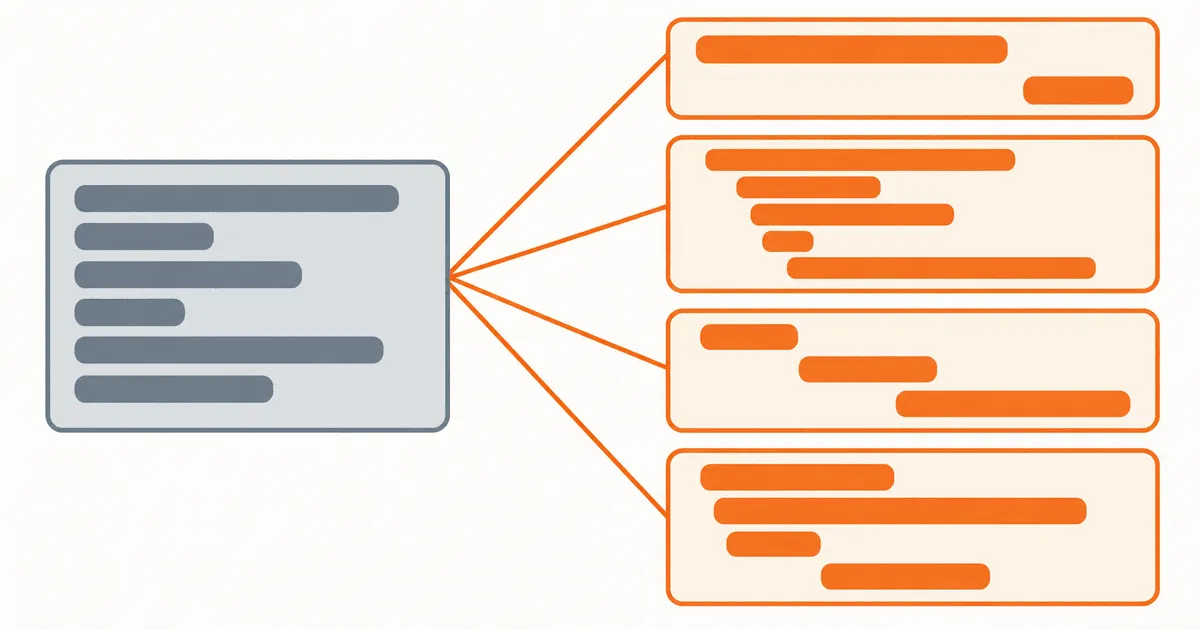
App store keyword localization fails when a team sends one English keyword list to translators, pastes the results into every storefront, and calls the work complete. The translations may be accurate but still miss how buyers search in that market. Apple and Google also use different metadata models, so one shared spreadsheet can put the right phrase in the wrong field. Keep market research separate from linguistic review, then map approved phrases to each store and verify what went live. That gives the team a record of why it chose a phrase, where the phrase shipped, and what to change after the release.
Why a translated keyword list is not enough
Translation asks how to express a source phrase in another language. Keyword research asks what a buyer types when looking for that outcome in a particular market. The answers sometimes match, but the workflow cannot assume they will.
A source term can have several correct translations, and buyers may recognize some more readily than others. One market may use an English loanword for a product category while another uses a local phrase. Technically precise language can also differ from the wording users know from competing products. Translators need product context and market evidence to choose between these options. A comma-separated source list provides neither.
Store behavior adds another boundary. Apple states that users can search with localized keywords wherever the App Store supports that language. The same guidance says that when a localization is added, descriptions and keywords do not default from the primary language. That makes each keyword field an owned release artifact, not an optional translation of the English row.
Google Play presents localization through translated listing text and localized graphic assets in its store listing localization guidance. A workflow designed around Apple's dedicated keyword field cannot simply be copied into Play Console. The research vocabulary can be shared, but the field mapping must be store-specific.
Bad wording is only one possible failure. Teams also lose the link between a market need, the approved phrase, its store field, and the live result. When performance changes, they cannot tell whether the vocabulary was wrong, a localization was missing, the locale mapping failed, or the release never showed users the intended metadata.
Define the market record before researching phrases
Create one record for each store, locale, and release instead of starting with a global translation sheet. Every record needs named owners and evidence for the phrases under review.
market: es-ES
store: apple-app-store
release: 4.8.0
source_market: en-US
buyer_jobs:
  - plan weekday meals
  - reuse grocery lists
candidate_phrases:
  - phrase: "planificador de comidas"
    intent: category
    evidence: support-search-and-store-review-language
    reviewer: growth-es
fields:
  keywords:
    owner: aso
    status: approved
  subtitle:
    owner: product-marketing
    status: approved
verification:
  storefront_checked: false
  query_data_checked: false
The values are illustrative, but the boundaries should be real. market defines the audience. store selects the metadata model. buyer_jobs preserves meaning before anyone debates wording. candidate_phrases records why a term entered consideration. fields prevents one approved phrase from being pasted everywhere. verification stops a successful API response from being mistaken for a successful storefront release.
Keep locale identifiers canonical inside your system, then map them at the store adapter. Apple's app information reference is the authoritative starting point for the App Store Connect metadata surface. Your internal record should not depend on a display label copied from a dashboard, because labels and accepted API identifiers serve different jobs.
Research buyer language before translation
Give the researcher a product brief, not an existing keyword list. The brief should state the problem solved, the target user, the market, the store, and any terms that must not be used. Then collect language from several first-party surfaces:
- Search queries already producing impressions for the app or related pages.
- Support tickets and in-app search terms, after removing private information.
- Store reviews that describe the job in the user's own words.
- Competitor titles and descriptions, used as vocabulary observations rather than text to copy.
- Product analytics that show which features matter in that market.
Keep observed phrases separate from internal cluster names. "Meal planner" may be a useful label for reporting, but the evidence should preserve the phrases actually found in each market. Otherwise an English planning term can look like local demand simply because it appears in a tidy research document.
For each candidate, record intent. Category terms describe what the app is. Problem terms describe what the user wants fixed. Feature terms name a capability. Brand terms identify a known product. A phrase that looks attractive in isolation may be wrong for the field if its intent conflicts with the page promise.
Do not treat absence from a keyword provider as zero demand. Niche phrases often fall below reporting thresholds. Mark them unpriced, retain the evidence that justified them, and test them cautiously. A precise unknown is more useful than a fabricated volume estimate.
Map approved phrases to each store's fields
Once the research is reviewed, create a field plan for each store. The plan turns one shared set of buyer intents into separate Apple and Google Play payloads.
| Decision | Apple App Store | Google Play |
|---|---|---|
| Localization unit | App Store Connect localization | Localized store listing |
| Search phrase placement | Dedicated keywords plus relevant visible metadata | Relevant localized listing text |
| Primary verification | Correct locale and field values are live | Correct localized listing and assets are live |
| Shared workflow input | Market vocabulary, intent, reviewer decision | Market vocabulary, intent, reviewer decision |
The table describes ownership and release checks. It does not assign equal search weight to every field. Stores do not fully disclose ranking behavior, and that behavior can change. Preserve the approved market vocabulary, then map it to the metadata each store currently documents. Do not assume the stores accept identical payloads.
For Apple, create and review the keyword field independently from the description. Apple's localization instructions explicitly distinguish these properties. For Google Play, use the approved vocabulary only where it reads naturally in the listing. Do not turn visible copy into a pile of repeated terms. The listing still has to explain the product to a person.
The same phrase can appear in more than one field when it improves clarity, but repetition should be a deliberate decision. Store the reason. "Core category term needed in title and short description" is reviewable. "Translator copied all keywords into every field" is not. The same two-store split governs other listing metadata, including localized release notes across the App Store and Google Play.
Run a field-level localization workflow
Use six release gates. Each one leaves an artifact that the next owner can inspect instead of relying on a handoff message or a dashboard state.
1. Freeze the source intent
Write a short definition for every phrase cluster. Include the buyer job, excluded meanings, product proof, and intended field types. If a phrase refers to a feature the app does not have, remove it before localization. This gate belongs to product and growth, not the translator.
2. Generate market candidates
A native market researcher or qualified reviewer proposes several phrases for each intent. They mark direct translations, local category terms, and borrowed English terms separately. The point is to show the choice and its evidence, not to force a novel phrase into every market.
3. Review language and commercial fit
The linguistic reviewer checks grammar, register, and local meaning. The growth owner decides whether the phrase fits the product and the intended buyer stage. Add legal or brand review only when a phrase creates a claim or naming risk. Record these decisions separately because one approval does not answer every question.
4. Build store-specific payloads
Map approved phrases into Apple and Google Play fields through explicit adapters. Validate required fields, accepted locales, field lengths, and prohibited empty states before submission. Save the rendered payload beside the source record so reviewers can see what the store will receive.
5. Verify the live storefront
Check each field in the intended language and storefront after release. A practitioner report about a Finnish App Store localization described localized keywords working while the title, screenshots, and description still appeared in English. Treat that as an author-reported incident, not a universal platform rule. It still demonstrates why field-by-field verification matters.
6. Feed query evidence back into research
Record impressions, ranking movement, product-page behavior, and conversion signals by market where the stores make them available. Do not declare a keyword successful from impressions alone. A term can attract the wrong audience. Review discovery and conversion together, then keep, revise, or retire the phrase with a dated decision.
Use decision rules instead of translation preference
When reviewers disagree, apply rules in order:
- Reject any phrase that promises a capability the app cannot demonstrate.
- Prefer a phrase supported by local buyer language over a literal translation with no evidence.
- Prefer a clear category term over insider terminology when both describe the same intent.
- Keep region or script distinctions when they change meaning or expected vocabulary.
- If evidence is weak, run a limited test and label the decision provisional.
- If the stores require different fields, preserve the phrase decision but produce separate payloads.
Consider an illustrative meal-planning app entering Spain. The English team begins with "meal planner," "grocery list," and "weekly recipes." The Spanish reviewer should not be asked only to translate those three strings. They should receive the buyer jobs and product capabilities, then assess locally used category and problem phrases. The approved terms are mapped to Apple's keyword and visible metadata fields, while Google Play receives natural listing copy based on the same intent set. Both releases point back to one evidence record, but they do not share an identical payload.
Some phrases should be excluded even when the translation is good. Remove a term when the feature is unavailable in the market, support cannot serve the audience it attracts, or the wording implies a claim the product cannot make. Filling more metadata fields does not fix a mismatch between the query and the product.
Handle failures without corrupting the source record
Store APIs and dashboards can fail after approval. Keep the approved market record immutable for that release, and attach delivery attempts separately. A retry should resend the same reviewed payload, not regenerate or retranslate it.
If one locale fails validation, block that locale's promotion while preserving successful locales. If a live check shows fallback metadata, compare the submitted store locale, the user's storefront and language settings, and the localization's editable state. Do not respond by changing the translation until the routing problem is understood.
Sparse query data calls for a longer observation window or a test of a broader phrase cluster. A few isolated impressions do not justify rewriting the whole listing. Lower the decision's confidence and record when the team will review it again.
If a phrase performs but conversion falls, inspect promise alignment. The term may be discoverable while attracting users whose need the product does not meet. The fix may be removing the phrase, changing visible copy, or improving the product. Translation alone cannot resolve that mismatch.
Decide whether to build or buy the workflow
Use a spreadsheet only when the scope is small: one store, a few locales, infrequent releases, and named owners who can verify every field manually. Even then, require stable locale IDs, field columns, evidence notes, approvals, and release status.
Use a localization platform or internal pipeline when metadata changes often, several teams contribute, or store APIs are part of release automation. The system should support field-level state, store adapters, locale mapping, review history, retries, and a live verification checklist. A tool that only translates text does not close the operational gap.
When comparing tools, check whether each one preserves the path from market evidence to approved phrase, store field, and live result. A system that loses any part of that path will need a parallel control sheet and manual reconciliation. Include that work in the cost comparison.
Verify one market end to end
Before scaling, run one non-source market through this checklist:
- Buyer jobs and excluded claims are documented.
- Candidate phrases retain direct evidence and intent labels.
- Linguistic and growth approvals are separate and named.
- Apple and Google Play payloads are generated independently.
- Locale mappings and field limits pass before submission.
- Every intended field is checked on the live storefront.
- Fallback content is recorded as a routing defect, not silently accepted.
- Query and conversion evidence has a dated review owner.
- The next keep, revise, or retire decision is recorded.
Use the next scheduled non-source market as the pilot. Build its record, produce both store payloads, and verify every live field. Add more locales only after that path works without a side spreadsheet or an undocumented handoff.
References
- Apple: Localize App Store information supports localized keyword search behavior, language fallback, and independent localized descriptions and keywords.
- Apple: App information reference identifies the App Store Connect metadata surface used by the field mapping.
- Google Play: Translate and localize your app supports the localized Play Store listing and graphic-asset workflow.
- Stack Overflow: Finnish App Store localization behavior provides the practitioner-reported example in which keyword localization and visible listing localization behaved differently.