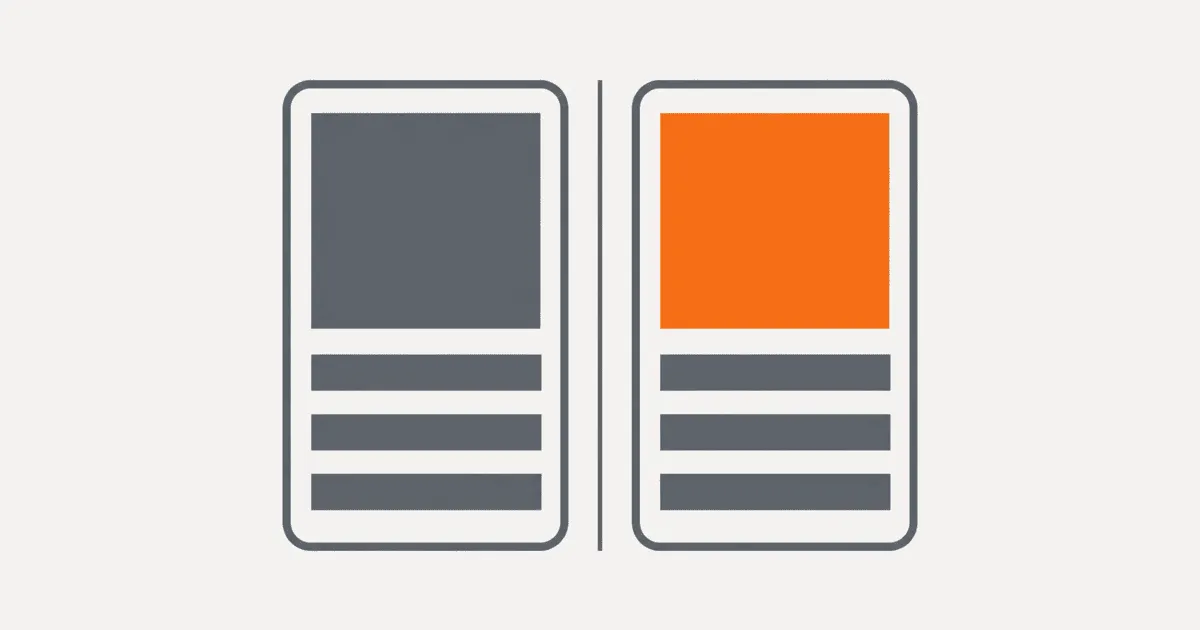
App store listing localization can fail even when the default listing is complete. A custom product page may retain English screenshots, a Google Play experiment may reach the wrong regional language, or a treatment may change copy and creative at once. The storefront looks wrong and the experiment becomes impossible to interpret. Build every variant from a versioned locale baseline, record its audience and hypothesis, verify the actual campaign destination, and keep approval plus rollback state with the assets. This workflow makes localized App Store and Google Play experiments testable instead of turning them into disconnected console edits.
Start with the failure boundary
Default storefront localization, custom pages, and experiments are separate release surfaces. They can share copy, screenshots, and a market, but the stores do not make them one transaction.
Apple's custom product page version guide documents page-specific versions with localized metadata and assets. Apple's separate product page optimization overview defines the treatment and test workflow. On Google Play, custom store listings can target different audience signals and contain their own text and graphics. The store listing experiment guide also distinguishes default graphics experiments from localized experiments.
That separation creates four common failures:
- A variant starts from stale default copy or screenshots.
- Locale and region rules send users to a page the team did not expect.
- The treatment changes several variables, so the result cannot identify what worked.
- A winning treatment is promoted without updating the source files, translation approval, or rollback record.
The store console shows what is configured now. Your workflow needs to preserve why it was configured, which approved source it inherited, and what changed.
Create one locale baseline per storefront
Do not use the default English listing as the universal control for every market. Establish an approved baseline for each storefront locale you intend to test. The baseline should identify the exact copy and creative versions that represent the current product promise in that locale.
A small manifest is enough:
storefront_baseline:
  locale: fr-FR
  market: FR
  app_version: "8.4"
  copy_revision: "listing-fr-FR-2026-09-03"
  creative_revision: "screens-fr-FR-8.4-r2"
  approved_by: "localization-review"
  approved_at: "2026-09-04"
  assets:
    icon: "icon-control.png"
    screenshots:
      - "01-home.png"
      - "02-search.png"
      - "03-checkout.png"
Keep the identifiers stable and human-readable. The manifest is an implementation recommendation, not a format required by Apple or Google. Its job is to give the growth, localization, design, and release teams the same reference point.
Record visible text embedded inside screenshots as copy. A translated caption in an image needs source ownership, linguistic review, and product-version checks just like a description field. If the application screen changes after an app release, the screenshot baseline should change even when its marketing caption does not.
For regional variants that share a language, create separate baselines only when the product promise, legal requirement, pricing context, or available feature differs. Otherwise, reuse the approved language asset and record the shared origin. Copying files without provenance makes later corrections expensive because nobody knows which variants inherited the defect.
Define the audience before building a treatment
A locale tag and a country are not interchangeable. Language answers which copy a user can read. Region can determine product availability, campaign eligibility, cultural relevance, and store routing. Write the intended audience as a rule before touching either console.
Use a record like this:
Audience: French-reading users in Canada
Store: Google Play
Language preference: fr-CA, then fr
Country: CA
Campaign: winter-retention-2026
Fallback: approved Canadian English baseline
Excluded: markets where the promoted feature is unavailable
Google's custom listing documentation distinguishes location-based targeting from language-preference targeting. That distinction matters when English or French spans several countries. A historical Stack Overflow report describes a Google Play experiment configured for en-IN appearing under an en-GB device locale. Treat it as one author's report about an older experiment, not proof of current behavior. It still demonstrates why the release check must observe the delivered listing rather than infer delivery from the configuration screen.
Document fallback explicitly. If a requested regional localization is missing, decide whether the user should receive a related language baseline or the store default. The choice should match the product's supported markets. Never assume that every English locale can use the same feature claim, price language, celebrity, date, or screenshot.
Change one hypothesis at a time
A treatment needs a sentence that can be proved or rejected. For example:
For French-reading users in Canada, replacing feature-led screenshots with task-led screenshots will increase first-time installs without changing the approved product claim.
That hypothesis permits screenshot changes but not a new headline, description, pricing promise, and icon in the same treatment. When several elements change together, a conversion difference does not show which change caused it. The team may still test a complete positioning package, but it must label the result as a package test rather than a localization finding.
Build a variant manifest beside the baseline:
variant:
  id: "fr-CA-task-led-r1"
  inherits: "listing-fr-CA-2026-09-03"
  hypothesis: "task-led screenshots improve install intent"
  changed_fields:
    - screenshot_1
    - screenshot_2
    - screenshot_3
  unchanged_fields:
    - app_name
    - short_description
    - long_description
    - icon
  translation_status: approved
  store_review_status: submitted
  rollback_to: "listing-fr-CA-2026-09-03"
Before submission, compare the variant against its baseline mechanically. Reject an unexplained field difference. This catches a designer exporting the wrong locale, a marketer editing live copy in the console, or an automation job uploading default-language assets.
Automation still needs platform-specific coverage. A current Fastlane contribution adds screenshot upload support for custom product pages. It is implementation evidence, not a guarantee about Fastlane's released feature set. Pin the automation version you actually run, verify its supported fields, and retain a manual fallback for newly introduced store surfaces.
Put translation review before store review
Store approval does not mean linguistic approval. Separate these gates:
- Product check: The claim and screenshots match the released feature set.
- Localization check: Text, embedded image copy, terminology, layout, and locale formatting are approved.
- Experiment check: The treatment matches one declared hypothesis and its unchanged fields match the baseline.
- Store check: Required metadata and assets are submitted and accepted by the platform.
- Routing check: Test users and campaign links resolve to the intended page.
A variant cannot move forward when an earlier gate fails. Capture the reviewer, timestamp, and source revision for each approval. If the default listing changes while a variant waits for store review, compare it again against the new baseline. Either rebase the variant or document why the older control remains valid for this test.
Do not edit a submitted treatment to fix an unrelated typo without resetting the experiment record. The corrected copy creates a new revision. Keeping that distinction prevents the result ledger from merging traffic exposed to different content.
Verify the delivered page
Campaign configuration is an input. The delivered page is the product. Test from conditions that resemble the target audience:
- Signed-out and signed-in store sessions when relevant
- Target and adjacent language preferences
- Target country plus one excluded country
- Fresh campaign URL and copied campaign URL
- Supported device classes and screenshot sets
- New installation and previously installed app states
- Store cache cleared or a documented observation delay
For each check, save the requested URL, resolved store page identifier, observed locale, visible headline, first screenshot fingerprint, timestamp, account state, and device region. Do not collect personal user data for this purpose.
Run negative checks. A French Canadian campaign should reach the intended variant, while Canadian English and French users outside the configured market should follow the documented fallback. A successful positive check without a negative check cannot detect overbroad routing.
Apple and Google can expose different testing and review behavior. Use each platform's official preview or test facilities where available, then verify the live destination after approval. Never launch paid traffic based only on a preview screenshot.
Keep experiment results interpretable
Create a result ledger before traffic starts. It should bind the platform experiment ID to the audience rule, baseline revision, treatment revision, hypothesis, start and stop times, and known incidents.
Pause interpretation when any of these occurs:
- The app version changes the feature shown in the listing.
- Baseline or treatment assets change after traffic begins.
- A campaign link points to the wrong page.
- A locale fallback routes an unplanned audience into the test.
- Store approval delays cause control and treatment availability to differ.
- Another overlapping experiment targets the same users or assets.
Do not call a package-level win a translation win. If treatment copy, screenshots, positioning, and audience all changed, the result supports that package in that segment. It does not prove that translation alone improved conversion.
When promoting a winner, update the locale baseline from the exact approved treatment revision. Preserve the previous baseline as the rollback target. Then update dependent custom pages and campaign records. A console button that applies a treatment does not replace source-of-truth maintenance.
Handle failures without losing the control
Design rollback before submission. The fastest safe rollback points every affected route back to the last approved locale baseline, not to an arbitrary global default.
Use these decision rules:
- Wrong language or asset: Stop affected traffic, restore the approved locale baseline, and invalidate cached campaign previews.
- Wrong audience: Disable or narrow the routing rule, then run positive and negative delivery checks again.
- Rejected variant: Keep the live baseline unchanged, repair the candidate revision, and repeat all approval gates.
- Unclear result: Archive it as inconclusive. Do not promote a treatment because the team prefers its creative.
- Feature mismatch: Remove the unsupported claim immediately and inspect every inherited variant from the same revision.
Keep source assets, approvals, and manifests outside the store console in version-controlled storage. Store credentials and reviewer permissions belong in the release system, not in the manifest.
Use a release checklist for every localized variant
Before traffic starts, require all of the following:
- The locale baseline matches the live app version.
- Variant copy and every image containing text passed localization review.
- Changed and unchanged fields match the hypothesis.
- Language, region, fallback, and exclusions are explicit.
- Store submission and approval state are recorded.
- Campaign URLs resolve to the expected page identifier.
- Positive and negative routing checks pass.
- No overlapping experiment contaminates the same audience.
- The result ledger is ready before the start time.
- A tested rollback points to the prior approved baseline.
Start with one active localized experiment. Export its default listing, custom pages, treatments, and campaign routes into the baseline and variant manifests. Reconcile every field, run the delivery matrix, and only then send traffic. That first complete record becomes the template for the next locale instead of another set of untraceable console edits.
Store keywords need the same per-market discipline; see how to localize App Store keywords by market.