 iOS Integration
Streamline Your iOS Localization
Native .strings sync and iOS app workflows
Localizable.stringsBase.lproj"welcome_title" = "Welcome";
"login_button" = "Sign In";
"settings_label" = "Settings";
// Auto-synced to 12 locales
// ja.lproj, de.lproj, fr.lproj...
Thách thức khi bản địa hóa iOS
Các framework gốc đòi hỏi bạn phải suy nghĩ lại về quy trình bản địa hóa
Managing Localizable.strings Complexity
Multiple targets, .lproj directories, syntax errors
Keeping Code and Metadata in Sync
Code strings and App Store metadata drift apart
SwiftUI String Catalog Integration
New format support and modern localization patterns
No Workflow Integration
Translation process outside your native development tools
Bản địa hóa iOS gốc
Giải pháp bản địa hóa tích hợp liền mạch với Xcode, SwiftUI và quy trình phát triển gốc.
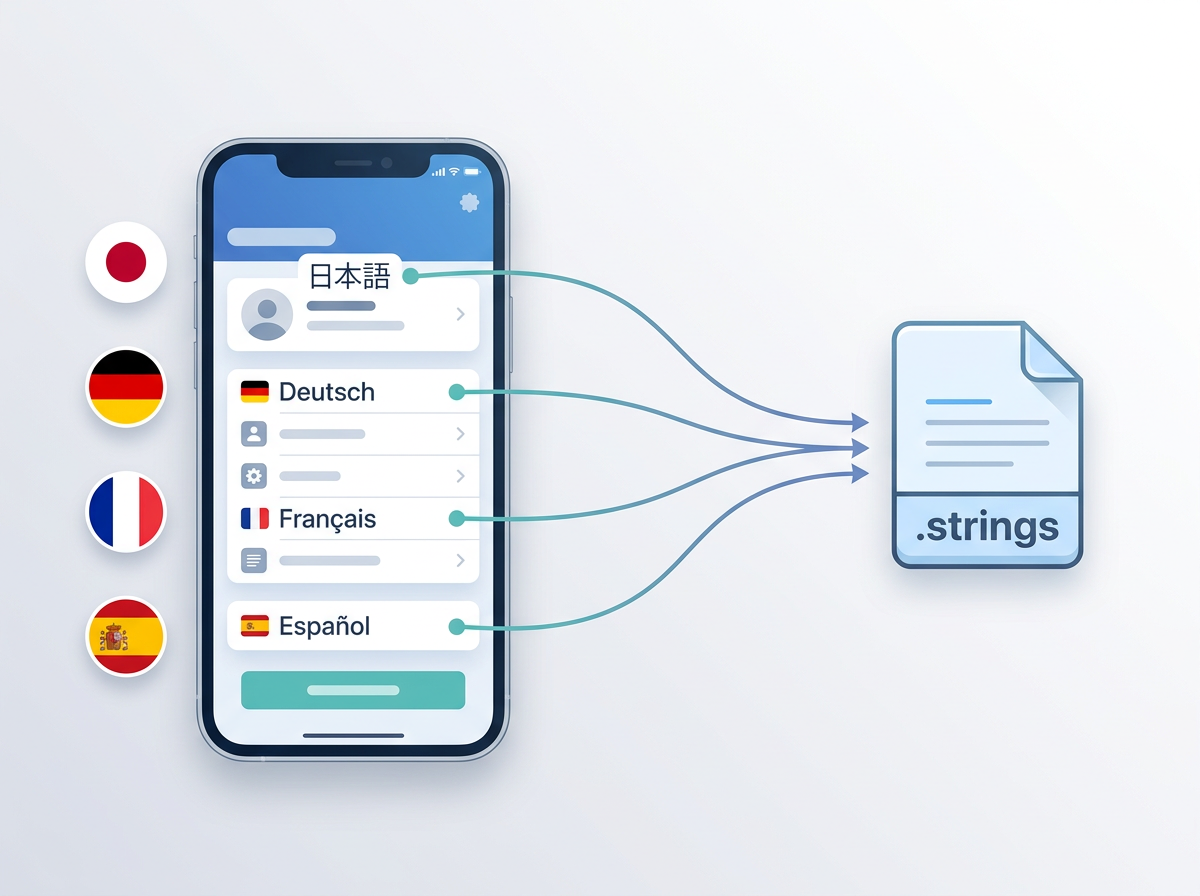
Chuỗi nguồn
Phát hiện và trích xuất
Dịch
Đồng bộ trở lại
Tính năng dành riêng cho iOS
Được xây dựng cho phát triển iOS hiện đại với SwiftUI, các framework và siêu dữ liệu App Store
Localizable.strings Support
Direct sync with iOS .strings files
SwiftUI Localization
Native String catalog integration
Multi-Target Support
Sync across app, extension, and framework targets
Native Framework Support
Works with UIKit, SwiftUI, and hybrid apps
App Store Metadata Sync
Combined code + App Store localization
Tình huống dành cho nhà phát triển iOS
Các thiết lập phát triển iOS thực tế nơi bản địa hóa đóng vai trò quan trọng
SwiftUI App with String Catalogs
Keep your native SwiftUI strings translated automatically
Multi-Target iOS App
Sync translations across app targets, extensions, and frameworks
Team with Code + App Store Localization
Manage both native strings and App Store metadata together
Thủ công và tích hợp
Tích hợp iOS gốc thay đổi quy trình làm việc như thế nào
| Feature | Quản lý thủ công | Với tích hợp iOS |
|---|---|---|
| Hỗ trợ định dạng tệp | Xử lý .strings thủ công | Localizable.strings + String Catalog |
| Đồng bộ nhiều target | Thủ công cho từng target | Tự động trên tất cả target |
| Hỗ trợ SwiftUI | Công cụ hạn chế | Tích hợp String Catalog gốc |
| Siêu dữ liệu App Store | Quy trình riêng biệt | Kết hợp mã nguồn và siêu dữ liệu |
| Quy trình của nhóm | Công cụ rời rạc | Công cụ phát triển gốc của Apple |
Câu hỏi thường gặp
Mọi điều bạn cần biết về bản địa hóa iOS
"welcome" = "Welcome";
"login" = "Sign In";
"settings" = "Settings";
☰ Menu Bar → i18n Agent → Pull
✓ Synced to ja.lproj, de.lproj, fr.lproj
Dịch trực tiếp từ Xcode
Một ứng dụng thanh menu macOS gọn nhẹ nằm cạnh Xcode. Bạn thậm chí không cần nhấp chuột phải — ứng dụng tự động phát hiện dự án đang hoạt động và dịch các tệp .strings, .xcstrings và .stringsdict chỉ bằng một lần nhấp.
Sẵn sàng tinh gọn quy trình bản địa hóa iOS?
Các nhà phát triển iOS trên toàn thế giới đang phát hành nhanh hơn nhờ bản địa hóa tự động.