 Android Integration
Vienkāršojiet Android lokalizāciju
Iebūvēta strings.xml sinhronizācija un Android lietotņu darbplūsmas
strings.xmlres/values<string name="welcome_title">Welcome</string>
<string name="login_button">Sign In</string>
<string name="settings_label">Settings</string>
<!-- Auto-synced to 12 locales -->
<!-- values-ja, values-de, values-fr... -->
Android lokalizācijas izaicinājumi
Vairāku moduļu projektiem un XML resursiem vajadzīga strukturēta lokalizācijas darbplūsma
strings.xml pārvaldība dažādos moduļos
Funkciju un bibliotēku moduļiem ir katram savs res/values/ direktorijs, tāpēc virknes atšķiras un dublējas
Daudzskaitļa kārtulas dažādās valodās nedarbojas
Katrai valodai vajadzīgas atšķirīgas CLDR daudzskaitļa kategorijas — krievu un arābu valodā viegli palaist garām „few“ un „many“
App Bundle noņem valodu resursus
Google Play sadala APK pēc valodas, tādēļ nedarbojas valodas pārslēgšana lietotnē
Nav darbplūsmas integrācijas
Tulkošanas process nav savienots ar Gradle būvējumu un Android Studio darbplūsmu
Iebūvēta Android lokalizācija
Lokalizācija, kas nevainojami integrējas ar Android Studio, Jetpack Compose un Gradle darbplūsmu.
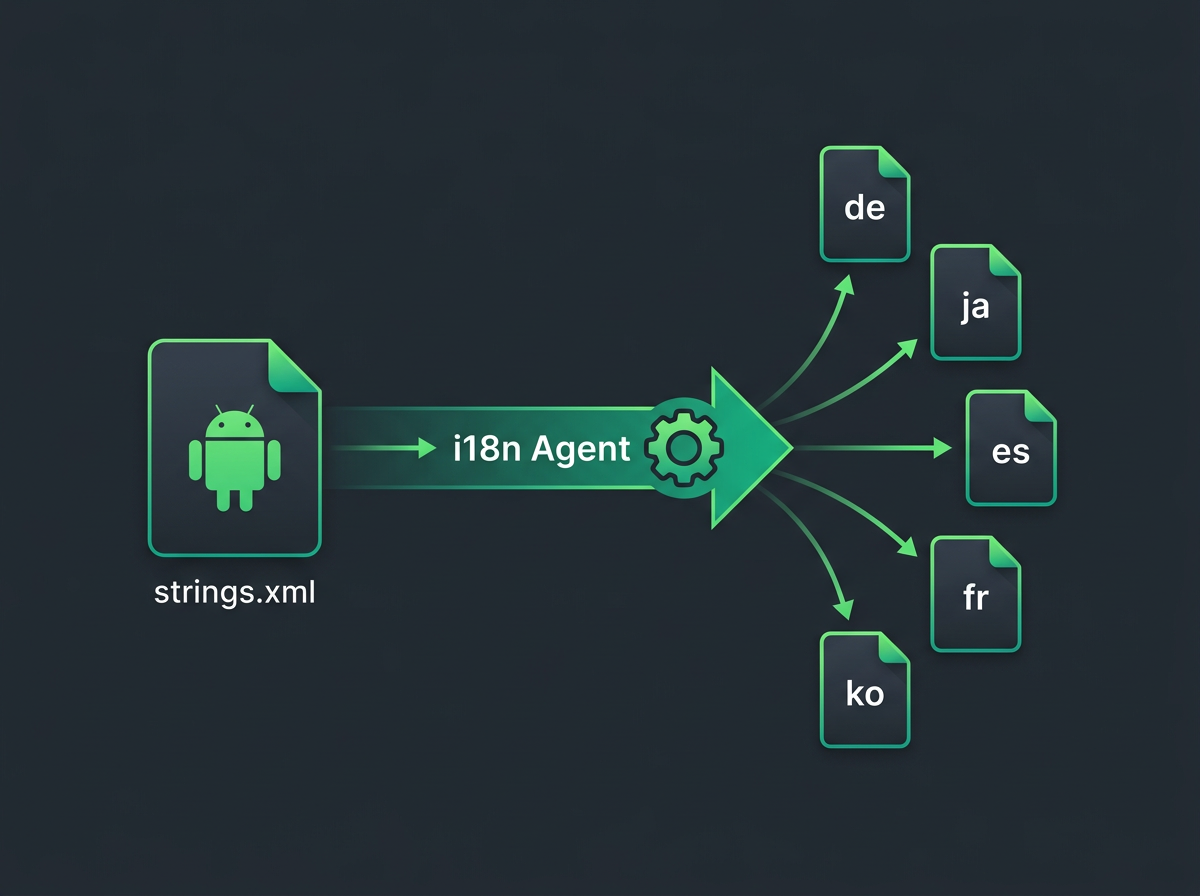
Avota virknes
Noteikt un izgūt
Tulkot
Sinhronizēt atpakaļ
Android specifiskās funkcijas
Izstrādāts mūsdienīgai Android izstrādei ar Jetpack Compose, vairāku moduļu projektiem un Play Store metadatiem
strings.xml atbalsts
Tieša sinhronizācija ar Android XML resursu failiem
Jetpack Compose
Iebūvēta stringResource() un pluralStringResource() integrācija
Vairāku moduļu atbalsts
Sinhronizācija starp lietotni, funkciju moduļiem un bibliotēku moduļiem
Daudzskaitļu un masīvu atbalsts
Apstrādā plurals un string-array ar pareizām CLDR kārtulām
Play Store metadati
Koda un Fastlane Supply metadatu lokalizācija kopā
Android izstrādātāju scenāriji
Reālas Android izstrādes vides, kurās lokalizācija ir svarīga
Jetpack Compose lietotne
Automātiski uzturiet Compose stringResource() izsaukumu tulkojumus visās lokalizācijās
Vairāku moduļu Android lietotne
Sinhronizējiet tulkojumus starp lietotnes moduli, funkciju moduļiem un koplietotajām bibliotēkām
Komanda, kas lokalizē kodu un Play Store
Pārvaldiet lietotnes virknes un Play Store metadatus kopā
Manuāli vai integrēti
Kā tiešā Android integrācija pārveido jūsu darbplūsmu
| Feature | Manuāla pārvaldība | Ar Android integrāciju |
|---|---|---|
| Failu formātu atbalsts | Manuāla XML apstrāde | strings.xml, daudzskaitļi un virkņu masīvi |
| Vairāku moduļu sinhronizācija | Manuāli katram modulim | Automātiski visos moduļos |
| Compose atbalsts | Ierobežoti rīki | Iebūvēta stringResource integrācija |
| Play Store metadati | Atsevišķs process | Kods un metadati kopā |
| Komandas darbplūsma | Izkaisīti rīki | Vienota Android darbplūsma |
Bieži uzdotie jautājumi
Viss, kas jāzina par Android lokalizāciju
<resources>
<string name="welcome">Welcome</string>
<string name="login">Sign In</string>
</resources>
Tools → i18n Agent → Pull Translations
✓ Translated to de, ja, es, fr, ko
Tulkojiet tieši no Android Studio
Android Studio spraudnis, kas IDE pievieno lokalizāciju ar vienu klikšķi. Noklikšķiniet uz jebkura strings.xml ar peles labo pogu, izvēlieties mērķa valodas, un iztulkotie faili nekavējoties parādīsies pareizajās values-{locale} mapēs.

Vai esat gatavi vienkāršot Android lokalizāciju?
Android izstrādātāji visā pasaulē ar automātisku lokalizāciju izlaiž produktus ātrāk.