
Перекладайте файли XLIFF без пошкодження XML
Сегменти оригіналу й перекладу узгоджено. Примітки для перекладачів збережено. Структура XML не пошкоджена. Ваші файли XLIFF правильно перекладено у форматах 1.2 і 2.0.
Переклад XLIFF — мінне поле XML
XLIFF — галузевий стандарт обміну перекладами, але через структуру XML його легко пошкодити. Універсальні інструменти порушують структуру XML, втрачають відповідність між оригіналом і перекладом, видаляють примітки для перекладачів і не справляються з відмінностями між XLIFF 1.2 і 2.0. Достатньо одного неправильно сформованого тегу, щоб імпорт до Вашого CAT-інструмента повністю завершився помилкою.
Структура XML пошкоджується: незакриті теги, некоректні сутності та недопустимі символи не проходять перевірку.
Сегменти оригіналу й перекладу втрачають відповідність, через що переклади неможливо перевіряти в CAT-інструментах
Примітки для перекладачів, контекстні підказки й елементи метаданих видаляються або переміщуються, унаслідок чого втрачається важливий контекст
XLIFF 1.2 і 2.0 використовують різні схеми: інструменти, які підтримують одну версію, часто пошкоджують іншу
<?xml version="1.0" encoding="UTF-8"?>
<xliff version="1.2" xmlns="urn:oasis:names:tc:xliff:document:1.2">
  <file source-language="en" target-language="de" datatype="plaintext"
        original="messages">
    <header>
      <note>Application UI strings</note>
    </header>
    <body>
      <trans-unit id="welcome.title" approved="yes">
        <source>Welcome to our platform</source>
        <target>Willkommen auf unserer Plattform</target>
        <note from="developer">Shown on the landing page</note>
      </trans-unit>
      <trans-unit id="nav.dashboard">
        <source>Dashboard</source>
        <target state="needs-review">Dashboard</target>
      </trans-unit>
      <trans-unit id="user.greeting">
        <source>Hello, %1$s!</source>
        <target>Hallo, %1$s!</target>
        <note from="developer">%1$s = user's first name</note>
      </trans-unit>
      <trans-unit id="items.count">
        <source>You have %d items</source>
        <target>Sie haben %d Artikel</target>
      </trans-unit>
    </body>
  </file>
</xliff><?xml version="1.0" encoding="UTF-8"?>
<xliff version="1.2" xmlns="urn:oasis:names:tc:xliff:document:1.2">
<file source-language="en" target-language="de" datatype="plaintext"
original="messages">
<header>
<note>Application UI strings</note>
</header>
<body>
<trans-unit id="welcome.title" approved="yes">
<source>Welcome to our platform</source>
<target state="translated">Willkommen auf unserer Plattform</target>
<note from="developer">Shown on the landing page</note>
</trans-unit>
<trans-unit id="nav.dashboard">
<source>Dashboard</source>
<target state="translated">Dashboard</target>
</trans-unit>
<trans-unit id="user.greeting">
<source>Hello, %1$s!</source>
<target state="translated">Hallo, %1$s!</target>
<note from="developer">%1$s = user's first name</note>
</trans-unit>
<trans-unit id="items.count">
<source>You have %d items</source>
<target state="translated">Sie haben %d Artikel</target>
</trans-unit>
</body>
</file>
</xliff>Що зберігає i18n Agent
Структура XML
Правильно сформований XML із належними просторами імен, сутностями й кодуванням, який проходить перевірку за схемою XLIFF
Відповідність між оригіналом і перекладом
Сегменти оригіналу й перекладу зберігають правильну відповідність. Одиниці перекладу зберігають свої ID й порядок.
Примітки та метадані
Примітки для перекладачів, групи контексту й власні елементи метаданих зберігаються у вихідних позиціях
Підтримка версій
Схеми XLIFF 1.2 (trans-unit) і XLIFF 2.0 (unit/segment) розпізнаються та обробляються належним чином
Працює з Вашим стеком локалізації
Як це працює
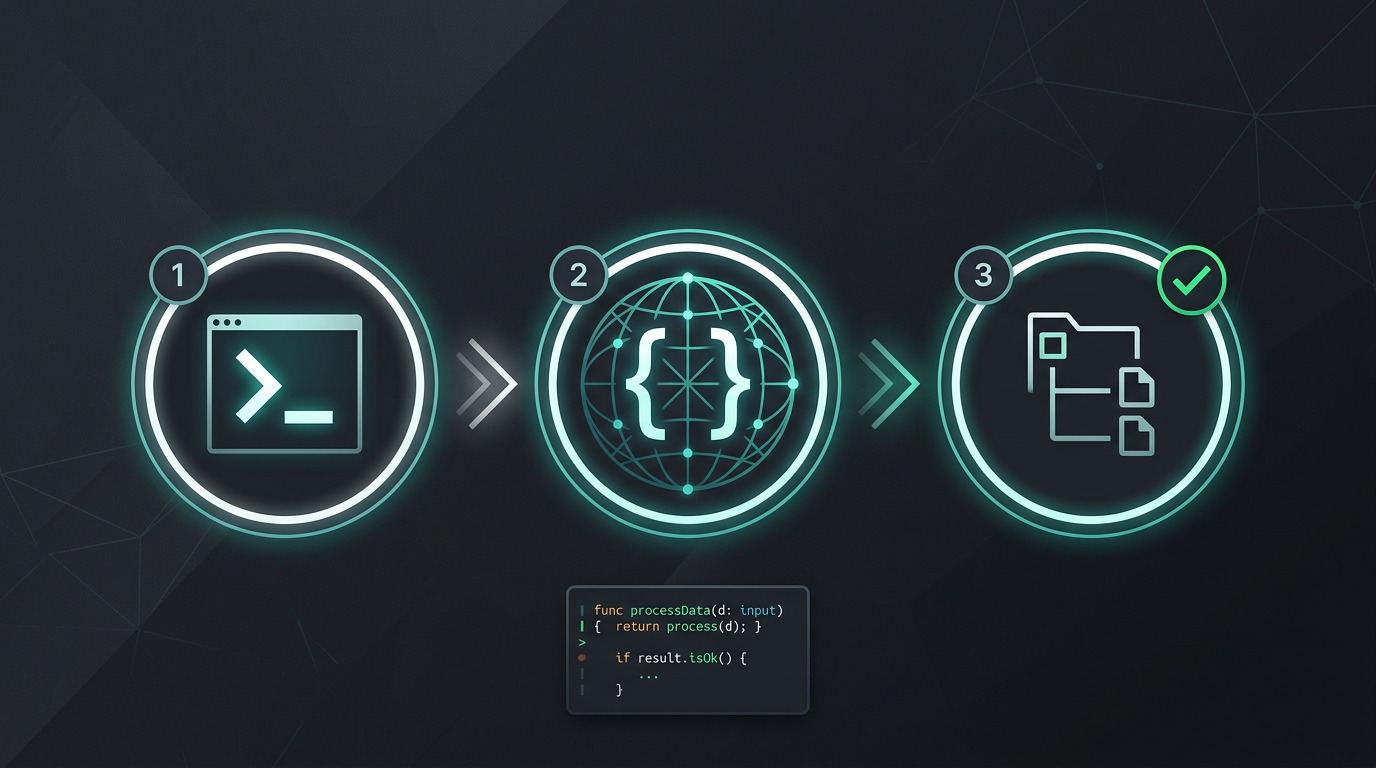
Без ручного копіювання та вставлення. Без вилучення рядків. Лише перекладені файли.
Спробуйте i18n Agent зараз
Перетягніть сюди файл для перекладу
JSON, YAML, PO, XML, CSV, Markdown, Properties
або натисніть, щоб вибрати
Цільові мови
Часті запитання
Ви розробник?
Встановіть інструмент CLI та перекладіть свій перший файл за 2 хвилини.
Встановити інструмент CLIВи представляєте корпоративну команду?
Досі зв’язані контрактом із постачальником TMS? Обговорімо перехід.