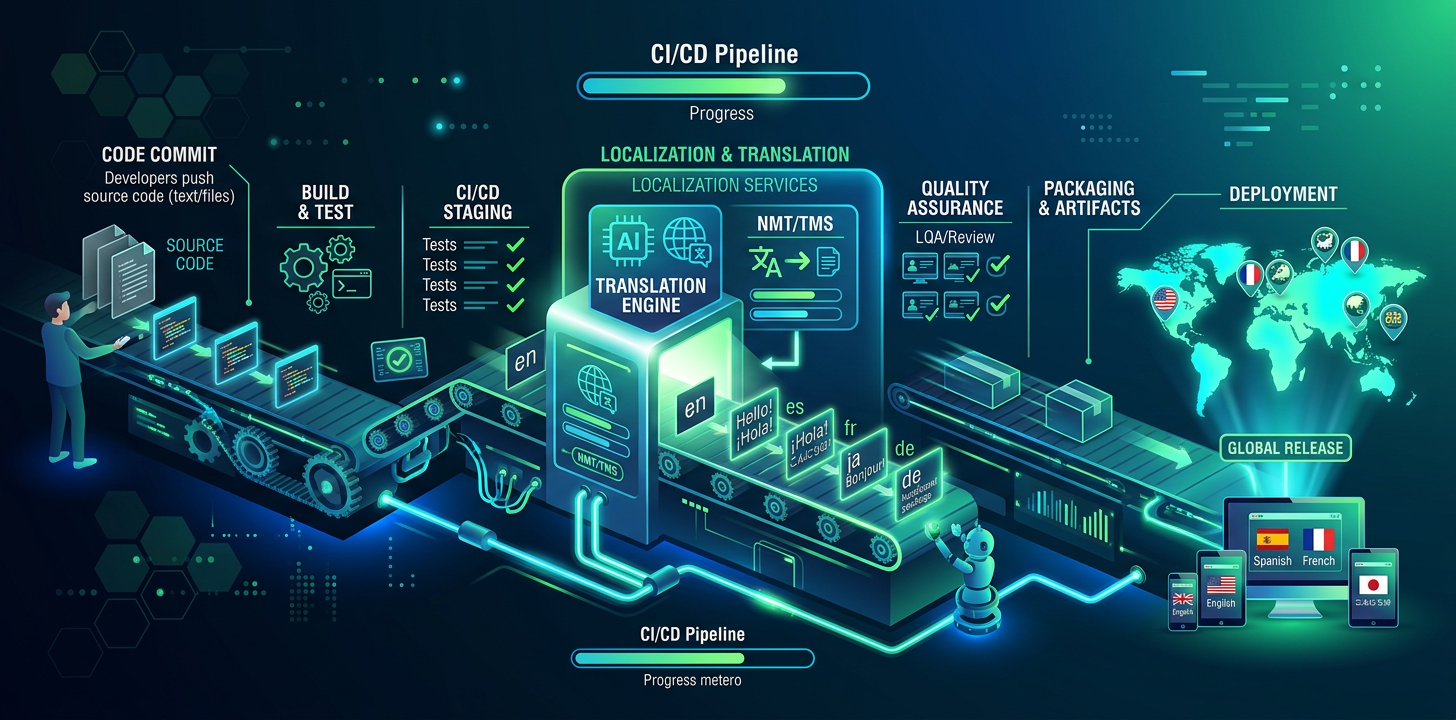
無需 TMS 的持續本地化
程式碼持續部署,譯文也應如此。以下介紹如何在開發工作流中自動完成本地化。
什麼是持續本地化?
持續本地化是指在開發工作流中自動翻譯新字串,而不是定期批量發佈譯文。開發者新增包含 UI 字串的新功能時,這些字串會在功能發佈前完成翻譯。
傳統方式
大多數團隊會批量處理翻譯:收集新字串、匯出到 TMS、等待譯員、匯入結果,再發佈。這會形成本地化瓶頸,讓國際版本延遲數天或數周。
開發者向來源語言檔案新增新字串
匯出字串並上傳到 TMS 平台
通知譯員並開始翻譯
審核並批准譯文
下載翻譯檔案並合併回項目
功能隨譯文一起發佈(數天至數周後)
IDE 原生方式
使用 IDE 原生翻譯時,開發者會在日常編碼工作流中完成字串翻譯。無需匯出、上傳或等待,翻譯與開發在同一會話中完成。
開發者向來源語言檔案新增新字串
開發者讓 AI 助手翻譯檔案
翻譯檔案直接寫入項目
功能和譯文在同一提交中發佈
傳統方式
6 steps
Multiple tools and platforms
Days to weeks per cycle
IDE 原生方式
4 steps
Inside your editor
Same commit
設定翻譯管線
如果團隊希望在 IDE 之外實現自動翻譯,可新增 CI/CD 步驟,在每次推送到 main 時翻譯新增或變更的字串。GitHub Actions、GitLab CI 或任何 CI/CD 系統都支援這種方式。
小型團隊可先使用 IDE 原生翻譯。當團隊超過 3-4 名開發者,或需要確保每次合併到 main 時都有譯文,再新增 CI/CD 自動化。
# .github/workflows/translate.yml
name: Translate
on:
  push:
    branches: [main]
    paths: ['locales/en/**']

jobs:
  translate:
    runs-on: ubuntu-latest
    steps:
      - uses: actions/checkout@v4

      - name: Translate changed strings
        run: |
          npx i18n-agent translate locales/en.json \
            --to de,ja,es,fr,ko,zh-Hans \
            --api-key ${{ secrets.I18N_AGENT_API_KEY }}

      - name: Commit translations
        run: |
          git config user.name "github-actions"
          git config user.email "[email protected]"
          git add locales/
          git diff --cached --quiet || git commit -m "chore: update translations"
git push# .gitlab-ci.yml
translate:
stage: deploy
only:
changes:
- locales/en/**
script:
- npx i18n-agent translate locales/en.json
--to de,ja,es,fr --api-key $I18N_AGENT_API_KEY
- git add locales/ && git commit -m "chore: translations" && git push向 CI 新增翻譯 QA
CI 管線中的自動檢查會在問題進入生產環境前發現缺失譯文、損壞的預留位置和無效 ICU 訊息格式。這些簡單腳本會將來源語言檔案與所有目標語言進行比較。
#!/bin/bash
# check-translations.sh — Run in CI to catch missing translations

SOURCE="locales/en.json"
LANGS=("de" "ja" "es" "fr")
EXIT_CODE=0

# Extract all keys from source
SOURCE_KEYS=$(jq -r '[paths(scalars)] | map(join(".")) | .[]' "$SOURCE" | sort)
SOURCE_COUNT=$(echo "$SOURCE_KEYS" | wc -l)

for lang in "${LANGS[@]}"; do
  TARGET="locales/$lang.json"
  if [ ! -f "$TARGET" ]; then
    echo "❌ Missing: $TARGET"
    EXIT_CODE=1
    continue
  fi

  TARGET_KEYS=$(jq -r '[paths(scalars)] | map(join(".")) | .[]' "$TARGET" | sort)
  MISSING=$(comm -23 <(echo "$SOURCE_KEYS") <(echo "$TARGET_KEYS"))

  if [ -n "$MISSING" ]; then
    COUNT=$(echo "$MISSING" | wc -l)
    echo "❌ $lang: $COUNT missing keys"
    echo "$MISSING" | head -5
    EXIT_CODE=1
  else
    echo "✅ $lang: all $SOURCE_COUNT keys present"
  fi
done

exit $EXIT_CODE#!/bin/bash
# check-placeholders.sh — Validate placeholder consistency
SOURCE="locales/en.json"
LANGS=("de" "ja" "es")
for lang in "${LANGS[@]}"; do
TARGET="locales/$lang.json"
# Compare placeholders like {{name}}, {count}, %s, %d
jq -r 'paths(scalars) as $p | [($p | join(".")), (getpath($p))]
| @tsv' "$SOURCE" | while IFS=$'\t' read -r key value; do
SOURCE_PH=$(echo "$value" | grep -oE '\{\{[^}]+\}\}|%[sd@]' | sort)
TARGET_VAL=$(jq -r "getpath($(echo $key | jq -R 'split(".")'))" "$TARGET")
TARGET_PH=$(echo "$TARGET_VAL" | grep -oE '\{\{[^}]+\}\}|%[sd@]' | sort)
if [ "$SOURCE_PH" != "$TARGET_PH" ]; then
echo "❌ $lang/$key: placeholder mismatch"
echo " Source: $SOURCE_PH"
echo " Target: $TARGET_PH"
fi
done
done在 CI 中驗證譯文
檢測並處理譯文漂移
來源字串發生變化而譯文未更新時,就會出現譯文漂移。例如,英語已改為 「Save changes」,德語卻仍顯示舊文字。漂移檢測會比較來源檔案與翻譯檔案的時間戳或內容哈希。
#!/bin/bash
# detect-drift.sh — Find stale translations

SOURCE="locales/en.json"
SOURCE_HASH=$(md5sum "$SOURCE" | cut -d' ' -f1)
HASH_FILE=".translation-hashes"

# Compare current source hash with stored hash
if [ -f "$HASH_FILE" ]; then
  STORED_HASH=$(grep "^en:" "$HASH_FILE" | cut -d: -f2)
  if [ "$SOURCE_HASH" != "$STORED_HASH" ]; then
    echo "⚠️  Source strings changed since last translation"
    echo "   Run translations to update all locales"

    # Show which keys changed
    git diff HEAD~1 "$SOURCE" | grep '^[+-]' | grep -v '^[+-][+-]'
  fi
fi

# Update stored hash
echo "en:$SOURCE_HASH" > "$HASH_FILE"選擇翻譯方式
並非所有內容都需要相同翻譯方式。UI 字串和標籤很適合 AI 翻譯;市場推廣文案適合 AI 加人工審核;法律和合規文字則應始終交由專業人工譯員。
Translation Approach Comparison:

Content Type         | Approach          | Cost/word  | Quality
─────────────────────┼───────────────────┼────────────┼──────────
UI strings, labels   | AI/LLM            | $0.001-01  | Production
Tooltips, help text  | AI/LLM            | $0.001-01  | Production
Marketing copy       | AI + human review | $0.05-0.15 | High
Legal / compliance   | Human translator  | $0.15-0.40 | Certified
Brand voice content | Human translator | $0.20-0.50 | Premium翻譯的 Git 工作流
請在合併前於功能分支上完成翻譯,而不是合併後再做。這樣能確保每次合併到 main 時都包含完整譯文。新增合併前檢查,驗證所有受支援語言的翻譯完整性。
多個分支同時修改大型 JSON 本地化檔案時,會頻繁產生合併衝突。按字母順序排列鍵,並讓每行只包含一個鍵,以減小差異並簡化衝突解決。
# .gitattributes — reduce merge conflicts in locale files
locales/*.json merge=union

# Sort keys alphabetically to minimize diffs:
# package.json script:
"sort-locales": "node -e \"
  const fs = require('fs');
  const f = process.argv[1];
  const d = JSON.parse(fs.readFileSync(f));
  const s = (o) => Object.keys(o).sort().reduce((r,k) =>
    ({...r, [k]: typeof o[k]==='object' ? s(o[k]) : o[k]}), {});
  fs.writeFileSync(f, JSON.stringify(s(d), null, 2)+'\\n');
\""常見問題
把本地化當作開發後工作
缺少 CI 級翻譯驗證
使用 TMS 過度設計
未跟蹤譯文新鮮度
立即試用 i18n Agent
將翻譯檔案拖放到此處
JSON, YAML, PO, XML, CSV, Markdown, Properties
或點擊選擇檔案
目標語言