Pseudolokaliseerimine: testi i18n-i valmidust päris tõlgeteta
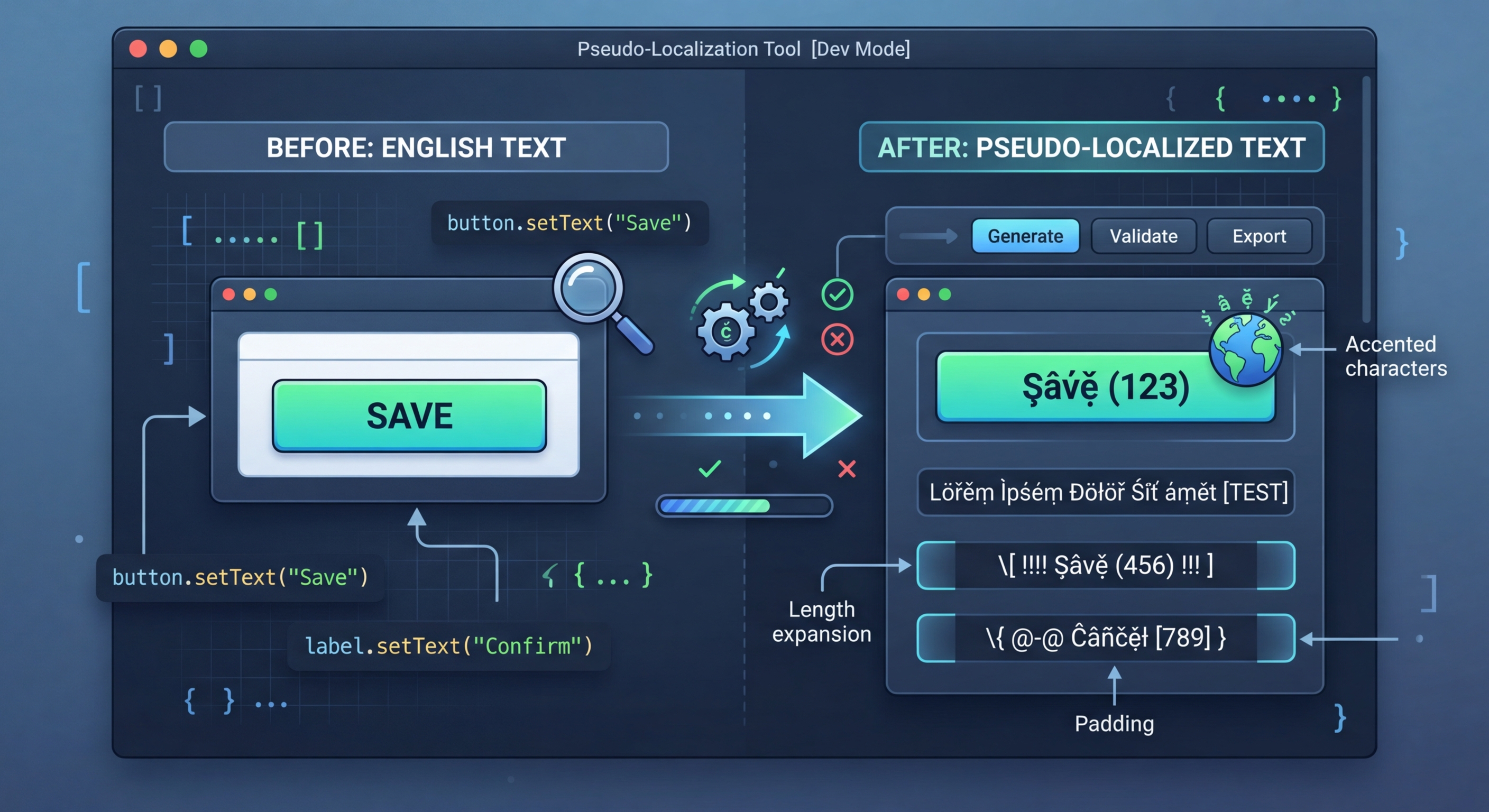
Päris tõlked nõuavad aega ja raha. Pseudolokaliseerimine teisendab lähtekeele stringid loetavaks, kuid ilmselgelt võltstekstiks, mis paljastab i18n-i vead kohe: kõvakodeeritud stringid, teksti ületäitumise, RTL-i probleemid ja liitmisprobleemid.
Mis on pseudolokaliseerimine?
Pseudolokaliseerimine asendab lähtekeele stringide märgid visuaalselt sarnaste rõhumärkidega või laiendatud märkidega, lisab teksti pikendavat täidet ja ümbritseb stringid sulgudega. Tulemus on arendajatele endiselt loetav, kuid erineb selgelt päris tekstist, mistõttu on lihtne märgata stringe, mida tõlkefunktsiooniga ei töödeldud.
// Pseudo-localization transforms your source strings
// to simulate translation without real translators

// Original:
"Welcome to our application"

// Accented (simulates diacritics):
"[Ẁëľčöṁë ţö öüŕ àṗṗľïčàţïöñ]"

// Expanded (simulates text expansion ~30%):
"[Weeelcooomee tooo ouuur aaappliiicaaatiiioon]"

// Mirrored (simulates RTL layout):
"[noitacilppa ruo ot emocleW]"

// Brackets make untranslated strings immediately visibleKasutamine projektis
Paigalda i18n-pseudo ja käivita see lokaadifailidel. Tööriist tuvastab failivormingu automaatselt ja loob pseudolokaliseeritud versiooni, mille saad rakendusse testlokaadina laadida.
// 1. Hardcoded strings (not wrapped in t())
// Pseudo strings have brackets/accents, so untranslated
// strings are immediately obvious in the UI

// 2. Text truncation
// Expanded text reveals buttons and labels that break
// when translations are longer than English

// 3. Layout issues
// Accented characters reveal font rendering problems
// RTL mode reveals directional layout bugs

// 4. Concatenation bugs
// "Hello " + name vs t('greeting', { name })
// Pseudo-localization breaks concatenated strings

// 5. Missing i18n wrappers
// Any string not going through the i18n system
// appears as plain English among pseudo text7 teisendusstrateegiat
i18n-pseudo pakub seitset teisendusstrateegiat, millest igaüks testib i18n-i teostuse eri osa. Kasuta neid sihttestimiseks eraldi või põhjalikuks katvuseks eelseadistustega kombineeritult.
// Strategy 1: Accented characters
// Replace ASCII with similar-looking Unicode
// a -> à, e -> ë, o -> ö, etc.
// Preserves readability while testing rendering

// Strategy 2: Text expansion
// Pad strings to simulate longer translations
// German is ~30% longer, Finnish ~40% longer
// Helps catch UI overflow early

// Strategy 3: Brackets/wrappers
// Wrap strings in [brackets] or «guillemets»
// Makes untranslated strings visually obvious

// Strategy 4: Bidi/RTL
// Mirror text for right-to-left testing
// Catches layout issues before Arabic/Hebrew testing

// Strategy 5: Combined
// Apply all strategies simultaneously
// Maximum coverage in one passViis sisseehitatud eelseadistust
Eelseadistused ühendavad mitu strateegiat sagedamini vajatavateks konfiguratsioonideks. Kasuta kiireks testimiseks eelseadistust või loo oma vajaduste jaoks kohandatud kombinatsioone.
// Using i18n-pseudo CLI
npx i18n-pseudo generate \
  --source locales/en.json \
  --output locales/pseudo.json \
  --preset accented

# Available presets:
# accented  - Ḣëľľö Ẁöŕľð (default)
# expanded  - Heeellooo Wooorld
# mirrored  - dlroW olleH
# brackets  - [Hello World]
# maximum   - [Ḣëëëľľľöööö Ẁöööŕŕŕľľľðððð]

// i18n-pseudo.config.json
{
  "source": "locales/en.json",
  "output": "locales/pseudo.json",
  "preset": "maximum",
  "expansion": 1.4,
  "wrapper": ["[", "]"],
  "exclude": [
    "*.url",
    "*.email",
    "branding.*"
  ]
}CI/CD lõiming
Käivita pseudolokaliseerimine CI-s, et tuvastada automaatselt i18n-i regressioonid. Loo pseudolokaliseeritud failid, renderda põhivaated ja võrdle neid etalonkuvatõmmistega. Iga teisendamata tekst kuvatõmmistel on regressioon: uus kõvakodeeritud string, mis läks tõlkefunktsioonist mööda.
# .github/workflows/pseudo-check.yml
name: Pseudo-Localization Check

on:
  pull_request:
    paths:
      - 'src/**'

jobs:
  pseudo-test:
    runs-on: ubuntu-latest
    steps:
      - uses: actions/checkout@v4

      - name: Setup Node.js
        uses: actions/setup-node@v4
        with:
          node-version: 20

      - name: Install dependencies
        run: npm ci

      - name: Generate pseudo locale
        run: npx i18n-pseudo generate \
          --source locales/en.json \
          --output locales/pseudo.json \
          --preset maximum

      - name: Build with pseudo locale
        run: npm run build
        env:
          NEXT_PUBLIC_LOCALE: pseudo

      - name: Run visual regression tests
        run: npx playwright test --project=pseudo
        env:
LOCALE: pseudoProovi i18n Agent'i kohe
Kukuta tõlkefail siia
JSON, YAML, PO, XML, CSV, Markdown, Properties
või klõpsa faili valimiseks
Sihtkeeled