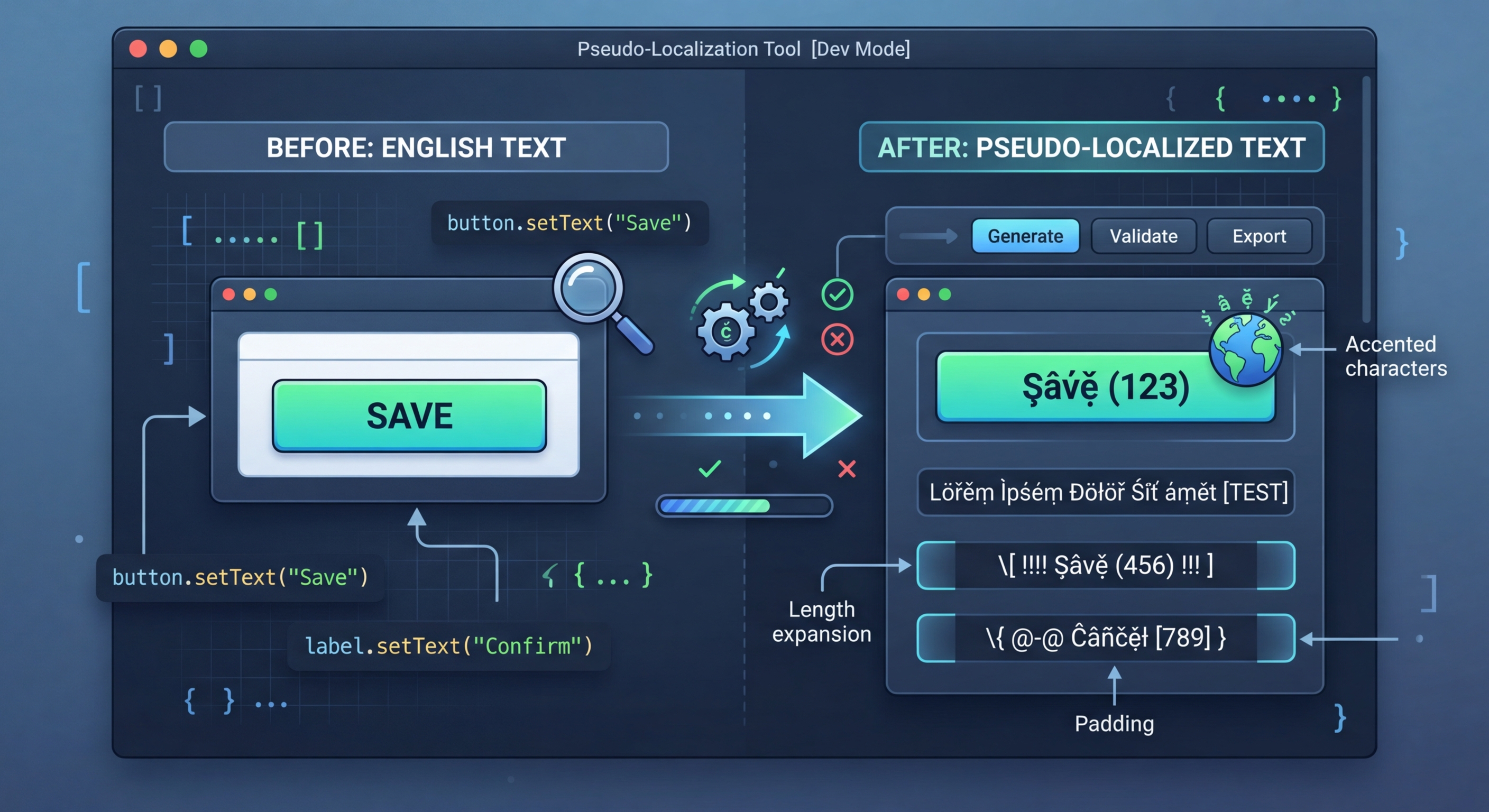
Sýndarstaðfærsla: Prófaðu i18n-viðbúnað án raunverulegra þýðinga
Raunverulegar þýðingar kosta tíma og peninga. Sýndarstaðfærsla umbreytir frumstrengjunum í læsilegan en augljóslega tilbúinn texta sem afhjúpar i18n-villur samstundis — harðkóðaða strengi, textaflæði út fyrir mörk, RTL-vandamál og galla í samskeytingu.
Hvað er sýndarstaðfærsla?
Sýndarstaðfærsla skiptir stöfum í frumstrengjunum út fyrir svipaða stafi með broddmerkjum eða viðbótarstöfum, bætir við fyllingu til að víkka textann og setur hornklofa utan um strengi. Niðurstaðan er enn læsileg forriturum en greinilega frábrugðin raunverulegum texta, svo auðvelt er að finna strengi sem ekki var pakkað inn með þýðingarföllum.
// Pseudo-localization transforms your source strings
// to simulate translation without real translators

// Original:
"Welcome to our application"

// Accented (simulates diacritics):
"[Ẁëľčöṁë ţö öüŕ àṗṗľïčàţïöñ]"

// Expanded (simulates text expansion ~30%):
"[Weeelcooomee tooo ouuur aaappliiicaaatiiioon]"

// Mirrored (simulates RTL layout):
"[noitacilppa ruo ot emocleW]"

// Brackets make untranslated strings immediately visibleNotkun í verkefninu þínu
Settu i18n-pseudo upp og keyrðu það á staðfærsluskrárnar þínar. Verkfærið greinir skráarsniðið sjálfkrafa og býr til sýndarstaðfærða útgáfu sem þú getur hlaðið sem prófunarstaðfærslu í forritinu.
// 1. Hardcoded strings (not wrapped in t())
// Pseudo strings have brackets/accents, so untranslated
// strings are immediately obvious in the UI

// 2. Text truncation
// Expanded text reveals buttons and labels that break
// when translations are longer than English

// 3. Layout issues
// Accented characters reveal font rendering problems
// RTL mode reveals directional layout bugs

// 4. Concatenation bugs
// "Hello " + name vs t('greeting', { name })
// Pseudo-localization breaks concatenated strings

// 5. Missing i18n wrappers
// Any string not going through the i18n system
// appears as plain English among pseudo text7 umbreytingaraðferðir
i18n-pseudo býður 7 umbreytingaraðferðir sem prófa hver sinn þátt i18n-útfærslunnar. Notaðu þær hverja fyrir sig í markvissa prófun eða sameinaðu þær með forstillingum til að fá heildstæða þekju.
// Strategy 1: Accented characters
// Replace ASCII with similar-looking Unicode
// a -> à, e -> ë, o -> ö, etc.
// Preserves readability while testing rendering

// Strategy 2: Text expansion
// Pad strings to simulate longer translations
// German is ~30% longer, Finnish ~40% longer
// Helps catch UI overflow early

// Strategy 3: Brackets/wrappers
// Wrap strings in [brackets] or «guillemets»
// Makes untranslated strings visually obvious

// Strategy 4: Bidi/RTL
// Mirror text for right-to-left testing
// Catches layout issues before Arabic/Hebrew testing

// Strategy 5: Combined
// Apply all strategies simultaneously
// Maximum coverage in one pass5 innbyggðar forstillingar
Forstillingar sameina margar aðferðir í algengar uppsetningar. Notaðu forstillingu til að prófa hratt eða búðu til sérsniðna samsetningu fyrir þínar þarfir.
// Using i18n-pseudo CLI
npx i18n-pseudo generate \
  --source locales/en.json \
  --output locales/pseudo.json \
  --preset accented

# Available presets:
# accented  - Ḣëľľö Ẁöŕľð (default)
# expanded  - Heeellooo Wooorld
# mirrored  - dlroW olleH
# brackets  - [Hello World]
# maximum   - [Ḣëëëľľľöööö Ẁöööŕŕŕľľľðððð]

// i18n-pseudo.config.json
{
  "source": "locales/en.json",
  "output": "locales/pseudo.json",
  "preset": "maximum",
  "expansion": 1.4,
  "wrapper": ["[", "]"],
  "exclude": [
    "*.url",
    "*.email",
    "branding.*"
  ]
}CI/CD-samtenging
Keyrðu sýndarstaðfærslu í CI til að finna i18n-afturfarir sjálfkrafa. Búðu til sýndarstaðfærðar skrár, birtu helstu skjái og berðu þá saman við grunnskjámyndir. Allur óumbreyttur texti á skjámyndunum er afturför — nýr harðkóðaður strengur sem fór fram hjá þýðingarfallinu.
# .github/workflows/pseudo-check.yml
name: Pseudo-Localization Check

on:
  pull_request:
    paths:
      - 'src/**'

jobs:
  pseudo-test:
    runs-on: ubuntu-latest
    steps:
      - uses: actions/checkout@v4

      - name: Setup Node.js
        uses: actions/setup-node@v4
        with:
          node-version: 20

      - name: Install dependencies
        run: npm ci

      - name: Generate pseudo locale
        run: npx i18n-pseudo generate \
          --source locales/en.json \
          --output locales/pseudo.json \
          --preset maximum

      - name: Build with pseudo locale
        run: npm run build
        env:
          NEXT_PUBLIC_LOCALE: pseudo

      - name: Run visual regression tests
        run: npx playwright test --project=pseudo
        env:
LOCALE: pseudoPrófaðu i18n Agent núna
Slepptu þýðingarskránni þinni hér
JSON, YAML, PO, XML, CSV, Markdown, Properties
eða smelltu til að fletta
Markmál